
Wallet Balance Top Up: What It Is and How It Works
An ArcTopup Wallet Balance functions as a prepaid digital store credit linked directly to your platform account. Instead of entering your credit card details, approving one-time passwords (OTPs), or dealing with banking authorization prompts every time you purchase gaming credits, you can deposit funds in advance into your account balance.
Once loaded, your Wallet Balance becomes a single-click checkout option across the entire store catalog. When you choose a gaming product, mobile reload, or digital voucher, the checkout system deducts the exact order total directly from your remaining balance without routing through external payment processing gateways. This provides immediate order confirmation and keeps your gaming purchases organized in one secure place.
Key Benefits of Preloading Wallet Balance for Faster Game Top-Ups
Adding funds to your store account before a major gaming event or flash sale offers distinct practical advantages over paying per transaction:
- Zero Payment Gateway Delays: Bank verification systems and 3D Secure (3DS) text message confirmations often fail during peak traffic hours. Preloaded funds execute immediately.
- Lower Transaction Overhead: Making multiple micro-transactions throughout the week can trigger automated fraud protection locks on your payment cards. Consolidating your spending into single balance deposits keeps your bank statements clean.
- Budget Control: Depositing a set amount into your balance at the beginning of the month helps manage your gaming budget without overspending on impulse purchases.
- Fast Checkout During Timed Events: When limited-edition skins, battle passes, or time-sensitive banners drop in your favorite games, paying with your ready balance guarantees you complete the order without payment timeouts.
| Feature | Direct Payment at Checkout | Prepaid Wallet Balance |
|---|---|---|
| Checkout Speed | 1 to 3 minutes (SMS/OTP required) | Instant 1-click execution |
| Card Entry Requirement | Required on every order | Only during balance recharge |
| Risk of Gateway Timeout | Medium to High during peak sales | None |
| Transaction Consolidation | Multiple small charges on bank log | Single planned deposit charge |
Step-by-Step Guide: How to Recharge Your Wallet Balance
Recharging your store credit on ArcTopup takes only a few quick steps. Follow this guide to load your balance:
- Log in to your ArcTopup profile using your registered email address.
- Go to the Wallet Balance recharge product page.
- Choose the amount of funds you wish to deposit into your account.
- Review the available payment options displayed on the live checkout interface.
- Select your preferred local or international payment method.
- Complete the payment authorization through the designated payment gateway.
- Return to your user dashboard to confirm your updated balance total.
How to Identify Your ArcTopup Account ID
Before completing a balance recharge, confirm that you are logged into the correct ArcTopup account. Your profile ID ensures that the funds attach directly to your user account.
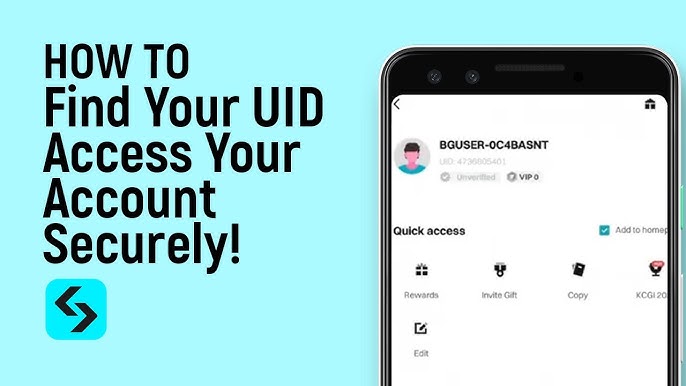
To verify your account details:* Click on your user avatar or profile icon located in the upper navigation bar.* Open your User Profile page.* View your unique numeric Account ID and verify the registered email address tied to your active balance.
Supported Payment Methods to Top Up Store Balance in 2026
ArcTopup supports a broad selection of regional and international payment channels to make funding your balance simple regardless of location. The available options adapt dynamically to your detected region at checkout.
Available deposit methods include:* Major credit and debit cards (Visa, Mastercard, and regional card networks)* Local e-wallets and digital payment apps* Direct online bank transfers and regional instant payment rails* Store vouchers and supported digital prepaid codes
Exact exchange rates, regional gateway fees, and localized payment channels are calculated in real time. Check the live checkout screen to view the precise rates and options available for your country.
How to Use Wallet Balance at Checkout for In-Game Purchases
Using your loaded credit for games, passes, and direct top-ups requires no extra configuration:
- Browse the ArcTopup catalog and select the game or product you want to buy.
- Enter your Player ID / UID and server details for the target game.
- Select your desired item denomination or currency package.
- At the checkout screen, choose Wallet Balance as your payment method.
- If your balance covers the full transaction total, click Pay Now to complete the order instantly.
- If your balance is lower than the order total, the checkout screen will prompt you to top up the difference or choose a secondary payment method.
Account Security and Balance Protection Standards
ArcTopup maintains strict security protocols to keep your funds safe:
- Zero Password Sharing: ArcTopup will never ask for your game account passwords, login credentials, or verification codes to process a top-up or reload your wallet.
- End-to-End Encryption: All deposit transactions run through 256-bit SSL encrypted payment channels.
- Account-Level Protection: Your balance is tied strictly to your authenticated email profile, preventing unauthorized access from outside sources.
Troubleshooting Balance Updates and Failed Top-Up Transactions
If your balance does not update right after completing a deposit, check the following points:
- Check Transaction Status: Review your bank or e-wallet account to ensure the payment was marked as settled rather than pending.
- Refresh Your Profile Dashboard: Log out and log back into your ArcTopup profile, or hard-refresh your browser cache (Ctrl + F5) to pull the latest balance data.
- Verify Billing Confirmation Email: Check your inbox for the automated ArcTopup order confirmation receipt containing your transaction reference code.
- Contact Customer Support: If the transaction shows as successful on your payment statement but your balance remains unchanged after 15 minutes, submit a support ticket with your transaction ID and account email for prompt manual resolution.
Frequently Asked Questions
How do I add money to my wallet balance?
Log in to your ArcTopup account, visit the Wallet Balance page, choose your reload amount, select your payment method at checkout, and complete the payment. Your balance updates as soon as the transaction is confirmed.
What does wallet top up mean?
A wallet top up means adding prepaid funds to your platform store balance in advance. This allows you to complete future game purchases instantly with one click instead of entering card details every time.
How can I use my wallet balance to purchase game top-ups?
Select any game product on the ArcTopup site, enter your player details, choose your item, and select Wallet Balance as your payment method during checkout. The amount will be deducted directly from your available balance.
Do funds in my wallet balance expire?
No. Funds deposited into your ArcTopup Wallet Balance do not expire. They remain securely stored in your account until you decide to spend them on product top-ups.
Can I transfer my wallet balance to a bank account?
Preloaded wallet balances are non-transferable and cannot be withdrawn directly to a private bank account or third-party e-wallet. Balance funds are designated strictly for purchasing digital goods, game credits, and top-up services on ArcTopup.
What should I do if my wallet balance does not update immediately after recharging?
First, refresh your browser and verify that the payment went through on your bank statement. If the funds have been debited but your balance has not refreshed within 10 to 15 minutes, reach out to ArcTopup Customer Support with your order number and payment receipt.
Current packages and prices
Current base prices exclude Tax. Tax, payment fees and coupon adjustments are shown at checkout.
| Package | Price |
|---|---|
| 20 USD | USD 18.00 |
| 50 USD | USD 45.00 |
| 100 USD | USD 90.00 |
| 200 USD | USD 180.00 |
| 500 USD | USD 450.00 |




























































