
Dimo Top Up: In-App Balance and Voice Chat Features
Dimo is an interactive social entertainment application built around multi-user voice chat rooms, live audio broadcasting, and casual social games. Users join live audio spaces to connect with international creators, participate in karaoke sessions, share stories, and host group discussions.
To engage fully in Dimo voice rooms, users utilize an in-app balance to purchase virtual gifts, activate premium audio privileges, and display customized profile aesthetics. Recharging your Dimo balance gives you direct access to these interactive tools, helping you support your favorite room hosts and stand out in crowded voice communities.
Note: Dimo on ArcTopup refers specifically to the mobile voice chat and social entertainment platform. It is not affiliated with automotive telemetry or cryptocurrency blockchain projects bearing similar names. All top-up packages available here deliver credits directly to your Dimo social voice chat account.
Step-by-Step Guide: How to Top Up Dimo Balance with Player ID
Recharging your Dimo balance on ArcTopup is straightforward and requires only your numeric user ID. Follow these steps to complete your purchase:
- Select your recharge product: Browse the available Dimo top-up packages on the ArcTopup product page and choose the amount that fits your needs.
- Enter your Dimo Player ID: Type your numeric account ID into the Player ID field. Double-check the number to avoid sending credits to an incorrect user.
- Select your preferred payment option: Pick from the supported regional and international payment channels available at checkout.
- Review and confirm: Check your account details and order summary, then complete the payment verification.
- Check your in-app balance: Once payment processing completes, your Dimo balance updates directly in your account. Open the app to view your new coins or diamonds.
How to Find Your Dimo Player ID in the App
You must provide your correct Dimo Player ID to ensure that your recharge credits reach your account without delay. Your ID is a unique numeric identifier linked permanently to your profile.
To find your Dimo Player ID:1. Launch the Dimo application on your mobile device.2. Tap the Profile icon (labeled "Me" or "My Profile") located in the bottom right corner of the navigation bar.3. On your profile overview screen, locate your avatar and display name.4. Directly below your nickname, you will see a series of numbers marked as "ID:" or "UID:".5. Tap the copy icon next to the numeric sequence to copy your ID directly to your clipboard.6. Return to ArcTopup and paste this number into the Player ID input field before submitting your order.
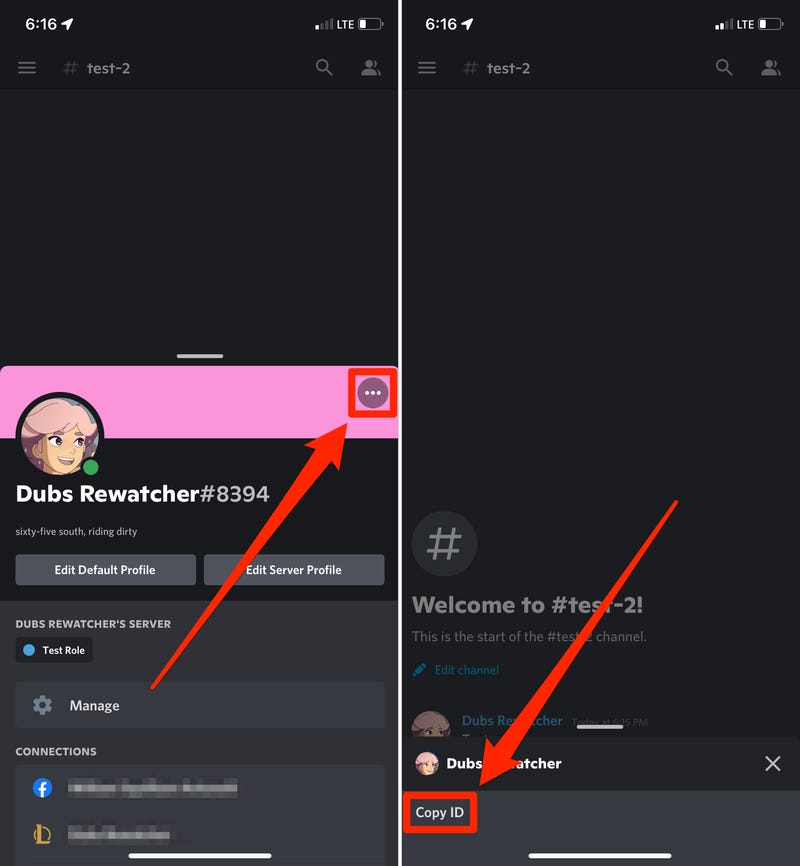
Always copy and paste the ID directly from your profile rather than typing it manually. This prevents accidental typos that could delay your recharge delivery.
Popular Uses for Dimo Coins: Virtual Gifts and Chat Room Perks
Recharging your Dimo balance gives you access to multiple interactive features designed to enhance your social presence and support room owners:
- Interactive Virtual Gifts: Send animated 3D gifts to room hosts and speakers. Virtual gifts range from small token gestures to elaborate full-screen animations that highlight your support.
- Voice Seat Priority: Secure reserved microphone spots in high-traffic chat rooms and community events, ensuring your voice is heard without waiting in long speaker queues.
- Profile Badges and Avatar Frames: Equip custom decorative borders, animated profile banners, and exclusive entrance animations that display whenever you enter a voice room.
- Global Chat Horns: Send server-wide broadcast messages across all active rooms to announce special events, look for new party members, or promote your own voice space.
- Community Leaderboards: Earn points on daily, weekly, and monthly contributor leaderboards to showcase your rank and status within active room communities.
| Balance Application | Description | Impact on In-App Experience |
|---|---|---|
| Animated Room Gifts | Send 3D gifts to room speakers | Displays special effects on screen and boosts host ranking |
| Voice Seat Priority | Reserve top mic slots in busy rooms | Keeps your microphone active during community events |
| Cross-Room Horns | Broadcast global text alerts across all active rooms | Reaches the entire server audience instantly |
| Exclusive Frames & Badges | Profile borders and nameplate badges | Distinguishes your account in chat lists and user profiles |
| Creator Tipping | Support room broadcasters directly | Contributes to host popularity scores and room level progression |
Supported Global Payment Methods for Dimo Top-Ups in 2026
ArcTopup supports a comprehensive range of international and localized payment options in 2026 to ensure convenient checkout regardless of your location. Available payment methods include:
- Major Credit and Debit Cards: Visa, Mastercard, and other globally recognized card networks.
- Local Digital Wallets: Regional e-wallet solutions tailored to specific countries across Southeast Asia, the Middle East, Europe, and Latin America.
- Direct Bank Transfers: Secure online banking gateways and instant transfer protocols.
- Regional Payment Solutions: Localized convenience payment channels and digital vouchers.
All live prices, currency conversions, and applicable transaction options are displayed clearly on the ArcTopup checkout screen prior to payment confirmation. You can review the exact total in your chosen currency before finalizing your transaction.
Account Safety: Why ArcTopup Never Requests Your Password
Account security is critical when purchasing digital items online. ArcTopup uses a direct Player ID delivery system that protects your personal credentials completely:
- Zero Login Credentials Required: ArcTopup only requires your public Dimo Player ID. We will never ask for your password, login email, social media credentials, or two-factor authentication codes.
- Direct Server Delivery: Top-up transactions are credited directly to your account using official routing protocols linked to your unique ID.
- Protection Against Scams: You do not need to share account access with third parties or grant remote permissions to receive your balance.
- Safe Transaction Monitoring: ArcTopup utilizes standard encryption protocols to process all payments, safeguarding your billing information at every step.
Always remember: legitimate top-up services never require your account password. If anyone claiming to represent a platform requests your login details, decline immediately to protect your account.
Troubleshooting Delayed Transactions and Balance Verification
Most Dimo balance recharges process within seconds of payment approval. If your updated balance does not appear in the app immediately, follow these verification steps:
- Force Restart the Dimo App: Close the Dimo application completely on your mobile device and reopen it. This forces the app to refresh its connection to the game server and update your account balance cache.
- Verify Your Payment Receipt: Check your email or payment app statement to confirm that your transaction was successfully debited and approved by your financial provider.
- Confirm Your Player ID: Review your ArcTopup order confirmation to ensure the Player ID submitted matches the ID on your Dimo profile screen.
- Check In-App System Messages: Open the notification center inside Dimo. Certain rewards or recharge items may deliver as in-app notification claims or direct balance updates.
- Contact Customer Support: If your balance does not reflect after completing these steps, reach out to the ArcTopup 24/7 support team. Provide your ArcTopup Order ID, transaction receipt, and Dimo Player ID so our representatives can verify and resolve the delivery promptly.
Frequently Asked Questions
How do I top up my Dimo account using my Player ID?
To top up your Dimo account on ArcTopup, select the desired coin package, enter your numeric Dimo Player ID in the input box, select your payment method, and complete the payment. Your balance will be credited directly to your Dimo account.
Where can I find my Dimo Player ID in the app?
Open the Dimo app, tap the "Me" or "Profile" tab in the bottom right corner, and look below your username. Your numeric Player ID is displayed there with a copy button next to it.
Do I need to share my Dimo account password to complete a top-up?
No. ArcTopup never asks for your Dimo account password or login credentials. You only need to enter your public numeric Player ID to receive your recharge balance.
What can I purchase with my Dimo balance?
Your Dimo balance can be used to send animated virtual gifts to room hosts, unlock exclusive entrance banners and profile frames, purchase global chat horns, and gain priority seating in popular voice rooms.
How quickly will my Dimo balance update after payment?
Balance delivery is automated and typically updates your Dimo account within moments after payment confirmation. Restarting your app helps refresh your balance display immediately.
What should I do if my Dimo top-up does not show up immediately?
First, fully close and reopen the Dimo app to refresh your data. If the balance is still missing, verify that your payment was processed successfully and that you entered the correct Player ID. If needed, contact ArcTopup customer support with your Order ID for rapid assistance.
Current packages and prices
Current base prices exclude Tax. Tax, payment fees and coupon adjustments are shown at checkout.
| Package | Price |
|---|---|
| Dimo - Dimo*5000 | USD 4.14 |
| Dimo - Dimo*10000 | USD 8.28 |
| Dimo - Dimo*15000 | USD 12.41 |
| Dimo - Dimo*20000 | USD 16.55 |
| Dimo - Dimo*25000 | USD 20.69 |
| Dimo - Dimo*50000 | USD 41.38 |
| Dimo - Dimo*100000 | USD 82.75 |
| Dimo - Dimo*500000 | USD 413.75 |
| Dimo - Dimo*2000 | USD 1.66 |






























































