
Step-by-Step Guide: How to Top Up CHATA with Player ID
Refilling your account through ArcTopup is straightforward and does not require sharing private account credentials. Follow these clear steps to complete your CHATA top up directly to your balance:
- Enter Your CHATA Player ID: Input your numerical account ID into the designated Player ID field at the top of the order page. Double-check the numbers to ensure your balance goes to the right profile.
- Select Your Coin Package: Browse the available denomination options and choose the amount of CHATA coins or balance units you wish to purchase.
- Review Order and Pricing: Confirm your package selection. The live checkout interface presents real-time price totals and currency options before you commit.
- Choose Payment Method and Complete Checkout: Select your preferred payment channel and submit your payment.
- Receive Your In-App Balance: Once the transaction confirms, your CHATA balance updates automatically in your account.
| Top-Up Step | Action Required | Verification Method |
|---|---|---|
| 1. Account Input | Enter CHATA Player ID | Check profile number in CHATA app |
| 2. Select Denomination | Pick coin bundle | Match budget and intended in-app use |
| 3. Payment | Complete transaction | Receive ArcTopup Order ID receipt |
| 4. Balance Delivery | Open CHATA app | Refresh wallet screen to confirm balance |
How to Find Your CHATA Player ID in the App
Your CHATA Player ID is the unique numerical identifier assigned to your account when you register. You only need this string of digits to receive coins from ArcTopup.
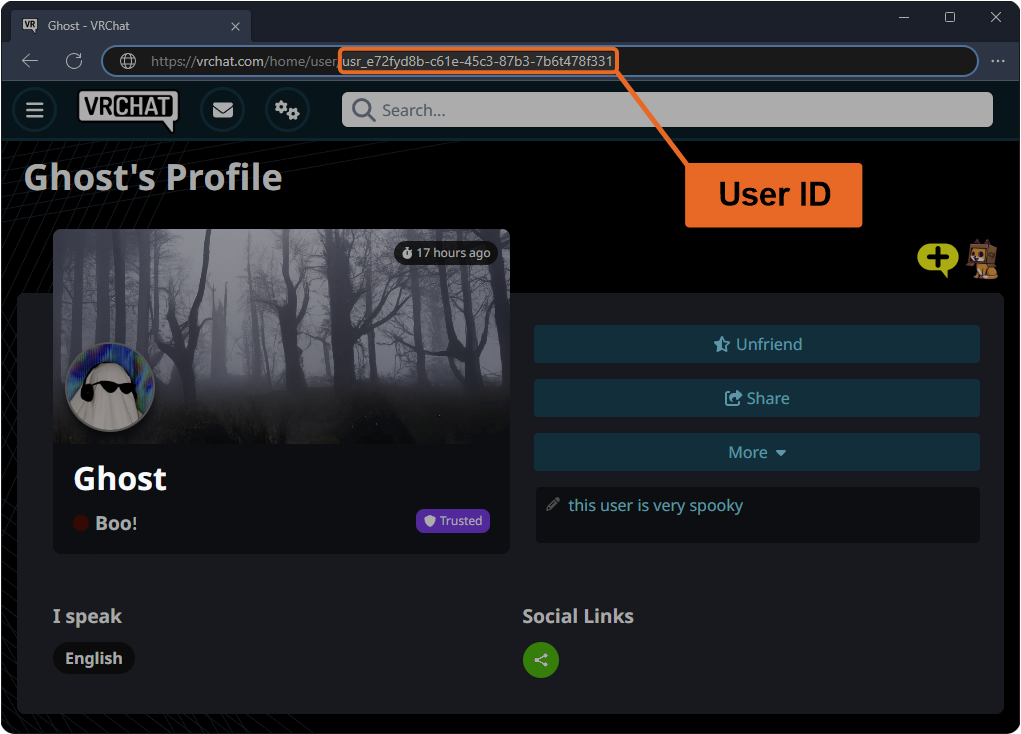
To find your Player ID quickly:
- Open the CHATA mobile application on your device.
- Tap the Profile or Me tab located in the bottom navigation bar.
- Look directly beneath your profile avatar and display name.
- You will see your numerical ID displayed.
- Tap the copy icon next to the digits to copy your exact ID to your clipboard, then paste it directly into the ArcTopup Player ID field.
Important Distinction: This top-up service applies exclusively to the CHATA live streaming and social entertainment mobile app. It is not associated with telecom airtime top-ups, mobile data recharges, or physical retail gift cards sharing a similar name. Always verify that your ID matches the format generated inside the official CHATA application.
Supported In-App Items and CHATA Balance Benefits
Adding coins to your CHATA balance allows you to participate in social features and access premium interactive content across the platform. Top-up credits can be used for:
- Virtual Gifts: Send animated gifts, premium stickers, and dynamic effects to your favorite live stream hosts and content creators.
- VIP Badges and Special Entitlements: Unlock visual flair, distinctive chat bubble colors, and entrance effects when joining voice and video rooms.
- Interactive Games and Room Upgrades: Join special in-room entertainment sessions, host customized social games, and boost room popularity rankings.
- Direct Creator Support: Help creators reach tier milestones and support their broadcast rankings during platform-wide events.
Buying top-ups ahead of major broadcast events ensures you never miss a moment or run out of coins during competitive stream battles.
Safe and Secure CHATA Recharges on ArcTopup
Account safety is the top priority when purchasing digital currencies online. ArcTopup relies on a strict direct-to-ID delivery structure designed to protect your personal information:
- Zero Passwords Required: You never have to share your CHATA login credentials, email password, social login access, or verification SMS codes. We only ask for your public Player ID.
- No Account Sharing Risks: Because transactions occur externally via ID-routing, your account stays safely in your hands. This eliminates risks associated with phishing, unauthorized third-party logins, or credential leaks.
- Encrypted Checkout: Every transaction is protected with industry-standard encryption protocols to keep your payment details private.
- Order Tracking: Every purchase generates an ArcTopup order reference code, allowing you to check status and verify processing immediately.
Payment Methods and Currency Support for CHATA Top-Ups in 2026
ArcTopup supports a wide range of secure international and localized payment options in 2026 to make recharges accessible wherever you live. The live checkout automatically displays relevant payment channels based on your region and preferred currency.
Supported payment categories include:
- Credit and Debit Cards: Visa, Mastercard, and international bank cards.
- Digital Wallets and E-Wallets: Popular regional mobile payment apps and digital balance wallets.
- Online Bank Transfers: Secure direct bank transfer options tailored for regional banking systems.
All exchange rates, total amounts, and any payment handling fees are displayed clearly on the live checkout screen before you finalize your transaction. You will always see the exact price breakdown in real time with zero hidden surcharges.
Troubleshooting CHATA Balance Delivery and Missing Credits
CHATA balance recharges process rapidly. If your coins do not show up immediately, follow these troubleshooting steps:
- Force Close and Restart the App: The CHATA mobile app caches wallet balances locally. Close the app completely from your device's background task manager and reopen it to force a server balance refresh.
- Check Your In-App Transaction History: Go to your CHATA profile, open your wallet or coin history tab, and verify whether the incoming transaction has been recorded.
- Verify the Submitted Player ID: Check your ArcTopup purchase confirmation receipt to confirm that the Player ID you entered matches your account ID. If you mistyped the number, contact customer support immediately with your order reference.
- Verify Payment Status: Confirm that your payment method was successfully debited and that your transaction reached completed status rather than pending.
- Contact ArcTopup Support: If your payment is confirmed but your balance has not arrived after a short wait, reach out to the ArcTopup customer support team with your Order ID, CHATA Player ID, and transaction receipt for quick manual verification.
Frequently Asked Questions
How do I top up CHATA balance with my Player ID?
To top up your balance, enter your CHATA Player ID on ArcTopup, select the coin package you want, choose your preferred payment option, and complete the payment. Your CHATA balance will update directly in your app.
Where can I find my CHATA Player ID?
Open the CHATA app, tap on the Me or Profile icon at the bottom of the screen, and locate the numerical ID displayed beneath your avatar and username. Use the copy button to capture the exact digits.
Do I need to provide my CHATA password to top up on ArcTopup?
No. ArcTopup uses a direct ID-based delivery system. You never need to provide your password, social account login, or verification codes to recharge your account.
How long does it take to receive my CHATA top-up?
Most orders process immediately once your payment is confirmed by the payment gateway. You can refresh your in-app wallet shortly after completing the order to view your updated coin balance.
Can I buy a CHATA recharge for a friend using their Player ID?
Yes. Because the top-up system only requires a valid Player ID, you can send coins to friends, family, or content creators by entering their numerical CHATA Player ID during checkout.
What should I do if my CHATA balance does not update after payment?
First, close the CHATA app and reopen it to trigger a wallet balance sync. If the coins still do not appear, check your payment status and contact ArcTopup customer support with your Order ID and Player ID for assistance.
Current packages and prices
Current base prices exclude Tax. Tax, payment fees and coupon adjustments are shown at checkout.
| Package | Price |
|---|---|
| CHATA - CHATA*5000 | USD 1.03 |
| CHATA - CHATA*10000 | USD 2.06 |
| CHATA - CHATA*15000 | USD 3.09 |
| CHATA - CHATA*20000 | USD 4.12 |
| CHATA - CHATA*25000 | USD 5.15 |
| CHATA - CHATA*30000 | USD 6.18 |
| CHATA - CHATA*50000 | USD 10.30 |
| CHATA - CHATA*70000 | USD 14.42 |
| CHATA - CHATA*100000 | USD 20.61 |
| CHATA - CHATA*200000 | USD 41.21 |
| CHATA - CHATA*500000 | USD 103.03 |
| CHATA - CHATA*700000 | USD 144.24 |
| CHATA - CHATA*1000000 | USD 206.06 |
| CHATA - CHATA*2000000 | USD 412.11 |
































































