
Infun Top Up: What Is Infun and How It Works
Infun is a popular social voice chat application where users connect in themed audio rooms, play interactive party games, support live broadcasters, and send virtual gifts. An Infun top up adds in-app balance directly to your user account, giving you the resources needed to actively participate in room events, reward gifted hosts, and personalize your profile presence.
When you complete an Infun recharge, the purchased balance links directly to your profile using your numeric User ID (UID). This process requires no login credentials or password handoffs. Once credited, your balance gives you complete access to animated gifts, prestige status upgrades, and customizable room tools across active voice communities.
How to Find Your Infun UID in the App
Every Infun account has a unique numeric identifier. You only need this UID to process your recharge. Follow these steps inside the mobile app to copy your UID accurately:
- Open the Infun app on your mobile device.
- Tap the Profile icon (labeled "Me" or "My Profile") in the bottom right corner of the screen.
- Look directly beneath your profile avatar and nickname.
- Locate your numeric UID string.
- Tap the copy icon next to the number or write it down carefully.
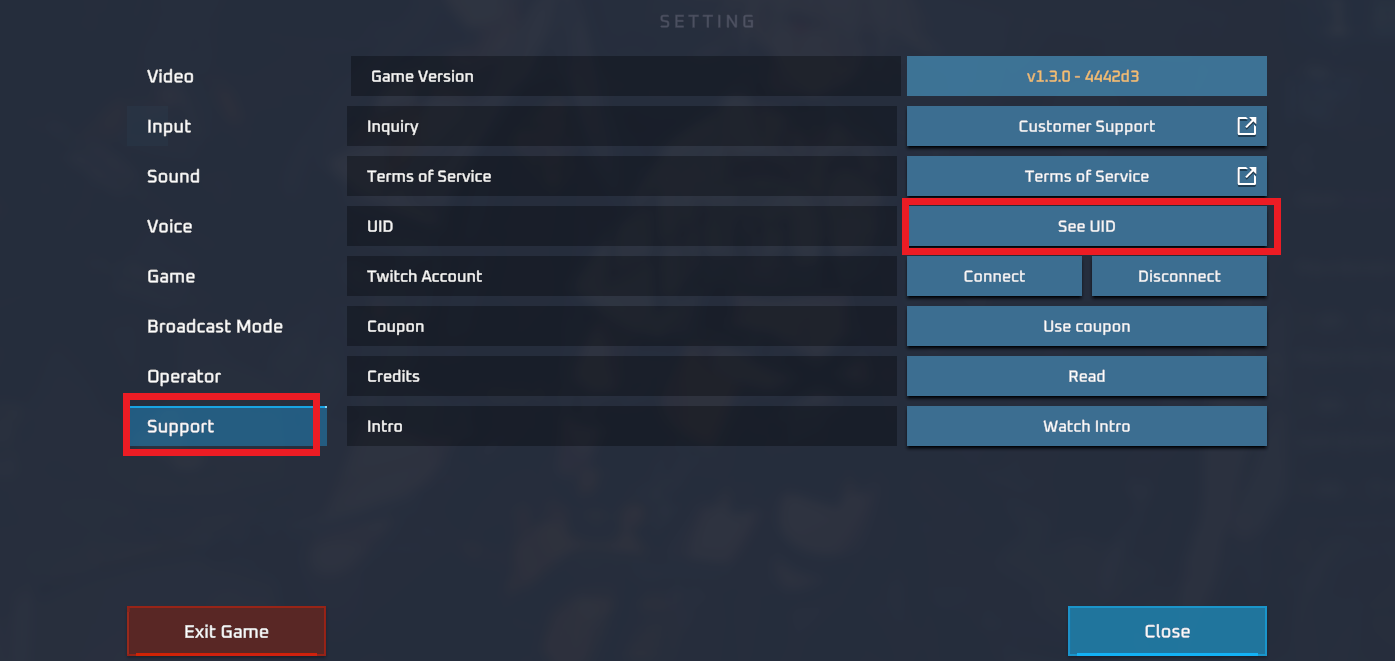
Always double-check your copied digits before submitting your order on ArcTopup. Because digital orders process automatically based on the entered UID, accurate account numbers ensure your balance arrives without delay.
Infun Virtual Currency Benefits: Room Levels, Prestige Status, and Gifts
Infun operates an active social and gifting system. Adding balance to your account allows you to unlock multiple interactive features across the platform:
- Animated Gifts and Effects: Send dynamic, full-screen gift animations to friends and hosts during live voice room streams.
- Prestige Levels and Badges: As you use balance to send gifts, your contributor rank increases, displaying high-tier visual badges next to your name in member lists.
- Voice Room Customization: Room owners can apply custom themes, entry effects, and special audio permissions to attract larger audiences.
- Party and Social Games: Participate in interactive minigames hosted inside group rooms that require entry coins or gift tokens.
- Exclusive Entry Vehicles: Enter chat rooms with custom entrance banners and sound effects that announce your arrival to everyone present.
Infun In-App Economy Breakdown
| Feature / Perk | How to Use | Core Benefit |
|---|---|---|
| Room Gifting | Open gift panel in any active voice room | Support broadcasters and trigger interactive visual effects |
| VIP Badges | Increase lifetime gifting activity | Highlight your username with distinctive frames in chat feeds |
| Entrance Effects | Equip in your profile inventory | Display custom animated banners when joining audio rooms |
| Room Upgrades | Apply room points as a host | Expand maximum room capacity and unlock higher audio quality |
| Mini-Games | Join game tabs inside voice rooms | Play interactive casual games with other room participants |
Step-by-Step Guide to Top Up Infun on ArcTopup
Buying Infun coins on ArcTopup is straightforward and requires only a few steps:
- Select Your Package: Review the available coin denominations on the ArcTopup product page and choose the amount you need.
- Enter Your UID: Paste your numeric Infun User ID into the required UID field.
- Choose Your Payment Method: Pick your preferred payment option from the checkout list.
- Confirm and Pay: Review your order details and complete the transaction through our secure payment gateway.
- Check Your In-App Balance: Once payment is confirmed, open your Infun app to see your updated wallet balance.
Safe Top Up: Why UID-Only Checkout Protects Your Account
Account security is essential when recharging social apps. ArcTopup utilizes a UID-only direct top-up model, meaning your account remains completely under your control:
- Zero Password Sharing: You never have to provide your Infun account password, SMS verification codes, or linked social media logins.
- No Account Takeover Risk: Because nobody logs into your account on your behalf, your personal data and chat history remain private.
- Direct System Delivery: Recharges process through standard player identification protocols, delivering coins straight to the profile associated with your UID.
- Encrypted Transactions: All payment processing uses encrypted security layers to protect your financial and personal data.
Supported Payment Methods, Processing, and Delivery Details
ArcTopup offers a reliable checkout setup designed for social voice app users across the globe:
- Live Pricing: View current package rates and real-time currency conversions directly on the live ArcTopup checkout screen before making a purchase.
- Multiple Payment Options: Choose from credit cards, debit cards, digital wallets, and regional payment options presented during checkout.
- Fast Order Processing: Orders process automatically around the clock. Your Infun balance reflects in your account shortly after payment confirmation.
- Order Tracking: Monitor your order status directly through your ArcTopup receipt screen or user dashboard.
Frequently Asked Questions
What is Infun UID and where do I find it?
Your Infun UID is your unique numeric account number. You can locate it by opening the Infun app, tapping the profile ("Me") tab in the bottom right corner, and reading the numbers displayed directly under your profile picture and nickname.
Do I need to provide my Infun password to top up on ArcTopup?
No. ArcTopup requires only your Infun UID. You never need to share your account password, SMS codes, or third-party login credentials.
How fast will the Infun top-up balance arrive in my account?
Orders placed on ArcTopup process automatically once your payment clears. In most instances, your coins credit directly to your in-app balance within moments of transaction completion.
What can I purchase with Infun in-app balance?
You can use your Infun balance to send animated gifts to room hosts, unlock exclusive chat badges, buy custom entrance effects, increase your account prestige level, and join in-room party games.
Is Infun available on Android and iOS devices in 2026?
Yes. In 2026, Infun continues to operate on both Android and iOS platforms, allowing you to join voice rooms and interact with users across mobile devices.
What should I do if my Infun recharge does not reflect immediately?
Start by closing the Infun app completely and reopening it to refresh your wallet balance. If the coins do not display, check your ArcTopup confirmation to ensure the UID entered was correct. You can also contact ArcTopup customer support with your order number for fast resolution.
Current packages and prices
Current base prices exclude Tax. Tax, payment fees and coupon adjustments are shown at checkout.
| Package | Price |
|---|---|
| Infun - Infun*20000 | USD 2.12 |
| Infun - Infun*25000 | USD 2.65 |
| Infun - Infun*50000 | USD 5.30 |
| Infun - Infun*100000 | USD 10.61 |
| Infun - Infun*500000 | USD 53.03 |
| Infun - Infun*1000000 | USD 106.06 |
| Infun - Infun*5000000 | USD 530.28 |
| Infun - Infun*15000 | USD 1.59 |






























































