If your Arena Breakout bonds are not received after your payment cleared, wait at least 30 minutes for transaction queues to clear, check your in-game mailbox for bundle items, and inspect your bank statement to confirm the charge did not fail. If your balance remains unchanged after these checks, you must submit a ticket with your transaction receipt through the in-game Customer Service portal or email the developers directly.
Normal Delivery Times and Mailbox Delays
Direct bond top-ups usually credit your balance immediately, but third-party platforms and payment processors document minor processing buffers. Delivery estimates on TOPUPlive range from instant to several minutes, advising players to wait up to 30 minutes during peak verification periods. ARCTopup notes standard delivery times of 1 to 10 minutes, while Kardz cites 2 to 3 minutes under standard conditions with delays up to 30 minutes.
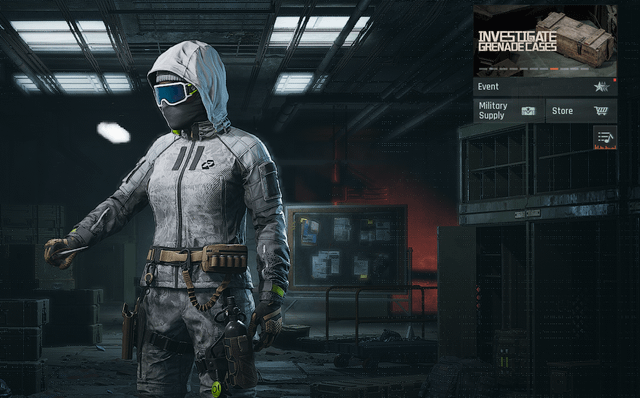
Before assuming your order failed, confirm which product you purchased. Standard Bond purchases credit directly to your character profile balance, but passes and storage privileges do not. The following items dispatch directly to your in-game mailbox and require manual activation:
- Monthly Advanced Battle Pass Activation Pass
- Monthly Premium Battle Pass Activation Pass
- Quarterly Premium Battle Pass Bundle Activation Pass Bundle
- Bulletproof Case Privileges
- Composite Case Privileges
Open your mailbox from the main lobby screen, claim the item token, and activate it from your inventory.

60 + 6 Bonds
 60 + 6 BondsUSD 0.70Buy Now
Monthly Advanced Battle Pass
Monthly Advanced Battle PassUSD 0.83Buy NowBeginner Select Pack
Beginner Select PackUSD 0.64Buy NowBulletproof Case Access
Bulletproof Case AccessUSD 1.92Buy NowMonthly Premium Battle Pass
Monthly Premium Battle PassUSD 3.33Buy Now310 + 25 Bonds
310 + 25 BondsUSD 3.54Buy NowComposite Case Access
Composite Case AccessUSD 5.79Buy Now630 + 45 Bonds
630 + 45 BondsUSD 7.08Buy NowQuarterly Premium Battle Pass
Quarterly Premium Battle PassUSD 10.01Buy Now1580 + 110 Bonds
1580 + 110 BondsUSD 18.13Buy Now3200 + 200 Bonds
3200 + 200 BondsUSD 35.45Buy Now6500 + 320 Bonds
6500 + 320 BondsUSD 70.80Buy Now
Why iOS Restore Purchase Does Not Work for Bonds
Players on iOS devices often look for an in-app "Restore Purchases" button when an order fails to show up. Apple's official documentation clarifies that consumable in-app purchases—which include game currencies like Arena Breakout Bonds—cannot be restored via device-level restore features.
Because consumables are depleted during gameplay, Apple's store architecture does not maintain re-downloadable licenses for them. Tapping in-game restore buttons will never credit missing Bonds. Instead, submit your transaction records directly to the game publisher or request assistance through Apple Support.
How to Submit an In-Game Support Ticket
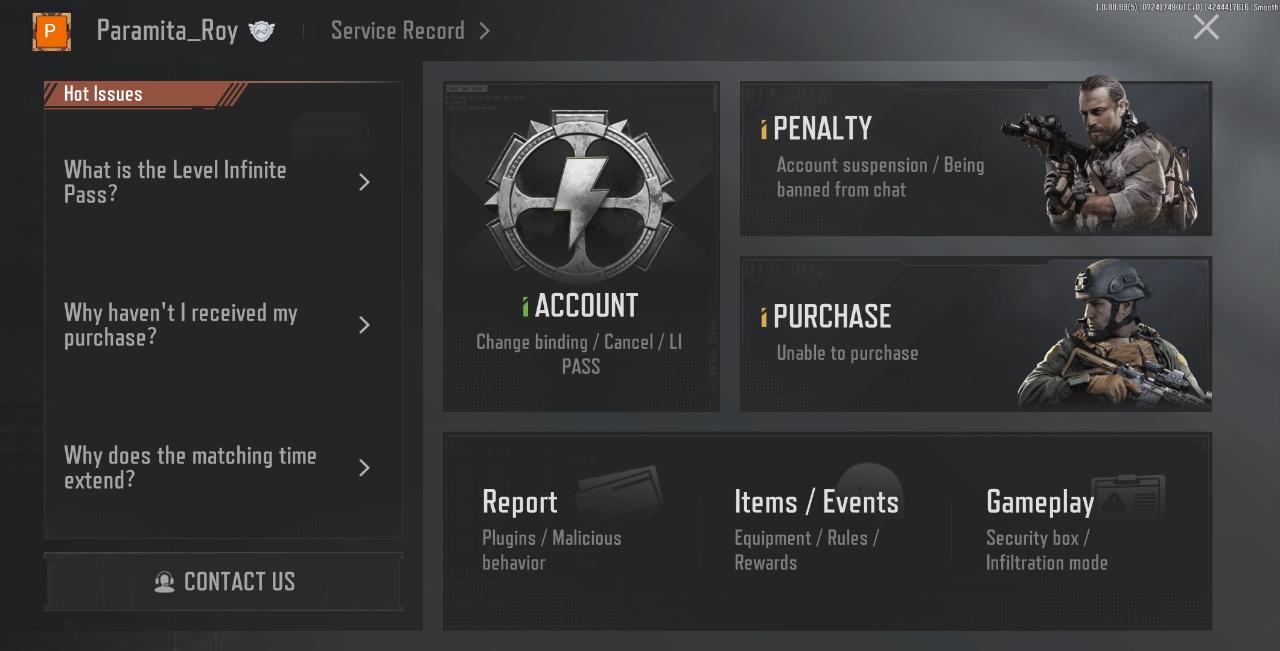
When 30 minutes have elapsed, your mailbox remains empty, and your bank confirms the transaction posted, report the missing purchase directly inside the game client.
- Open the Settings menu via the cogwheel icon in the main lobby.
- Select the Basic Settings tab.
- Locate the humanoid customer service icon in the bottom-right corner, immediately to the right of the Acct. Management button.
- Tap the icon to open the Customer Service Home page.
- Select Contact Us to launch the ticket submission window.
Proxima Beta Pte. Limited also accepts payment inquiries through its official email address, [email protected], as outlined in the Arena Breakout EULA (updated 2025-12-18). Additional official community contacts include the @Arena__Breakout account on Twitter, official Facebook channels, and the official Discord server.
Required Information for Fast Resolution
When contacting customer support, prepare these details:
- Numeric Player ID: Tap your avatar in the top-left corner of the lobby screen to locate and copy your exact numeric account ID.
- Official Store Receipt: A screenshot of your Apple App Store, Google Play, or platform invoice displaying the order number, date, time, and purchase price.
- Bank or Card Statement: Proof that the charge settled rather than showing as a pending pre-authorization that was reversed.
- Item Details: The specific pack name (e.g., 60 Bonds, Monthly Premium Pass).
Third-Party Top-Up Errors and Incorrect Player IDs
For Arena Breakout Bonds bought through external merchants, fulfillment relies entirely on the numeric Player ID submitted at checkout. Automated delivery routes the currency to whichever account number was entered.
If you entered the wrong ID, contact the seller's support team immediately with your order reference and receipt before processing completes. Under the Arena Breakout EULA, virtual goods and currencies are non-refundable once delivered, unless defective, unavailable, or required by regional consumer protection laws.





Comments