Facing lineage 2m diamonds not received after purchase errors can ruin your play session. Follow this breakdown to trace your delivery and recover currency fast.
Seeing your bank account debited while your character stands empty-handed in Giran is infuriating. It usually happens right during tight auction timers on the Trade Market. You tap buy, the payment processor spinner disappears, yet your diamond counter refuses to budge.
NCSoft routes premium deliveries through distinct server queues, regional pipelines, and client listeners. A single dropped handshake along that chain leaves your purchase floating in limbo.
The Immediate Survival Checklist: First Five Minutes
Spamming the buy button again is the worst reaction. You risk double-billing your card while the original transaction is simply queued.
Take these four actions immediately:
- Do not repeat the transaction. If the charge cleared your bank or mobile wallet, retrying can trigger automated anti-fraud freezes.
- Check your connection state. Switching between Wi-Fi and mobile data mid-checkout reliably breaks the client-to-store handshake.
- Perform a cold client restart. Swipe the game away from your active apps and launch it fresh. Backgrounded apps suspend the billing listeners that query store APIs.
- Inspect your transaction receipt. Check your app store order history to see if the state is marked completed or pending.
If you prefer avoiding payment handshakes tied to mobile app stores altogether, using Lineage 2M Diamonds recharge solutions gives you direct tracking without client-side billing interruptions.

40 Diamonds
 40 DiamondsUSD 0.54Buy Now
Agathion Benefit I
Agathion Benefit IUSD 0.54Buy NowClass Benefit I
Class Benefit IUSD 0.54Buy NowErica's Class Key
Erica's Class KeyUSD 0.55Buy NowSoul Crystal Open Benefit
Soul Crystal Open BenefitUSD 0.54Buy NowDaily Agathion Pack I
Daily Agathion Pack IUSD 0.81Buy NowDaily Class Pack I
Daily Class Pack IUSD 0.81Buy NowAutumn Mount Key
Autumn Mount KeyUSD 1.09Buy NowIvory Tower Class Key
Ivory Tower Class KeyUSD 1.09Buy NowLate Summer Dungeon Key
Late Summer Dungeon KeyUSD 1.09Buy NowLate Summer Soul Crystal Key
Late Summer Soul Crystal KeyUSD 1.09Buy NowLeah Autumn Dungeon Key
Leah Autumn Dungeon KeyUSD 1.09Buy Now180th Day Celebration Key I
180th Day Celebration Key IUSD 1.09Buy Now100 Diamonds
100 DiamondsUSD 1.32Buy NowAdena Blessing
Adena BlessingUSD 1.32Buy NowAgathion Benefit II
Agathion Benefit IIUSD 1.32Buy NowBlessing Benefit I
Blessing Benefit IUSD 1.35Buy NowB1G1 Greater Agathion Card
B1G1 Greater Agathion CardUSD 1.35Buy NowB1G1 Greater Class Card
B1G1 Greater Class CardUSD 1.35Buy NowClass Benefit II
Class Benefit IIUSD 1.32Buy NowMount Open Benefit
Mount Open BenefitUSD 1.32Buy NowSoul Crystal Agathion Benefit
Soul Crystal Agathion BenefitUSD 1.32Buy NowSoul Crystal Class Benefit
Soul Crystal Class BenefitUSD 1.36Buy Now120 Diamonds
120 DiamondsUSD 1.59Buy Now200 Diamonds
200 DiamondsUSD 2.65Buy NowAgathion Benefit III
Agathion Benefit IIIUSD 2.65Buy NowAria / Erica Celebration Pack
Aria / Erica Celebration PackUSD 2.70Buy NowAutumn Soul Crystal Key
Autumn Soul Crystal KeyUSD 2.70Buy NowBlessing Benefit II
Blessing Benefit IIUSD 2.70Buy NowClass Benefit III
Class Benefit IIIUSD 2.65Buy NowErica's Agathion Key
Erica's Agathion KeyUSD 2.70Buy NowFull Month Benefit II
Full Month Benefit IIUSD 2.70Buy NowIvory Tower Agathion Key
Ivory Tower Agathion KeyUSD 2.70Buy NowLate Summer Seal Soul Crystal Key
Late Summer Seal Soul Crystal KeyUSD 2.70Buy NowLate Summer Soul Crystal Class Key
Late Summer Soul Crystal Class KeyUSD 2.70Buy NowLeah Autumn Soul Key
Leah Autumn Soul KeyUSD 2.70Buy NowDaily Agathion Pack II
Daily Agathion Pack IIUSD 2.65Buy NowDaily Class Pack II
Daily Class Pack IIUSD 2.65Buy NowWeekly Pack II
Weekly Pack IIUSD 2.65Buy Now180th Day Celebration Key II
180th Day Celebration Key IIUSD 2.70Buy NowWelcome Agathion Key
Welcome Agathion KeyUSD 2.70Buy Now400 Diamonds
400 DiamondsUSD 5.30Buy NowAgathion Token Blessing
Agathion Token BlessingUSD 6.75Buy NowBracelet of Holy Protection Pack I
Bracelet of Holy Protection Pack IUSD 6.75Buy NowBracelet of Influence Pack I
Bracelet of Influence Pack IUSD 6.75Buy NowClass Token Blessing
Class Token BlessingUSD 6.75Buy NowCrystalloid Weekly Pack I
Crystalloid Weekly Pack IUSD 6.62Buy NowCrystalloid Weekly Pack II
Crystalloid Weekly Pack IIUSD 6.62Buy NowDaily Blessing Pack I
Daily Blessing Pack IUSD 6.62Buy NowFancy Awaken Blessing
Fancy Awaken BlessingUSD 6.75Buy NowFancy Spirit Blessing
Fancy Spirit BlessingUSD 6.75Buy NowWeekly Pack I
Weekly Pack IUSD 6.62Buy NowWeekend Blessing Pack
Weekend Blessing PackUSD 6.75Buy NowAgathion Pack I
Agathion Pack IUSD 10.13Buy NowClass Pack I
Class Pack IUSD 10.13Buy Now1000 Diamonds
1000 DiamondsUSD 13.24Buy NowB1G1 Fancy Agathion Card
B1G1 Fancy Agathion CardUSD 13.49Buy NowB1G1 Fancy Class Card
B1G1 Fancy Class CardUSD 13.49Buy NowFancy Unique Craft Blessing
Fancy Unique Craft BlessingUSD 13.49Buy Now1200 Diamonds
1200 DiamondsUSD 15.89Buy NowAgathion Pack II
Agathion Pack IIUSD 20.24Buy NowClass Pack II
Class Pack IIUSD 20.24Buy NowFancy Card Pack
Fancy Card PackUSD 20.24Buy NowSoul Crystal Super Benefit
Soul Crystal Super BenefitUSD 20.24Buy NowVeroa Weekend Pack
Veroa Weekend PackUSD 20.24Buy Now2000 Diamonds
2000 DiamondsUSD 26.49Buy NowGrowth Support Agathion Pack
Growth Support Agathion PackUSD 26.97Buy NowGrowth Support Class Pack
Growth Support Class PackUSD 26.97Buy NowEpic Agathion Chance Pack
Epic Agathion Chance PackUSD 33.11Buy NowEpic Class Chance Pack
Epic Class Chance PackUSD 34.01Buy Now4000 Diamonds
4000 DiamondsUSD 52.97Buy NowBracelet of Holy Protection Blessing
Bracelet of Holy Protection BlessingUSD 66.21Buy NowBracelet of Holy Protection Pack II
Bracelet of Holy Protection Pack IIUSD 67.43Buy NowBracelet of Influence Blessing
Bracelet of Influence BlessingUSD 66.21Buy NowBracelet of Influence Pack II
Bracelet of Influence Pack IIUSD 67.43Buy NowDaily Blessing Pack II
Daily Blessing Pack IIUSD 66.21Buy NowEva's Seal Blessing
Eva's Seal BlessingUSD 66.21Buy NowAgathion Blessing Pack
Agathion Blessing PackUSD 99.31Buy NowAgathion Superb Weekend Pack
Agathion Superb Weekend PackUSD 101.15Buy NowClass Blessing Pack
Class Blessing PackUSD 99.31Buy NowClass Superb Weekend Pack
Class Superb Weekend PackUSD 101.15Buy NowMon-Tues Blessing Pack
Mon-Tues Blessing PackUSD 101.15Buy NowSoul Blessing Pack
Soul Blessing PackUSD 99.31Buy NowSuperb Fancy Agathion Summon II
Superb Fancy Agathion Summon IIUSD 101.15Buy NowSuperb Fancy Class Summon II
Superb Fancy Class Summon IIUSD 101.15Buy Now10000 Diamonds
10000 DiamondsUSD 132.41Buy NowOracle Token Blessing
Oracle Token BlessingUSD 168.58Buy NowAgathion Blessing Superb Pack
Agathion Blessing Superb PackUSD 204.04Buy NowClass Blessing Superb Pack
Class Blessing Superb PackUSD 198.61Buy NowSoul Blessing Superb Pack
Soul Blessing Superb PackUSD 198.61Buy NowSuperb Fancy Agathion Summon
Superb Fancy Agathion SummonUSD 202.29Buy NowSuperb Fancy Class Summon
Superb Fancy Class SummonUSD 202.29Buy Now20000 Diamonds
20000 DiamondsUSD 264.82Buy Now
Where Did Your Diamonds Go? In-Game Storage vs. Mailbox
Most reports of lineage 2m payment successful but no diamonds trace back to a simple UI misunderstanding: looking in the wrong menu.
Lineage 2M separates raw currency from packaged goods. Direct Diamond purchases credit straight to your top HUD banner. Bundles containing consumables, growth chests, or promotional tickets route entirely to your in-game Mailbox or character Storage.
The Mail System and the 30-Day Expiration Clock
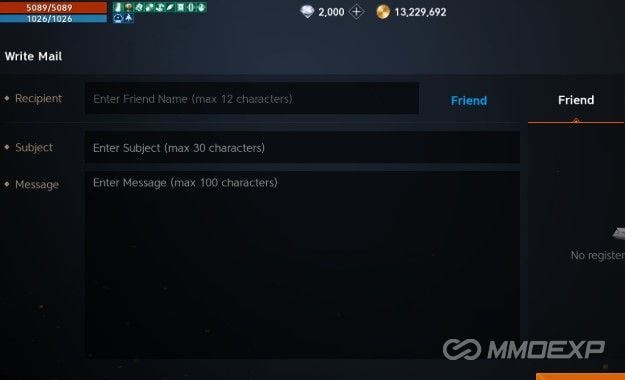
Asynchronous deliveries, maintenance compensations, and promotional bundles land inside the in-game Mailbox. Tap the envelope icon on the top right HUD.
Three hard rules govern this system:
- Mail with attachments expires after 30 days. Unclaimed parcels vanish permanently once the timer runs out.
- The mailbox has a strict capacity limit. If system alerts, guild notices, and event mail pile up, incoming paid deliveries bounce until space opens up.
- Sending currency or items between characters via player mail incurs an Adena delivery fee to curb bot spam.
Clear out read mail immediately. Claim attached items, purge empty messages, and relog so queued parcels can load into your inbox.
The Trade Market Fulfillment Lag
Acquiring Diamonds through player-to-player Trade Market listings bypasses the mail system entirely. The buyer must purchase your listed item using standard Diamonds.
Market settlements do not finalize instantaneously. NCSoft holds completed sales for automated auditing, which routinely delays payouts by 15 to 30 minutes before Diamonds appear in the settlement tab. Check your active listings under the market window before filing a missing item ticket.
| Delivery Destination | What Lands Here | Common Delivery Delay | Resolution Step |
|---|---|---|---|
| Direct Balance | Raw Diamond packs | 1 to 10 minutes | Force-stop client, restart to re-trigger API |
| In-Game Mailbox | Event packages, bundled chests, bonus currency | Up to 30 minutes | Delete old mail; claim attachments before the 30-day limit |
| Trade Market | P2P market item sales | 15 to 30 minutes | Inspect market settlement tab; collect manually |
| Account Storage | Cross-character account packs | Instant after claiming | Visit Town Storage NPC to pull bundle to bag |
Checking each holding inventory resolves most missing currency issues without customer support intervention.
Client Desync and Billing Verification Handshakes
Lineage 2M relies on Unity IAP architecture. The game client initiates the charge via Google Play or the Apple App Store, then waits for a cryptographic receipt token.
A network hiccup during token generation prevents the client's internal listener (queryPurchasesAsync) from firing. The store collects the funds, but the game never gets the green light to credit your balance.
Forcing an App Receipt Check
Do not just minimize and reopen the game. Unity engine builds (specifically versions 4.5.0 and 4.5.1 billing listeners) do not poll pending licenses on resume.
A full cold reboot is mandatory:
- Close Lineage 2M completely.
- Open device Settings -> Apps -> Lineage 2M.
- Tap Force Stop.
- Clear the Cache (do NOT clear data, or you will re-download the entire patch archive).
- Reopen Lineage 2M and log past the character select screen.
This sequence forces the engine startup routine to poll pending purchase tokens directly from platform billing servers.
Date, Time, and Regional Store Mismatches
Billing verification certificates require exact cryptographic timestamps. If your phone or PC emulator drifts two minutes off real-world network time, SSL validation drops silently.
Keep your operating system clock locked to Automatic / Network-Provided Time.
Check your platform region as well. Lineage 2M runs separate infrastructure pools for Korea, North America, and Southeast Asia. A mismatch between your payment account country and the server client triggers automated anti-fraud transaction holds.
The Platform Level: When App Stores Hold the Transaction
Often, the game client is blameless. Stalls frequently originate inside your store account before NCSoft receives any order broadcast.
Check your platform ledger directly:
- Android: Google Play -> profile icon -> Payments & subscriptions -> Budget & order history.
- iOS: Settings -> Apple ID -> Media & Purchases -> Purchase History.
If the status reads Pending, the payment processor has not released funds to NCSoft.
| Order Status in Store | Meaning on Developer Side | Immediate Player Action |
|---|---|---|
| Completed / Billed | Money transferred to NCSoft; delivery failure is in-game | Restart client, clear mailbox, prep support ticket |
| Pending / Processing | Platform is validating payment method; NCSoft has no order | Wait for platform clearance; check banking app |
| Cancelled / Refunded | Anti-fraud system or bank declined transaction | Update payment method; re-order if necessary |
| Family Link Hold | Child/managed account requires guardian authorization | Manager must approve order via dashboard or email |
Identifying the status pinpoints whether to contact your bank, the app store, or NCSoft support.
Google Pay Critical Alerts and Security Holds
Google payments trigger automated fraud filters after sudden bursts of purchases or recent card updates. Transactions pause instantly.
Open payments.google.com to check for red alert banners requesting identity verification. Anti-fraud checks can hold orders for up to 48 hours or require an 8-digit confirmation code pulled from your online bank statement before clearing.
Family Link Approvals
Accounts inside a Google Family Link group do not process purchases immediately. Transactions pause in queue until the family manager reviews and authorizes them. Until that approval registers, lineage 2m diamond balance not updating issues will persist.
If you want to bypass platform account holds and regional store hurdles, ordering your Lineage 2M Diamonds top up package online helps you sidestep mobile app store wallet errors directly.
Client Updates and Server Version Roadblocks
Running an unpatched client desyncs your local game from the live database. NCSoft routinely updates class data, item tables, and cash shop inventories on the server side.
If your local install misses an asset update, the client cannot render newly added bundle items in your bag or mailbox.
| Version Build | Deployment Date | Key Additions / System Alterations |
|---|---|---|
| Version 4.1.13 | August 7, 2026 | New 4th Mythic Skills for Dual Blades and Magic Cannon |
| Version 4.1.14 | August 21, 2026 | Blazing Fate Valakas update, Valakas's Nest dungeon, Giltas agathion, 8 mounts |
| Version 4.1.15 | September 4, 2026 | Orb Class Reboot, Caesar and Imperium Skanda classes, inventory preset adjustments |
The September 4, 2026 release of Version 4.1.15 adjusted inventory presets and layouts. Check your platform storefront to confirm your build is current before assuming currency went missing.
The Server Region Trap: Korea vs. NA vs. SEA
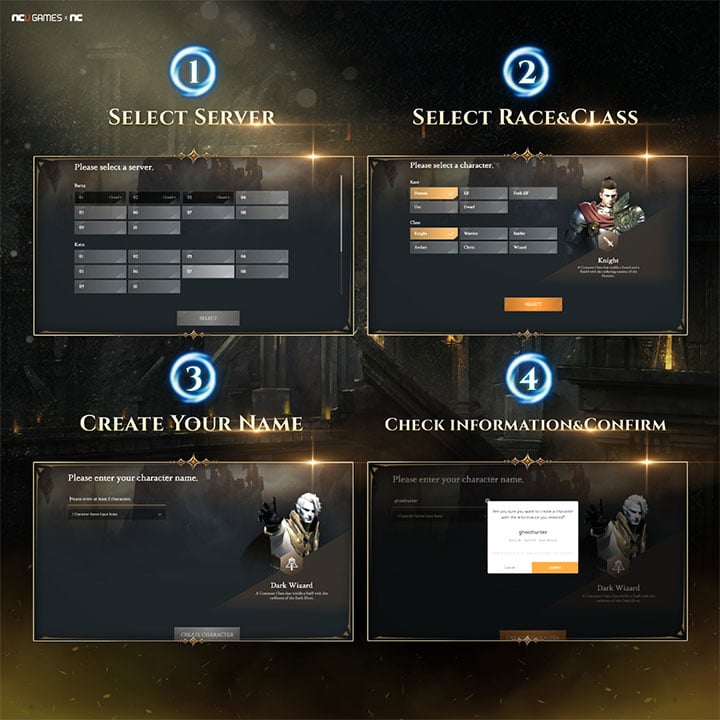
NCSoft isolates Lineage 2M databases across distinct regional pools: Korea, North America, and Southeast Asia.
Characters, storage banks, and balances never cross regional boundaries:
- Purchases made while connected through an overseas client or alternate store region do not apply to characters in another territory.
- Currency cannot be transferred between regions. If an NA character's purchase routes to a Korean server instance, NCSoft cannot migrate that balance.
Always verify your active server name and character ID in the settings tab prior to finalizing purchases.
Spender-Tier Strategy: What to Buy and What to Avoid
Every spending tier manages currency differently. Diamonds steer account progression, but purchasing the wrong inventory types introduces unnecessary delivery snags.
Free-to-Play and Low Spenders
Learn the currency split. Lineage 2M uses non-purchasable Red Diamonds and premium Blue Diamonds.
Red Diamonds come from achievements, codex progress, and in-game events to cover baseline upkeep. Premium Blue Diamonds come from cash purchases and fund the Trade Market. Never burn real-money Blue Diamonds on cash shop RNG equipment chests; spend them on guaranteed codex gear or high-impact skill books on the Trade Market instead.
Mid-Tier Spenders
Prioritize monthly packs and growth passes. They deliver superior Diamond-per-dollar ratios compared to raw currency tiers.
Check your mailbox immediately after purchasing any battle pass. Clear older mail so the milestone rewards have room to deliver without brushing up against the 30-day expiration timer.
High-Tier Spenders and Guild Anchors
Stockpiling massive Diamond balances for castle sieges or mythic agathion fusions requires caution around transaction volume. Firing off multiple rapid microtransactions triggers bank anti-fraud flags.
Calculate your needed Diamond total beforehand, confirm server details, and buy in consolidated packages to prevent card holds.
Legitimate Recharge vs. Account Compromise
Delivery lag is a minor inconvenience; account theft is permanent. Distinguishing safe fulfillment channels from credential harvesting schemes is non-negotiable.
What a Safe Store Asks For
- Character Name
- Server Name and Region
- Player Account ID (User Code)
- Direct in-game Trade Market listing details (when using player-to-player fulfillment)
What a Scam Demands
- Your NCSoft account password
- Your Google, Apple, or Facebook login credentials
- Two-factor authentication (2FA) SMS codes or backup keys
- Requests to "temporarily disable your security settings" for delivery
No legitimate top-up provider needs to log into your character. If a service demands your login credentials, close the page.
For a secure, hassle-free transaction where your credentials stay in your hands, purchase your Lineage 2M currency through verified platforms that only require your public character details.
Building an Ironclad NCSoft Support Ticket
If you have cold-rebooted, emptied your mailbox, verified platform clearance, and waited through the market delay, open an official support ticket.
NCSoft support desks routinely reject vague reports. Provide complete documentation from the start.
Required Evidence Checklist
Gather these four items before submitting:
- Official Platform Receipt: A full screenshot of the receipt from Google, Apple, or your payment provider showing the Order Number (such as
GPA.XXXX-XXXX-XXXX-XXXXX), date, and amount paid. - In-Game Profile Screenshot: Capture the settings screen displaying your Character Name, Server, and Account UID.
- Current Mailbox and Diamond Balance: Screenshot your main HUD showing your current Diamond balance and cleared mail tab.
- Purchase Age Verification: Confirm the purchase occurred within the last 90 days. Support tools cannot retrieve billing records past that cutoff.
File under "Payment / Missing Items." Paste the transaction ID as plain text alongside your screenshots and include the exact store package name.
FAQ
Why haven't my Lineage 2M Diamonds appeared after the purchase was charged?
Delivery delays usually occur due to pending transaction confirmation on the app store, clogged in-game mailboxes, or cache sync lag. Force close Lineage 2M completely and reopen it to trigger a fresh receipt check.
Where do purchased Diamonds or bundles get delivered in Lineage 2M?
Most store purchases and promotional bundles are delivered directly to your character's in-game Mailbox. Tap the envelope icon on the main HUD and claim the attachments before the 30-day expiration window wipes them.
Can selecting the wrong server cause Diamonds to go missing?
Yes, Lineage 2M separates character databases strictly by server and region. If an order was placed under a different server region like Korea or SEA instead of your primary region, the Diamonds will not show up on your character.
How can I verify if Google Play actually completed my Lineage 2M payment?
Open Google Play, tap your profile picture, and navigate to Payments & subscriptions then Budget & history. If the order status is listed as pending or declined, the game client will not release your Diamonds.
What should I do if my in-game mailbox is full?
Delete old read messages and claim pending attachments to free up capacity in your mailbox. Once space is restored, restart the game to allow pending item deliveries to route into your inbox.
What information is needed when submitting a missing purchase support ticket?
You must provide your official store receipt featuring the order number, transaction date, character name, and server name. Screenshots of the store purchase history should be attached to expedite verification.
Why does my purchase remain stuck on pending in Family Link accounts?
In-app purchases on family-managed accounts require authorization from the family group organizer before they can clear. The transaction will remain stalled until the parent or manager approves it through their dashboard.
Final Verdict on Missing Lineage 2M Diamonds
Ninety percent of missing Diamond panics in Lineage 2M come down to three things: a clogged in-game mailbox, a stalled Unity client billing listener, or an unconfirmed transaction sitting in pending status on your app store account.
Take a breath. Do not buy the pack a second time. Force stop your game, check your platform order ledger, clear your old mail, and verify your server region. If the purchase shows fully billed on your platform history but remains missing after an hour, submit your receipt screenshots and UID to NCSoft support. Your money is not lost—it is simply waiting on a verification handshake.





Comments