Steam Gift Card Top Up: Digital Codes for Your Steam Wallet
A Steam Gift Card top up provides direct credit to your Steam Wallet, giving you full access to thousands of PC games, downloadable content (DLC), in-game items, soundtracks, and Community Market listings. Steam Wallet funds work like cash inside the Steam ecosystem, allowing you to buy titles directly from the store, purchase microtransactions in games like Counter-Strike 2 and Dota 2, or buy community trading cards and weapon skins.
Buying a Steam Gift Card digital code gives you flexibility. You do not need to link a credit card or bank account directly to your gaming profile. Once redeemed, the funds remain in your balance permanently until you decide to spend them during seasonal sales or new game launches.
Why Choose ArcTopup for Your Steam Gift Card Recharge
ArcTopup provides digital codes directly to your screen and account order history, allowing you to load funds onto your Steam Wallet without unnecessary delays.
- Zero Login Sharing: You never have to share your Steam username, password, or Steam Guard authentication codes. You receive a redeemable digital PIN code to apply to your own account.
- Transparent Live Checkout: Check live pricing and denomination options directly on our checkout interface before completing your order.
- Flexible Gifting: Digital codes make it simple to top up someone else's Steam account. Send the code to a friend or family member for birthdays, holidays, or team rewards.
- Global Accessibility: ArcTopup supports gamers across multiple regions, offering convenient payment methods tailored to your location.
How to Buy a Steam Gift Card Online on ArcTopup
Ordering your Steam Wallet recharge takes only a few quick steps:
- Select your preferred Steam Gift Card denomination from the available options on ArcTopup.
- In the required player field, enter your contact email or order identifier.
- Proceed to checkout and choose your preferred local payment method.
- Complete your payment. The digital voucher code will display in your order details instantly upon transaction confirmation.
- Copy the code and redeem it directly inside the Steam client or on the official website.
How to Find Your Steam Account Details and Enter Checkout Info
Because ArcTopup delivers your Steam Gift Card as an activation code, you do not need to provide your Steam login credentials. When filling out the order field on the product page, enter any reference or email address you use for order tracking.
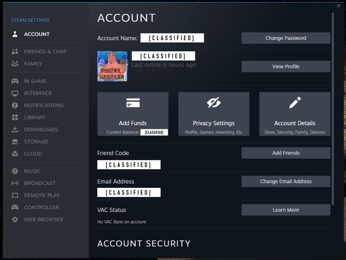
If you want to verify your Steam account identity before redeeming, you can check your Steam Account Name and Steam ID inside the client:
- Open the Steam desktop application.
- Click your profile name in the top right corner and select Account details.
- Your Steam Account Name and your 17-digit Steam ID will be displayed directly beneath the main header.
Step-by-Step Guide: How to Redeem a Steam Gift Card Digital Code
You can activate your Steam Wallet code across desktop, web browser, or mobile devices.
Method 1: Redeeming on the Steam Desktop Client
- Launch the Steam application on your PC or Mac and sign in.
- In the top navigation menu, click Games and select Redeem a Steam Wallet Code.
- Type or paste your digital activation code into the Steam Wallet Code box.
- Click Continue. The balance will immediately reflect in your wallet balance in the upper right corner.
Method 2: Redeeming in a Web Browser
- Go to the official Steam website (
store.steampowered.com) and log in. - Go to
store.steampowered.com/account/redeemwalletcode. - Enter your digital voucher code.
- Click Continue to finalize the balance transfer.
Method 3: Redeeming via the Steam Mobile App
- Open the Steam Mobile app on iOS or Android.
- Tap your profile icon, go to Account Details, and tap Add funds to your Steam Wallet.
- Select Redeem a Steam Gift Card or Wallet Code.
- Enter the digital code and confirm.
| Platform | Navigation Path | Confirmation Location |
|---|---|---|
| Desktop App | Games > Redeem a Steam Wallet Code | Top right header next to username |
| Web Browser | store.steampowered.com/account/redeemwalletcode | Account Details page |
| Mobile App | Profile > Account Details > Add funds | Wallet balance dropdown menu |
Steam Wallet Rules, Currency Conversion, and the $5 Account Limit in 2026
When buying and redeeming Steam Wallet codes in 2026, keep these key platform rules in mind:
- Currency Matching: Valve enforces regional currency restrictions on Steam Wallet codes. To prevent redemption errors, ensure the digital card currency matches the store region set on your Steam profile. Steam will block redemption if the voucher currency does not align with your account's regional pricing policies.
- The $5 Limited Account Rule: New Steam accounts have restricted community features (unable to send friend invites, access the Community Market, or open group chats) until they spend at least $5.00 USD on the platform. Redeeming a Steam Gift Card with an equivalent value of $5.00 USD or higher completely lifts this restriction, granting full account privileges.
- Steam Community Market Cooldowns: If your account has not made a purchase within the last year, or if you recently reset your credentials, adding funds via a gift card re-establishes account activity so you can trade on the Steam Community Market after standard security cooldown periods.
Troubleshooting Common Steam Code Redemption Errors
If you experience an issue when activating your digital code, review these standard fixes:
- Invalid Code Error: Double-check your entered characters for common typos. Characters like
0(zero) andO,1(one) andI, or8andBcan look similar. Paste the code directly to avoid entry mistakes. - Currency Mismatch Error: If you receive an error stating the code cannot be activated in your region, check your Steam store country under Account Details. Steam does not allow cross-region activation between incompatible currencies.
- Steam Maintenance Alerts: Valve runs scheduled server maintenance every Tuesday evening (US Pacific Time). If Steam servers are temporarily offline, wait 15 minutes and retry your redemption.
- Code Already Redeemed: Refresh your client balance. Occasionally, the credit updates in your wallet while the browser displays a delayed confirmation.
Account Security: 100% Safe Steam Wallet Top Up Without Password Sharing
Digital code redemption is the safest way to fund your gaming library. Using direct digital codes eliminates the risk of account compromise:
- You never supply your password, email login, or Steam Guard two-factor codes to third parties.
- Your personal payment information stays secure on ArcTopup and is never stored on shared devices.
- Digital codes cannot be recalled once redeemed onto your account, ensuring your balance remains protected.
Frequently Asked Questions
How do I add money onto Steam using a digital gift card?
Log in to your Steam client or visit store.steampowered.com/account/redeemwalletcode. Enter the digital PIN code you received from ArcTopup into the code box and click Continue. The funds appear in your wallet instantly.
How do I top up someone else's Steam account with a gift card?
Purchase a Steam Gift Card digital code on ArcTopup and forward the code string to the recipient. The recipient can redeem the code directly on their own Steam account following standard redemption steps. You do not need access to their login credentials.
What is the Steam $5 rule for limited user accounts?
Valve restricts new accounts from sending friend invites, opening chat groups, and voting on Steam Greenlight/Workshop items until at least $5.00 USD (or local equivalent) is spent on the store. Redeeming a Steam Gift Card worth $5 or more immediately unlocks these restricted community features.
Can I redeem a Steam Gift Card if the currency is different from my account?
In 2026, Steam restricts wallet code redemption to accounts that match the currency of the purchased voucher. Always purchase a card in the currency matching your Steam account's designated store region to prevent activation errors.
How can I check the balance of my Steam Wallet?
Open your Steam desktop application or sign in to the website. Your current Steam Wallet balance is displayed in the upper right corner next to your profile name. You can also view a full transaction history under your Account Details page.
Do Steam Gift Card digital codes expire?
No. Steam Wallet codes and digital gift cards do not have an expiration date. You can redeem your purchased code immediately or save it for upcoming seasonal game sales.
Current packages and prices
Current base prices exclude Tax. Tax, payment fees and coupon adjustments are shown at checkout.
| Package | Price |
|---|---|
| Steam Gift Card MYR 5 | USD 1.14 |
| Steam Gift Card MYR 8 | USD 1.85 |
| Steam Gift Card MYR 10 | USD 2.29 |
| Steam Gift Card TWD 100 | USD 2.84 |
| Steam Gift Card SGD 5 | USD 3.47 |
| Steam Gift Card MYR 16 | USD 3.69 |
| Steam Gift Card TWD 150 | USD 4.27 |
| Steam Gift Card MYR 20 | USD 4.47 |
| Steam Gift Card HKD 40 | USD 4.58 |
| Steam Gift Card MYR 24 | USD 5.53 |
| Steam Gift Card TWD 200 | USD 5.68 |
| Steam Gift Card HKD 50 | USD 5.73 |
| Steam Gift Card SGD 10 | USD 6.94 |
| Steam Gift Card TWD 300 | USD 8.51 |
| Steam Gift Card HKD 80 | USD 9.16 |
| Steam Gift Card TWD 350 | USD 9.92 |
| Steam Gift Card MYR 50 | USD 11.16 |
| Steam Gift Card TWD 400 | USD 11.34 |
| Steam Gift Card HKD 100 | USD 11.45 |
| Steam Gift Card HKD 120 | USD 13.73 |
| Steam Gift Card SGD 20 | USD 14.05 |
| Steam Gift Card TWD 500 | USD 14.17 |
| Steam Gift Card MYR 80 | USD 17.79 |
| Steam Gift Card HKD 160 | USD 18.31 |
| Steam Gift Card SGD 30 | USD 21.03 |
| Steam Gift Card MYR 100 | USD 22.28 |
| Steam Gift Card TWD 800 | USD 22.67 |
| Steam Gift Card HKD 200 | USD 22.90 |
| Steam Gift Card HKD 240 | USD 27.47 |
| Steam Gift Card TWD 1000 | USD 28.25 |
| Steam Gift Card HKD 300 | USD 34.33 |
| Steam Gift Card SGD 50 | USD 35.04 |
| Steam Gift Card MYR 200 | USD 44.51 |
| Steam Gift Card HKD 400 | USD 45.77 |
| Steam Gift Card SGD 75 | USD 51.59 |
| Steam Gift Card TWD 2000 | USD 56.49 |
| Steam Gift Card HKD 500 | USD 57.21 |
| Steam Gift Card HKD 600 | USD 68.64 |
| Steam Gift Card HKD 1000 | USD 114.41 |