
4CHAT Top Up with UID on ArcTopup
Recharging credits on 4CHAT gives you instant access to interactive social features, virtual gifting, profile customizations, and premium chat room privileges. ArcTopup provides a direct top-up system that credits your 4CHAT account quickly without requiring your private account password.
To complete your order on ArcTopup, follow these simple steps:
- Enter Your User ID: Input your 4CHAT UID in the required field above.
- Select Your Credit Amount: Choose the credit denomination you want to add to your account.
- Pick Your Payment Method: Choose from available regional payment gateways shown on the live checkout screen.
- Complete Checkout: Finalize your transaction. Your credits will be delivered directly to your 4CHAT profile.
Prices, pack sizes, and promotional rates update dynamically on the live order module. Always verify your UID before submitting payment to ensure prompt delivery.
Where to Find Your 4CHAT UID in the App
Your 4CHAT User ID (UID) is a unique numeric identifier assigned to your personal account. You only need this number to complete a credit recharge.
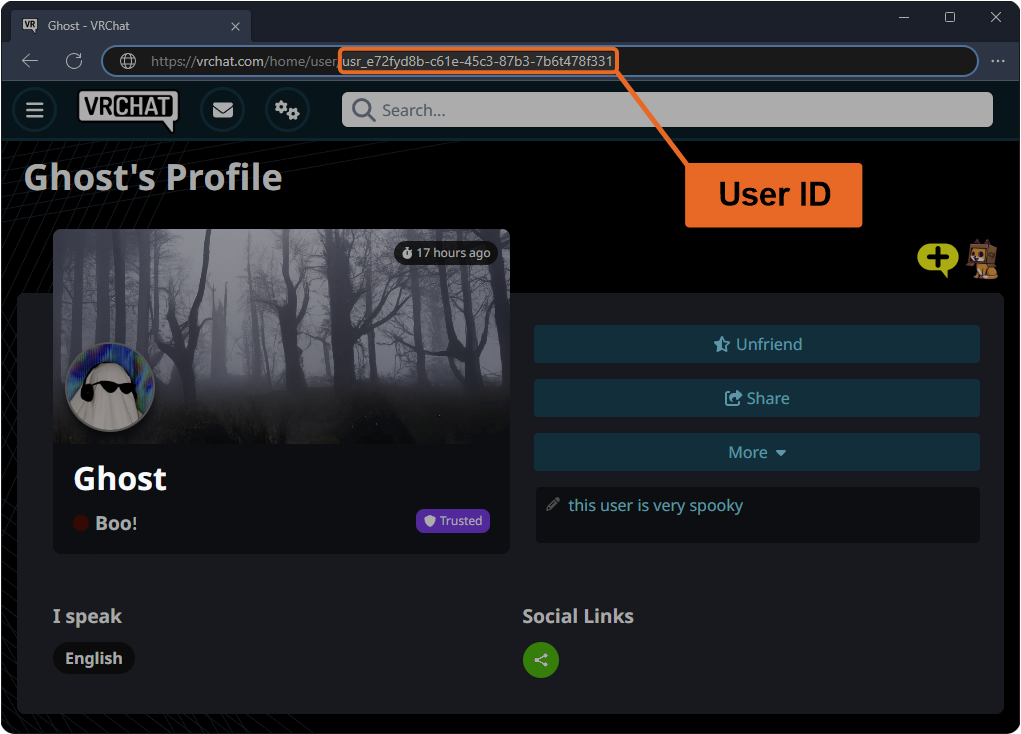
Follow this guide to locate your UID inside the 4CHAT mobile app:
- Launch the 4CHAT app on your Android or iOS device.
- Log into your account using your standard credentials.
- Tap the Profile (or Me) tab in the bottom right corner of the home screen.
- View the area directly below your profile picture and nickname.
- Locate the numeric string labeled ID or UID.
- Tap the copy icon next to the digits to copy your UID directly to your clipboard, or write it down carefully.
Paste this exact number into the UID box on ArcTopup before placing your order. Make sure there are no spaces or extra characters.
Uses of 4CHAT Credits: Virtual Gifts, Avatars, and Premium Chat Features
4CHAT credits serve as the primary currency within the 4CHAT social ecosystem. Adding credits to your balance allows you to participate actively in voice rooms, support content creators, and personalize your social identity.
| 4CHAT Feature | Credit Usage | In-App Benefit |
|---|---|---|
| Virtual Gifting | Variable pack sizes | Send animated gifts to hosts and friends in chat rooms |
| Avatar Flair & Frames | Fixed credit prices | Unlock custom avatar borders and animated profile badges |
| Chat Bubbles | One-time / Duration | Stand out in public and private message threads |
| Room Entrance Effects | Tier-based credits | Display unique visual effects when joining voice rooms |
| Social Ranking | Accumulated credit spend | Rise through community leaderboards and gain VIP status |
Interactive Virtual Gifting
Sending gifts is the primary way to interact with broadcasters and community members in live voice and video lounges. Gifts range from small tokens of appreciation to animated screen-wide celebrations that boost the recipient's popularity ranking.
Visual Profile Customization
Credits allow you to purchase exclusive cosmetics in the 4CHAT store, such as rare avatar frames, custom text bubbles, and entrance banners. These items help your profile stand out across public matching feeds and active chat rooms.
Exclusive Room Privileges
Active users who recharge credits gain access to special chat capabilities, extended voice interaction options, and priority placement during community events.
Secure Account Delivery: Why No Password Is Required for 4CHAT Recharges
Account safety is a core priority when topping up online gaming and social currencies. ArcTopup uses a direct server-to-server delivery system that relies strictly on your public UID.
Here is why UID-based recharges are safe:
- Zero Login Sharing: You never need to enter your 4CHAT password, recovery email, or linked social media credentials on ArcTopup.
- No Verification Codes: We will never ask for one-time passwords (OTP) or SMS confirmation codes.
- No Account Handover: Your profile remains entirely in your control before, during, and after the transaction.
- Safe for Friends: Because only the UID is needed, you can send credits to friends, family, or your favorite community hosts simply by entering their UID at checkout.
Keep your account secure by never sharing your 4CHAT login passwords with third parties.
Available Payment Methods and Live Order Verification
ArcTopup supports a wide selection of payment options tailored to your region. When you select your 4CHAT credit package, the checkout screen displays the real-time pricing and available payment gateways in your local currency.
Supported Payment Gateways
Depending on your location, you can complete your purchase using:
- Credit and debit cards
- Local e-wallets and digital payment apps
- Direct online banking transfers
- Regional prepaid systems
All transactions are encrypted through secure financial processors. The checkout interface presents the total cost with no hidden fees.
How to Verify Delivery
Once your payment is processed, check your balance inside 4CHAT:
- Open 4CHAT and go to your Profile / Me page.
- Tap your Wallet or Credit Balance tab.
- Check that your balance reflects the newly added credits.
Most orders process immediately upon payment confirmation.
Troubleshooting 4CHAT Recharge Issues and Delivery Support
If your credits do not appear in your balance immediately after completing your order, use the following troubleshooting checklist:
- Restart the 4CHAT App: Fully close the 4CHAT app on your device and reopen it. A fresh connection to the server often updates your balance display instantly.
- Verify Payment Status: Check your payment provider receipt or bank statement to ensure the transaction was completed successfully.
- Double-Check the UID: Review your ArcTopup order confirmation email to ensure the UID entered matches your actual 4CHAT account number.
- Allow for Network Processing: During peak traffic hours or brief server maintenance windows, credit distribution may take a few moments.
If your order shows as completed but your credits have not arrived after restarting the app, contact ArcTopup customer support. Provide your ArcTopup Order ID, your 4CHAT UID, and your payment confirmation receipt for quick investigation and resolution.
Frequently Asked Questions About 4CHAT Top Up
How do I top up 4CHAT using my UID?
Select your credit denomination on ArcTopup, enter your 4CHAT UID in the designated field, select your payment method, and complete the payment. The credits are added directly to your account.
Where can I find my 4CHAT UID in the app?
Open 4CHAT, tap the Profile (or Me) tab in the bottom menu, and locate the numeric ID displayed under your avatar and username.
Do I need to share my 4CHAT login password to recharge?
No. ArcTopup only requires your numeric UID to process the recharge. Never share your 4CHAT account password or SMS codes with anyone.
What can I purchase with 4CHAT top-up credits?
You can use 4CHAT credits to purchase virtual gifts for hosts, unlock avatar frames, customize chat bubbles, access entrance effects, and upgrade your profile ranking.
Can I recharge 4CHAT credits for another user or friend?
Yes. Enter your friend's 4CHAT UID in the top-up field instead of your own. Once payment is confirmed, the credits will be delivered directly to their 4CHAT profile.
What should I do if my 4CHAT credits have not arrived after payment?
First, close and restart your 4CHAT application to refresh your wallet balance. If the balance does not update, reach out to ArcTopup support with your Order ID and UID for direct assistance.
Current packages and prices
Current base prices exclude Tax. Tax, payment fees and coupon adjustments are shown at checkout.
| Package | Price |
|---|---|
| 4CHAT - 4CHAT*10000 | USD 2.06 |
| 4CHAT - 4CHAT*15000 | USD 3.09 |
| 4CHAT - 4CHAT*20000 | USD 4.12 |
| 4CHAT - 4CHAT*25000 | USD 5.15 |
| 4CHAT - 4CHAT*50000 | USD 10.29 |
| 4CHAT - 4CHAT*100000 | USD 20.58 |
| 4CHAT - 4CHAT*500000 | USD 102.92 |
| 4CHAT - 4CHAT*1000000 | USD 205.83 |
| 4CHAT - 4CHAT*5000 | USD 1.03 |






























































