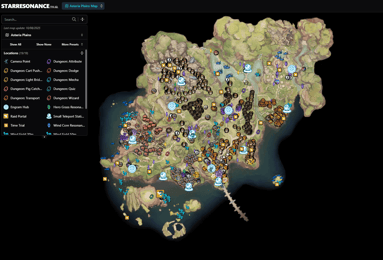
Fuel your adventure across Asterliese
Bandai Namco's anime MMORPG places heavy emphasis on combat readiness, cosmetic personalisations, and high-tier gear acquisition. Rose Gems serve as the core premium currency needed to pull on active gacha banners, obtain event-exclusive outfits, and unlock battle pass progression paths. Maintaining a ready balance ensures you never miss time-sensitive banners or seasonal cosmetic drops while exploring dungeons with your team.
Refilling your account through ARCTopup requires zero credentials beyond your account identifier. Every transaction routes directly to your active character on Global servers, letting you return to gameplay without filling out tedious identity checks or store registration forms.
Choose the Rose Gem bundle or pass that fits your goal
Our store carries the full lineup of currency packs and featured shop upgrades. If you need standard currency top-ups, select from 60 + 6 Rose Gem, 300 + 30 Rose Gem, 980 + 120 Rose Gem, 1980 + 288 Rose Gem, 3280 + 528 Rose Gem, or the massive 6480 + 1296 Rose Gem tier. Bonus gems attached to these tiers apply directly upon receipt.
Players looking for steady progression or direct cosmetic unlocks can choose specialised passes and bundles instead. Options include the Monthly Card, Void Pass II - Advanced, Void Pass II - Upgrade Kit, and Void Pass II - Supreme. Outfits like Street Skater and Aironas Special can also be obtained directly through our checkout menu by choosing their dedicated SKUs.
Retrieve your character details in seconds
Locating your User ID takes only a brief pause inside the game menu. Open the settings overlay by pressing Esc on PC or tapping the menu icon on mobile devices, select the fourth icon on the left navigation sidebar, and copy the full numeric string shown there. You can also view this number on the left side of the character selection screen before loading into the world, or in the bottom-left corner of your screen during active gameplay.
To avoid delivery errors, copy and paste your User ID directly into our checkout field. Because items credit permanently once processed, verifying this number beforehand prevents misdirected deliveries.
Secure your order using flexible payment channels
Transactions on ARCTopup are processed through verified payment pathways to guarantee reliability. You can finalize your transaction using Visa, Mastercard, Apple Pay, Google Pay, supported regional e-wallets, or major cryptocurrencies.
Once payment confirms, orders complete automatically, with most balances landing on your character in 1 to 10 minutes. Guest checkout comes enabled by default, meaning you do not need to register an ARCTopup profile to submit an order.
Resolve your questions before ordering
Where do I copy my User ID in the game client?
You can find your User ID on the character selection screen, in the bottom-left corner of your gameplay display, or by navigating to Settings and selecting the fourth icon on the left sidebar menu.
Which cosmetic bundles and passes can I purchase here?
We offer standalone Rose Gem tiers alongside specialized releases including the Monthly Card, Void Pass II variants (Advanced, Upgrade Kit, Supreme), and outfit packs such as Street Skater and Aironas Special.
How quickly will Rose Gems reflect on my character?
Most orders arrive in 1 to 10 minutes after your payment clears. Once processed, the balance updates directly in your in-game wallet.
What happens if I play on both PC and mobile platforms?
Your User ID remains consistent across both PC and mobile clients on Global servers. Gems or passes delivered to your identifier will be accessible regardless of which device you use to log in.
Can I complete my purchase without registering an account?
Yes. Our checkout supports guest orders, requiring only your User ID and payment details to finish the refill.
Which payment methods are accepted at checkout?
We process payments made through Visa, Mastercard, Apple Pay, Google Pay, regional e-wallets, and cryptocurrency channels.
What step should I take if my Rose Gems do not appear promptly?
If your items do not arrive after 15 minutes, gather your order receipt and contact our support team so we can trace the delivery using your confirmation number.
Current packages and prices
Current base prices exclude Tax. Tax, payment fees and coupon adjustments are shown at checkout.
| Package | Price |
|---|---|
| 60 + 6 Rose Gems | USD 0.57 |
| Street Skater Outfit Pack | USD 0.68 |
| Aironas Special Bundle | USD 2.66 |
| 300 + 30 Rose Gems | USD 3.93 |
| Monthly Card | USD 3.93 |
| Void Pass II - Advanced | USD 7.32 |
| Void Pass II - Upgrade Kit | USD 7.32 |
| 980 + 120 Rose Gems | USD 11.23 |
| Void Pass II - Supreme | USD 14.04 |
| 1980 + 288 Rose Gems | USD 22.46 |
| 3280 + 528 Rose Gems | USD 39.31 |
| 6480 + 1296 Rose Gems | USD 73.38 |