
Habby Top Up: Quick & Direct UID Recharge
Get your Habby top up quickly and securely on ArcTopup. Whether you are progressing through intense roguelite stages, equipping rare gear, or unlocking exclusive events across your favorite Habby games, having sufficient in-game resources is essential. ArcTopup offers a direct, hassle-free top-up solution designed around your player User ID (UID).
With our direct UID top-up system, there is no need to hand over account passwords, provide social login credentials, or deal with complex verification codes. You simply select your desired package, enter your UID, and finalize the payment. Your items and credits are credited directly to your game profile through official server routing.
How to Top Up Habby Credits Using Player UID
Recharging your Habby game balance on ArcTopup takes only a few quick steps. Follow this guide to complete your purchase in seconds:
- Select Your Item or Package: Browse the available Habby credit packs and bundles on the ArcTopup product catalog and choose the one you need.
- Enter Your Habby UID: Type or paste your in-game User ID into the UID input field. Double-check your numbers to ensure correct delivery.
- Select Your Payment Option: Choose your preferred payment method from the available local and global options shown at checkout.
- Review and Confirm: Check your order details, price, and UID carefully, then confirm the payment.
- Receive Your Items In-Game: Once payment is processed, open your Habby game client to verify your updated balance.
Where to Find Your Habby In-Game UID
Your Habby UID is a unique string of numbers assigned to your specific game profile. It tells the game server exactly which account should receive the top-up.
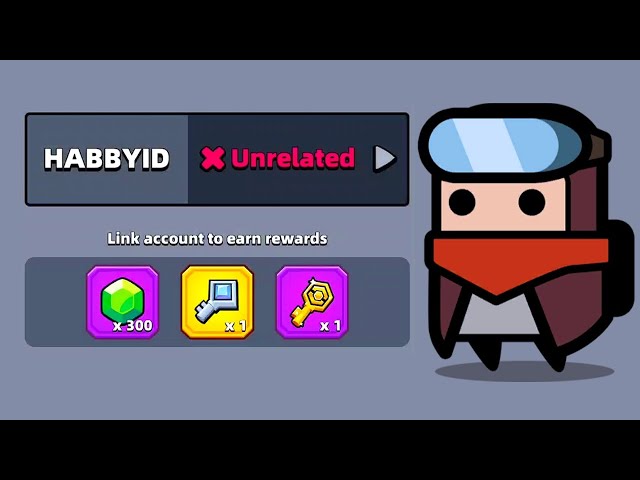
To locate your Habby UID inside your game:
- Launch your Habby mobile game on your device.
- Tap the Settings icon (gear symbol) or tap your Player Profile / Avatar located in the top corner of the main menu.
- Look for the label marked Player ID, UID, or User ID at the bottom or center of the settings screen.
- Tap the copy icon next to the ID or write down the exact sequence of numbers.
- Paste this numeric ID directly into the UID field on ArcTopup.
Tip: Always use the in-game copy feature whenever available to avoid mistaking similar numbers and letters (such as 0 and O, or 1 and I).
Safe and Passwordless Habby Recharge on ArcTopup
Account safety is the top priority for every mobile gamer. Many unofficial services require players to provide login emails, passwords, or authentication codes, exposing accounts to security risks, unauthorized access, or policy violations. ArcTopup operates on a 100% passwordless UID delivery model.
| Feature | ArcTopup UID Recharge | Account Login Top-Up |
|---|---|---|
| Password Required | No (Never requested) | Yes (High risk) |
| Account Sharing | Zero access to personal data | Full access granted to third party |
| Risk of Hijacking | None | High |
| Processing Method | Direct server push to UID | Manual login by seller |
| Ease of Gifting | Yes (Just enter friend's UID) | No (Requires friend's login info) |
Because ArcTopup only needs your public UID, your private login credentials remain entirely in your hands. You can also safely recharge accounts for friends, family, or guild members without ever asking for their private account information.
Supported Payment Methods for Habby Top-Ups in 2026
ArcTopup supports a wide variety of convenient payment channels in 2026 to ensure smooth checkouts for players worldwide. Depending on your region, you can complete your Habby recharge using:
- Major credit and debit cards
- Regional e-wallets and digital payment apps
- Direct online bank transfers
- Localized payment options tailored to your country
Exact pricing, available payment gateways, and currency conversions are displayed in real time on the live ArcTopup checkout page before you place your order. You always see the final cost upfront with complete billing transparency.
Habby Web Store vs UID Top-Up Options
While web stores often require players to log in through third-party webviews, browser-based verifications, or complex email links, the ArcTopup direct UID top-up streamlines the entire process.
- Frictionless Purchasing: No need to remember which social media platform or email you originally linked to your Habby game.
- Fast Multi-Account Management: If you manage multiple accounts or want to send packs to teammates, simply swap the UID string at checkout rather than logging in and out of different browser sessions.
- Clear Localized Checkout: Pay using your favorite regional payment methods directly without conversion confusion.
Delivery Time and Checking Your In-Game Balance
Orders placed on ArcTopup are processed through direct automated fulfillment systems. In most cases, your Habby credits or event packages will reflect in your account shortly after payment confirmation.
To check your delivered items:
- Keep your game open or restart the game app after completing your order.
- Check your in-game resource counters (such as gems, energy, or event tokens) at the top of the home screen.
- Open your in-game Mailbox or Inbox if the purchased bundle delivers items via claimable mail attachments.
- If your balance does not immediately refresh, close the game completely from your device multitasking menu and relaunch it to force a fresh server sync.
Troubleshooting Common Habby Top-Up Issues
If you experience any delay or issue with your Habby recharge, review these quick troubleshooting steps:
- Entered the Wrong UID: If an incorrect UID was submitted, check your order history immediately. Contact ArcTopup Customer Support with your order number. If the order has not yet been processed by the server, our support team can assist in correcting the details.
- Server Maintenance / Lag: During major game updates or seasonal events, game servers can experience traffic spikes. Allow a few moments for the game server to complete its ledger sync.
- App Cache & Connection: Toggle your internet connection or restart your game to clear local cache and re-establish a connection with the server.
- Payment Verification Pending: Ensure your payment went through on your banking app or e-wallet. ArcTopup fulfills orders as soon as the payment gateway confirms the transaction.
For any questions or order assistance, the ArcTopup customer support team is available to help verify your purchase and guide you through resolution.
Frequently Asked Questions
What is a Habby UID and where do I find it?
Your Habby UID is your unique account identifier. You can find it inside your game by opening the Settings menu or clicking on your Player Profile avatar from the main screen. The UID is displayed as a sequence of numbers at the bottom or middle of that page.
Do I need to share my Habby account password to top up on ArcTopup?
No. ArcTopup never asks for your password, login email, or authentication codes. All purchases are delivered directly to your account using only your public player UID.
How long does it take for my Habby top-up to appear in-game?
Top-up deliveries are processed automatically once payment is verified. In most instances, your balance updates shortly after transaction completion. Relaunching your game app will trigger a server sync to reflect the new balance.
Can I top up Habby credits for a friend using their UID?
Yes. Because the top-up process only requires a player UID, you can enter your friend's UID in the player ID field at checkout to send resources directly to their account.
What payment methods can I use for Habby recharge?
ArcTopup supports multiple payment options including major credit and debit cards, popular digital wallets, and local payment methods. Check the live checkout page to see the specific payment channels available in your country.
What should I do if my Habby top-up purchase was not received?
First, restart your game app to refresh the data connection with the server, and check your in-game mailbox for any attached items. If the items still do not appear, locate your order receipt on ArcTopup and reach out to our Customer Support team with your order number and UID for assistance.
Current packages and prices
Current base prices exclude Tax. Tax, payment fees and coupon adjustments are shown at checkout.
| Package | Price |
|---|---|
| Habby - Habby*10000 | USD 0.97 |
| Habby - Habby*15000 | USD 1.45 |
| Habby - Habby*20000 | USD 1.93 |
| Habby - Habby*25000 | USD 2.42 |
| Habby - Habby*50000 | USD 4.84 |
| Habby - Habby*100000 | USD 9.67 |
| Habby - Habby*500000 | USD 48.35 |
| Habby - Habby*1000000 | USD 96.71 |
| Habby - Habby*5000 | USD 0.48 |






























































