
Tango Live users can buy coins using PayPal by routing purchases through UID-based external web recharge platforms rather than the native mobile app. While the official mobile application restricts checkout to Apple App Store or Google Play in-app billing—and the official web portal primarily lists credit cards such as VISA, MasterCard, and American Express—authorized third-party platforms let you complete checkout via PayPal using only your public Tango User ID (UID), skipping app store payment blocks and password handoffs entirely.
Official in-app billing vs. external PayPal checkout
Mobile platforms enforce mandatory payment channels that affect both pricing and payment flexibility. Apple and Google levy a 15% to 30% fee on native in-app billing, which reduces coin yield inside the application to approximately 120–130 coins per dollar according to CoinGate's pricing review. Beyond commission cuts, mobile store payment profiles frequently reject PayPal balances linked to region-locked bank accounts or prepaid debit cards.
Tango's official in-app tiering presents an unusual pricing structure. In-app pricing settled in January 2026 sets 120 coins at $0.99 (~121 coins per dollar), but charges $199.99 for 13,500 coins (~67.5 coins per dollar). That largest pack delivers half the value per dollar of the base tier. If you must use native app billing, the $19.99 tier is the best-performing in-app option, but purchasing through external web platforms circumvents this ladder imbalance entirely.
External third-party recharge platforms such as ArcTopup, Joytify, TOPUPlive, and SEAGM operate outside app store checkout flows. As noted by TOPUPlive's recharge overview, these services allow customers to pay for coin bundles using PayPal, local digital rails, and credit cards without needing to connect a mobile payment method.

Web coin bundles and pricing overview
External recharge platforms sell fixed coin tiers credited directly to your profile. The table below outlines standard catalog tiers available through ArcTopup's catalog, including catalog prices and estimated coin yields.
| Pack Visual | Coin Package | Catalog Base Price | Yield (Coins/$) | Source Link |
|---|---|---|---|---|
Note: Catalog prices reflect base tiers as listed on ArcTopup; taxes, exchange fees, and payment processor handling charges are calculated at checkout.
How to find your Tango Live UID
External UID-based top-ups never require your account password or social login credentials. Instead, order dispatch relies solely on your Tango account numeric identifier.
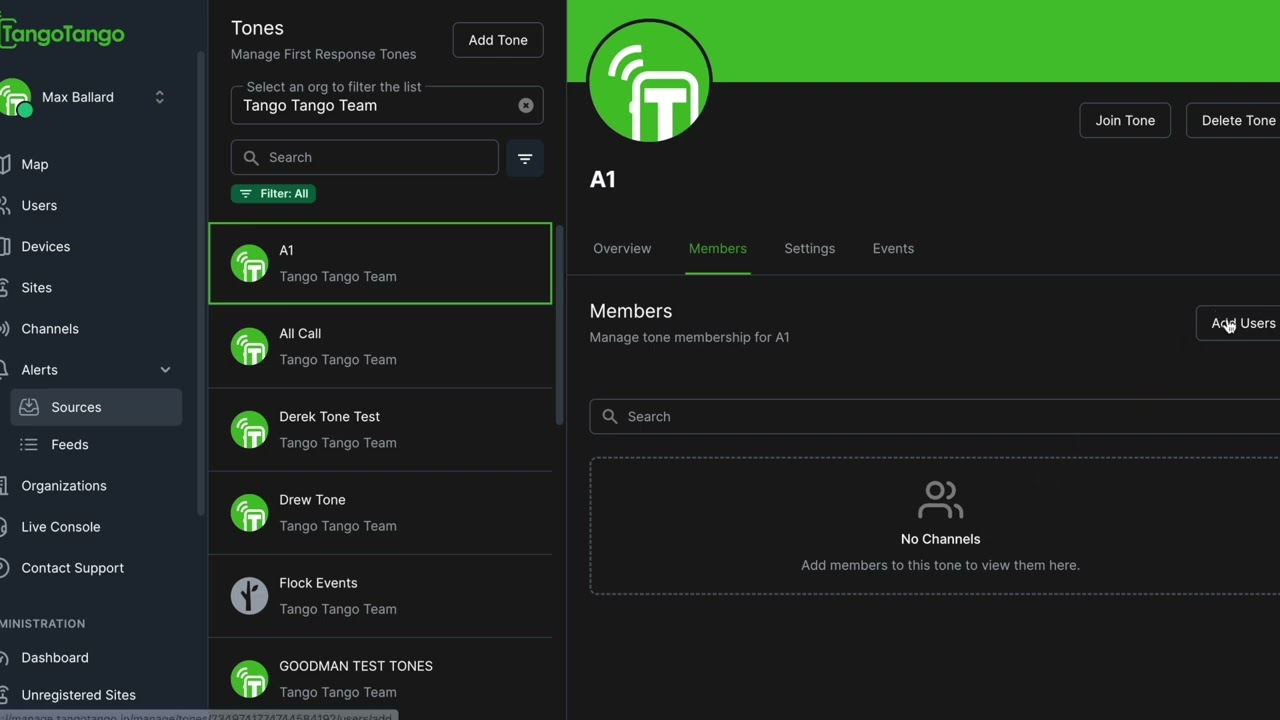
- Launch the Tango Live application on your mobile device.
- Tap the Profile icon in the top-left corner of the main feed.
- Tap your profile picture or username to open the full account details page.
- Locate the numeric sequence printed directly under your display name.
- Copy or transcribe this sequence without leading or trailing spaces.
Double-check every digit before placing an order. Because balance deliveries apply automatically upon payment confirmation, transfers sent to an incorrect UID cannot be recalled or redirected.
Step-by-step PayPal checkout via web recharge
Executing a top-up using PayPal requires entering your identifier into the platform checkout portal rather than an app store dialog.
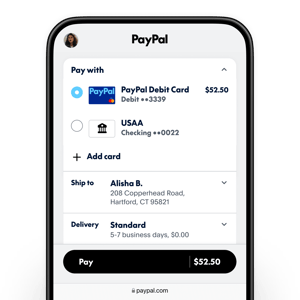
- Open the recharge catalog on your chosen third-party top-up portal.
- Paste your Tango Live numeric UID into the user identification field.
- Select your coin package (e.g., 750, 7,500, or 37,500 coins).
- Choose PayPal as your preferred payment method on the checkout screen.
- Log in to your PayPal account in the secure redirect window and confirm funding via PayPal balance, linked bank account, or linked card.
- Complete authorization and return to the merchant confirmation page.
Direct UID delivery avoids voucher codes and expiration dates.
Troubleshooting PayPal failures and delayed coin delivery
When buying coins through alternative checkout rails, issues generally stem from PayPal processor restrictions or delayed server-side balance updates.
| Problem Scenario | Root Cause | Documented Fix | Official Policy / Source |
|---|---|---|---|
| PayPal transaction declined at checkout | Account limits, unverified account, or card ineligible for instant transfer | Check PayPal account standing for limitations; swap to an alternate linked bank card | PayPal Help Center |
| PayPal shows payment complete, but coins missing | App cache delay or background sync latency | Force-close the Tango Live app, restart device, and relaunch the app | Tango Help Desk |
| Balance missing after restart | UID typo during external order placement | Compare UID on invoice with app profile; submit invoice ID to merchant support | ArcTopup Catalog |
| In-app store declines transaction | Regional app store card mismatch or parental restrictions | Switch to direct external UID top-up using web PayPal checkout | TOPUPlive Article |
According to Tango's official support documentation, coin purchases are typically instant. If a delay occurs due to network latency, force-closing the app and restarting your device forces the client to query the account database for updated balances.
PayPal's error guidance indicates that transfer errors stem primarily from temporary security limitations or an ineligible bank account. Clearing active account holds or selecting a verified payment card resolves the majority of checkout declines.
Tango Live coin rules: expiration, gifts, and diamonds
Tango Coins never expire, so unspent balances remain on your account indefinitely. However, coins cannot be refunded or transferred directly to other user accounts.

When you spend coins to send virtual gifts or interact during live broadcasts and PK battles, those coins convert into streamer Diamonds. Broadcasters can redeem Diamonds for cash payouts under Tango's creator program, but viewers cannot convert Diamonds back into standard coins. Be sure to double-check bundle sizes before processing non-refundable PayPal transactions.
Frequently asked questions
Can I buy Tango Live coins with PayPal directly on the official website?
Tango's official website checkout at tango.me lists major credit cards (VISA, MasterCard, American Express) and selected regional payment options. Users seeking direct PayPal billing rely on third-party UID recharge platforms or digital vouchers, as confirmed by TOPUPlive's recharge overview.
Do I need to share my Tango password to use PayPal externally?
No. Legitimate UID platforms only ask for your public numeric User ID. Never provide your password, SMS login codes, or linked social media access to any top-up platform.
Can I recharge coins using PayPal for another user?
Yes. When completing checkout on an external UID recharge platform, enter the recipient's numeric UID instead of your own. The coin balance will credit directly to their profile.
What if my PayPal payment succeeds but coins never arrive?
Force-close the Tango Live app and restart your device to refresh your local profile balance. If the coins do not appear, retrieve your transaction ID from your PayPal receipt and provide it alongside your UID to the platform's customer support team, as outlined in Tango's non-delivery guide.






Comments