Learn how to complete a Valorant top up in 2026, calculate exact VP bundle costs, redeem prepaid codes, and verify your in-game balance without overpaying.
Timing a wallet recharge in Riot's shooter can be irritating. You spot a clean Vandal skin in your daily rotation, open the payment tab, and discover you are short by a measly 150 Valorant Points (VP). Pick the wrong bundle, and you lock cash into an orphaned client balance that sits untouched for months.
VP planning comes down to simple math. Whether you play on PC, PlayStation 5, or Xbox Series X|S, buying the proper tier stops wasted spend while securing your battle passes and Night Market drops.
Valorant VP Pricing Breakdown for 2026
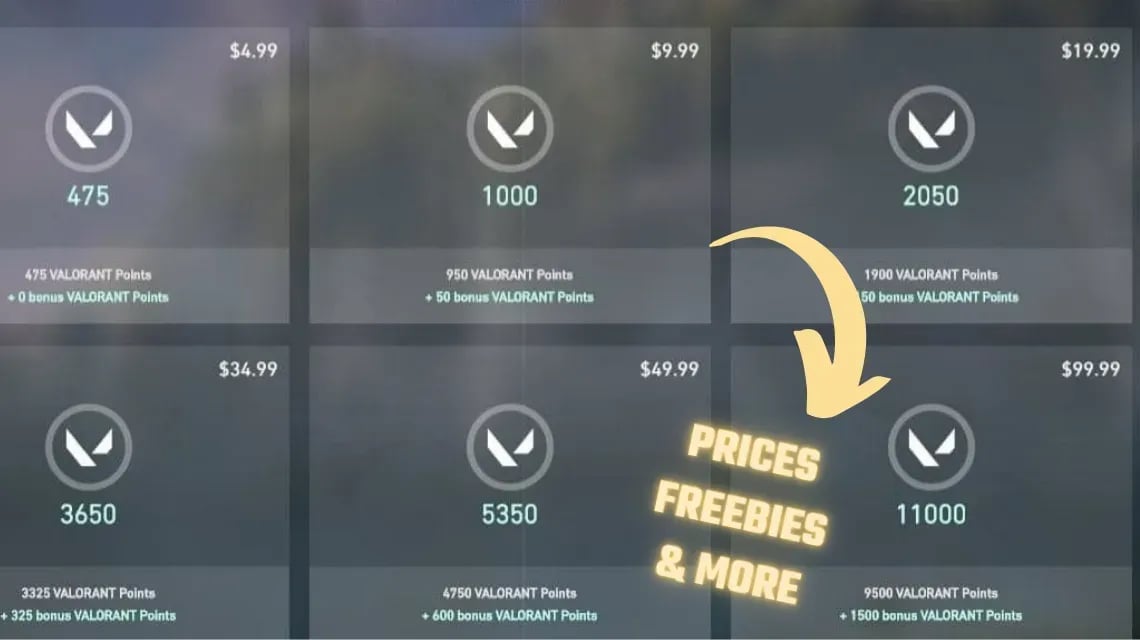
Valorant Points follow a fixed tier structure in North America. Larger bundles provide bonus currency, but over-purchasing VP remains the easiest way to inflate what you spend on skins.
Review the active client denominations before entering payment details:
| VP Bundle | Price (USD) | Base VP | Bonus VP | Note |
|---|---|---|---|---|
| 475 VP Pack | $4.99 | 475 | 0 | Base tier; zero bonus VP included |
| 1,000 VP Pack | $9.99 | 950 | 50 | Just enough to fund an Act Battle Pass |
| 2,050 VP Pack | $19.99 | 1,900 | 150 | Covers standard Premium individual weapon skins |
| 3,650 VP Pack | $34.99 | 3,325 | 325 | Mid-tier top-up for weapons or bundle add-ons |
| 5,350 VP Pack | $49.99 | 4,750 | 600 | Standard mid-tier gift card size |
| 11,000 VP Pack | $99.99 | 9,500 | 1,500 | Maximum bonus ratio per dollar spent |
Takeaway: The $4.99 pack gives you the worst conversion rate with zero bonus points, while the $99.99 pack yields 1,500 bonus VP. Buy the $9.99 pack if you only want the Battle Pass, or jump directly to the tier that clears your skin cost without trailing odd remnants.
If you prefer to buy a digital code instead of keeping billing details saved to your client, you can buy Valorant Points instantly to get an authentic digital code sent straight to your screen.
Weapon Skin Tiers and How Much VP You Actually Need
Store editions govern every price tag in the client. Riot assigns fixed rates to lower tiers while leaving top-tier brackets variable.
Plan your top-up around the baseline price points established across recent Acts:
| Skin Edition Tier | Individual Gun Price | Typical Melee Cost | Upgrade Requirement |
|---|---|---|---|
| Select Edition | 875 VP | Varies | 0 to standard Radianite |
| Deluxe Edition | 1,275 VP | Varies | 0 to standard Radianite |
| Premium Edition | 1,775 VP | ~3,550 VP | 10 RP per level (up to 75 RP) |
| Exclusive Edition | 2,175 VP (Typical) | ~4,350 VP | 10 RP per level (up to 75 RP) |
| Ultra Edition | 2,475 VP (Typical) | ~4,950 VP | 10 RP per level (up to 75 RP) |
Takeaway: Premium skins sit comfortably at 1,775 VP, requiring a $19.99 pack (2,050 VP), whereas Exclusive and Ultra skins demand custom pricing that usually forces you into the $34.99 bracket.
Riot lists Select at 875 VP, Deluxe at 1,275 VP, and Premium at 1,775 VP. Ultra and Exclusive editions remain officially variable, yet community data tracks consistent floors: 2,175 VP for Exclusive guns and 2,475 VP for Ultra models. Melees in both high brackets routinely cost double the rifle price.
Factor Radianite Points (RP) into the equation. A purchased skin arrives in baseline trim. Adding reload animations, audio cues, finishers, and three color variants consumes 10 RP per step, demanding up to 75 RP for a fully upgraded rifle.
Direct VP-to-RP exchange rates inside the client penalize your wallet: - 20 RP costs 1,600 VP - 40 RP costs 2,800 VP - 80 RP costs 4,800 VP
Skip direct Radianite purchases. Clear the seasonal Battle Pass instead, which provides ample RP across its tiers at a fraction of store conversion costs.
Finding Your Riot ID and Tagline Correctly
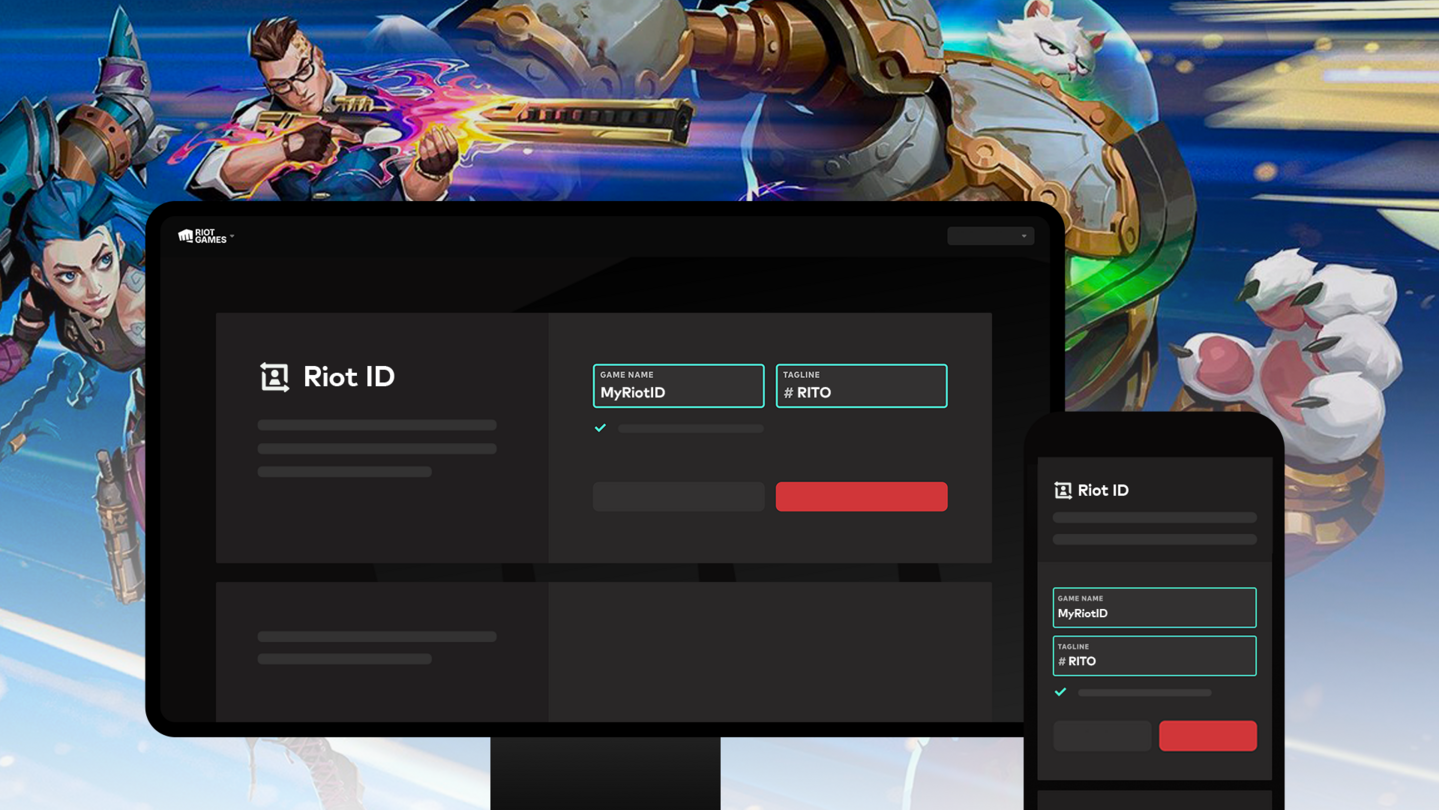
Redeeming vouchers or routing support tickets requires your full Riot ID. A username alone is insufficient; Riot's platform pairs your visible display handle with an alphanumeric or regional tagline behind a hashtag.
Locating your full ID takes seconds:
1. Launch the Valorant client on PC or console.
2. Open your friends list along the right edge of the main menu.
3. Hover over (or highlight) your player card.
4. Read the popup banner formatted as Username#TAG (such as ViperMain#NA1).
5. Pressing Esc to view the settings screen also displays the ID along the top banner.
Never share a truncated username with support. Omitting the tagline stalls your ticket because Riot's account system cannot query the profile without both identifiers.
How to Top Up and Redeem Prepaid Codes
Prepaid cards and digital vouchers add client credit without linking personal debit or credit cards directly to your Riot account.
To redeem a code through the client:
- Launch Valorant and log in.
- Click the VP logo in the upper-right corner of the menu.
- Scroll through checkout methods and select Prepaid Cards & Codes.
- Enter the voucher code without extra spaces.
- Click Submit to credit the balance instantly.
If you lack client access, use a web browser. Log in at shop.riotgames.com/redeem and submit the voucher code. The balance updates the next time you start the game.
Console players purchasing through the Microsoft Store or Xbox dashboard should note that credits do not always apply automatically. Xbox checkouts frequently generate a 25-character digital key sent by email or listed in order histories. You must paste that key into the client redemption field to trigger delivery.
To grab a fresh code before the daily store rotation flips, grab a secure Valorant VP top up voucher to get valid pins delivered to your screen.
Cross-Progression: PC, PS5, and Xbox Ecosystems
Valorant unifies cosmetic inventories and wallet balances across PC, PlayStation 5, and Xbox Series X|S. All purchases sync provided your console profiles connect to the same Riot master account.
Assets that sync automatically: - Valorant Points (VP) - Radianite Points (RP) - Kingdom Credits - Unlocked weapon skins, gun buddies, and player cards - Premium Battle Pass progress and tier unlocks
Competitive matchmaking pools remain the lone exception. Console players compete exclusively against other consoles, and PC lobbies remain separate. Buy a bundle on PC at noon, and it waits in your PS5 weapon collection that night.
Regional Shards and Prepaid Code Restrictions
Prepaid vouchers use strict regional locks. An NA code fails on European servers, and an AP voucher will not activate on a Brazilian profile.
Account shard constraints operate as follows:
| Account Shard | Code Eligibility | Cross-Region Transfer Support |
|---|---|---|
| North America (NA) | NA prepaid cards only | Region locked; transfer requires Riot support |
| Europe (EU) | EU prepaid cards only | Region locked; transfer requires Riot support |
| Asia-Pacific (AP) | AP prepaid cards only | Region locked; transfer requires Riot support |
| Latin America (LATAM) | LATAM prepaid cards only | Region locked; transfer requires Riot support |
| Brazil (BR) | BR prepaid cards only | Region locked; transfer requires Riot support |
Takeaway: Cash vouchers do not expire, but their regional lock is absolute. Always confirm your account region before purchasing prepaid pins.
Game-specific cards also differ from multi-game currency. Multi-game Riot Access cards function across multiple titles depending on region-specific retailer packaging. Dedicated Valorant gift cards, however, are hardcoded solely to Valorant; they cannot convert to League of Legends currency, nor can current VP balances transfer out.
How to Choose Your Spender Tier
Valorant's 24-hour storefront and limited-run bundles encourage reactionary spending. Structuring your purchases around a fixed routine keeps costs predictable.
Match your habits to one of three profiles:
- Free-to-Play / Budget Players: Skip standalone weapon skins entirely. Buy the 1,000 VP pack ($9.99) once per Act to fund the premium Battle Pass track. That single purchase supplies multiple gun skins, buddies, cards, an XP bonus, and the Radianite required for future upgrades. For new agents, complete their 28-day Recruitment Event via match XP instead of paying 1,000 VP.
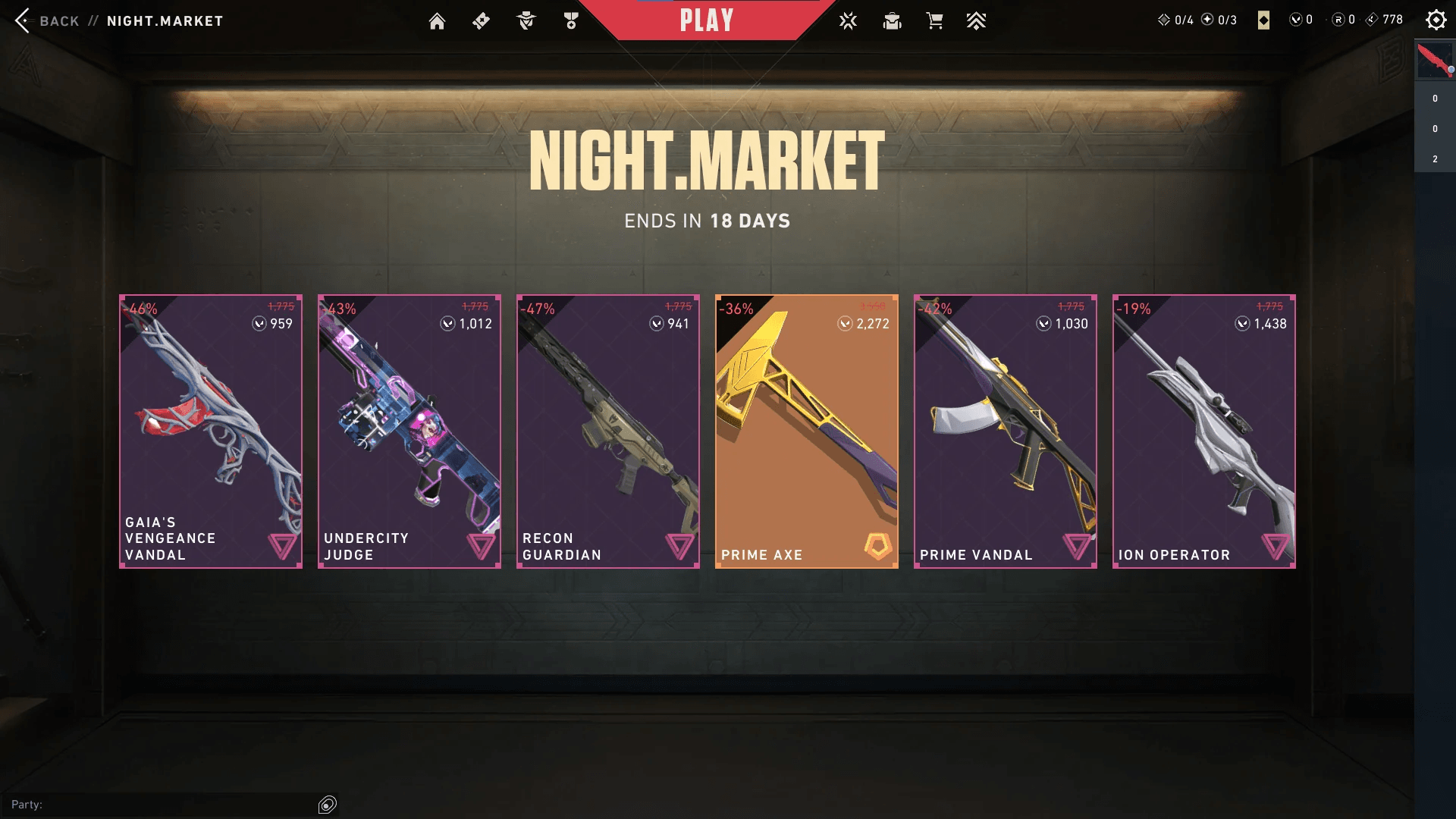
- Mid-Tier Spenders: Reserve funds for the bi-monthly Night Market. The event discounts six random skins from the Select, Deluxe, and Premium tiers by 10% to 49%. Ultra, Exclusive, and Battle Pass cosmetics never appear, and items must be at least two Acts old. Top up only when a premium staple (such as a Prime Vandal or Oni Phantom) surfaces at a steep cut.
- Heavy Collectors: When targeting skin lines with custom knife animations, buy the full bundle while featured on the main store tab. Bundles grant the melee weapon at no added charge when you purchase the entire set. Funding that cart via the 11,000 VP pack ($99.99) nets 1,500 bonus points to lower your average spend per item.
Spotting Scams vs Legitimate Top-Up Services
Sought-after skins make players frequent targets for credential phishing and fake currency generators. Protecting your account requires identifying fraudulent payment demands.
Legitimate Top-Up Channels
- Require only your Riot ID and tagline (or issue a redeemable prepaid pin).
- Process payments through encrypted checkouts displaying clear pricing before payment.
- Direct you to standard redemption interfaces like
shop.riotgames.com/redeemor the in-game client menu. - Deliver standard denomination codes that match actual store values.
Fraudulent Third-Party Traps
- Ask for your Riot account password or two-factor authentication (2FA) SMS codes.
- Demand remote client access or software installation to "inject" VP.
- Advertise impossible discounts like "80% off VP bundles".
- Request payment via unverified peer-to-peer apps with zero buyer protection.
Riot never mints detached VP pools. Any site promising 50,000 VP for $10 is fishing for login credentials or unauthorized account takeovers.
To keep your profile secure while getting codes fast, pick up an official prepaid Valorant code and enter it directly into your own client.
Troubleshooting Delayed VP Delivery and Checking Balance
Most transactions settle within moments. Patch releases, Act rollovers, and payment gateway traffic can delay delivery.
Follow these diagnostics if your points fail to register:
- Restart the client: Exit Valorant, shut down Riot Vanguard via the Windows tray, and restart. This action forces a fresh server handshake.
- Wait 30 minutes: Payment webhooks frequently back up during peak evening hours.
- Inspect Order History: Authenticate on the official Riot Support site and open the Checking Your Purchase History tool to verify order timestamps and completion status.
- Verify billing statements: Confirm the charge cleared your bank and is not an unsettled pre-authorization hold.
- Submit a ticket: If VP has not arrived after 24 hours, file a ticket through Riot Support with your payment receipt and transaction ID. Billing investigations usually resolve within 24 to 72 hours.
Remember Riot's refund limitations. Unused VP and unequipped individual gun skins qualify for a refund within 14 days through the web support tool. Bundles, premium Battle Passes, 300-VP tier skips, and spent Radianite Points are non-refundable once acquired.
FAQ
How do I redeem a Valorant Points gift card or code?
Click the VP icon in the top right corner of the game client and choose the Prepaid Cards & Codes payment category. Enter your digital PIN into the field without spaces and hit submit. You can also sign in to your profile at shop.riotgames.com/redeem to submit the voucher via any standard web browser.
Can I transfer my Valorant Points between different Riot accounts?
No, Valorant Points are permanently tied to the individual Riot account used during purchase or redemption. Riot's billing systems do not allow balance transfers between accounts under any circumstances. Make sure you are signed into your primary account before submitting codes.
Are Valorant top-up prepaid cards region-locked?
Yes, cash vouchers and prepaid card codes are strictly tied to the geographic region of your Riot account. A code purchased for North American accounts cannot be redeemed on European or Asian servers. Always verify your account shard before purchasing digital vouchers.
Do my Valorant Points carry over between PC and console?
Yes, your entire VP balance, Radianite Points, skins, and Battle Pass progression transfer across PC, PS5, and Xbox Series X|S. You must link your PlayStation Network or Xbox profile to your existing Riot account to enable cross-progression. Only competitive matchmaking MMR pools remain isolated between platforms.
What should I do if my purchased VP does not appear immediately?
First, restart your game client to force an inventory sync with Riot servers. If the balance remains unchanged, wait 30 minutes to allow the billing gateway to clear peak traffic. If the points are still missing after 24 hours, submit a support ticket alongside your payment confirmation receipt.
Can I get a refund on my Valorant Points or purchased cosmetics?
Unused VP and unequipped standalone weapon skins are eligible for a refund within 14 days of purchase via Riot's automated support portal. However, skin bundles, premium Battle Passes, Radianite Points, and upgraded weapons cannot be refunded once acquired. Equipping a weapon skin in a single match invalidates refund eligibility.
How do I check my total Valorant purchase history and spending?
Log in to the official Riot Support website and navigate to the Purchase History tool. Clicking the check history prompt displays an itemized list of your historical transactions, payment methods, and total lifetime money spent on the account.
Verdict on Managing Your VP
Top up with an exact purchase target. Grabbing random VP packs without calculating skin tiers locks money in unspent balances. Check skin requirements beforehand, rely on the Battle Pass for your Radianite upgrades, and verify your full Riot ID before buying or redeeming codes.






Comments