Valorant Points Top Up: Get VP Directly to Your Riot Account
Valorant Points (VP) serve as the premium in-game currency in Riot Games' tactical first-person shooter, Valorant. Players use VP to unlock weapon skin collections, acquire the seasonal Battle Pass, access premium cosmetic accessories, and unlock new Agents on release.
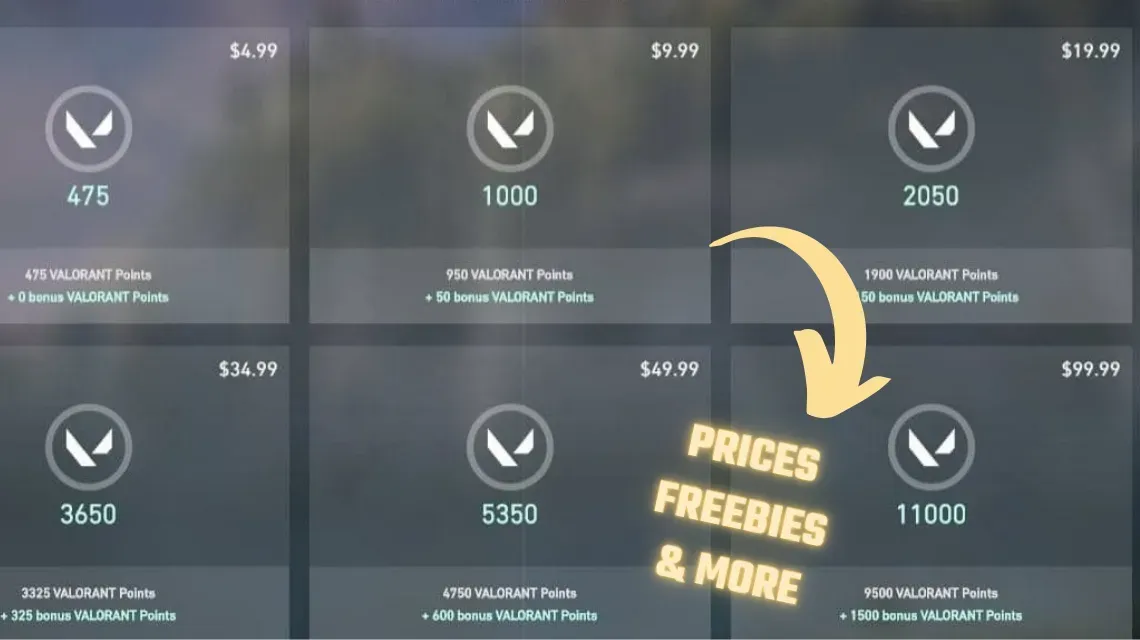
ArcTopup offers a direct, secure method for your Valorant Points top up. Instead of buying physical vouchers or dealing with digital gift card redemption codes that can fail or require complicated client inputs, ArcTopup credits VP straight to your Riot account using only your unique player identifier (UID / Riot ID + Tagline). Live pricing and available denomination options are listed clearly on the checkout selection above.
What Are Valorant Points (VP) and What Can You Buy With Them?
Valorant Points are distinct from standard progression rewards and give you direct access to the premium cosmetic economy in Valorant. Here is everything you can acquire using your balance:
- Weapon Skin Bundles: Riot regularly releases featured collections (such as Prime, Reaver, Kuronami, and seasonal championship bundles) containing custom weapon models, reload animations, sound effects, and finishers.
- Act Battle Pass: Each new Act features a Battle Pass containing exclusive knife skins, gun buddies, player cards, sprays, and Radianite Points (RP).
- The Night Market: A recurring underground storefront offering personalized, discounted weapon skins drawn at random for your account.
- Agent Recruitment: While Agents can be unlocked by earning XP during their recruitment events, you can bypass the grind instantly using VP.
- Radianite Points Conversion: VP can be converted into Radianite Points to upgrade weapon visual effects, sound variants, and finisher styles.
- Gunbuddies, Titles, and Sprays: Individual cosmetics available in the rotating daily store rotation.
How to Top Up Valorant Points on ArcTopup Using Your UID
Recharging your VP on ArcTopup takes only a few moments. Follow these steps to complete your purchase:
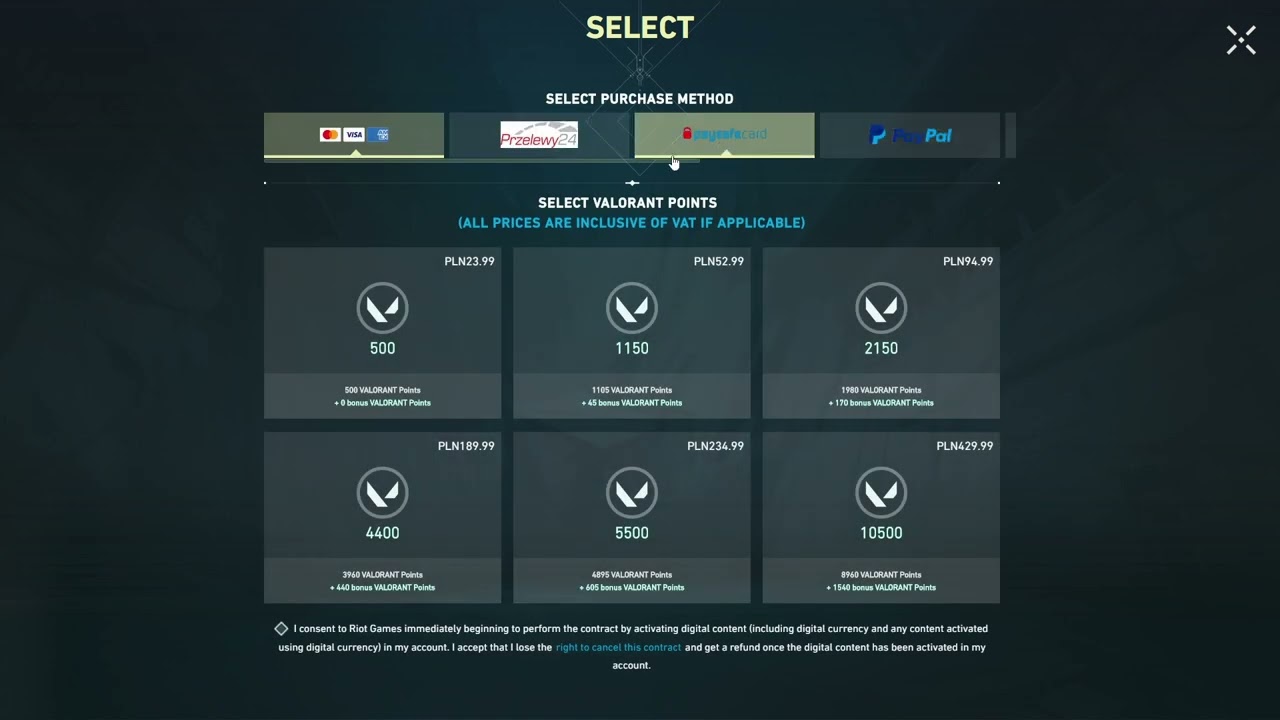
- Select Your Package: Choose the desired amount of Valorant Points from the product options available on this page.
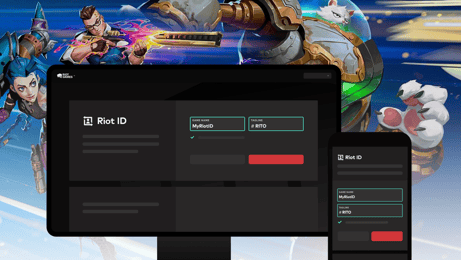
- Enter Your UID: Input your complete Riot ID and Tagline (e.g.,
PlayerName#NA1orJett#1234) into the required UID field. - Select Your Payment Method: Pick your preferred payment option from the secure checkout system.
- Complete Checkout: Confirm your payment details. Once verified, ArcTopup processes the reload directly to your Riot account balance without any manual voucher redemption.
How to Find Your Valorant UID (Riot ID and Tagline)
To ensure your VP is delivered to the correct account, you need to provide your full Riot ID along with the Tagline. You do not need to share your login credentials.
Follow these quick steps to find your exact UID format:
- Launch the Valorant game client on your PC.
- Hover your mouse over your profile picture or username in the social party panel located on the right side of the main menu.
- Your screen will display your full identifier in the format:
Username#TAG(for example,Shadow#EUWorDuelist#1001). - Alternatively, log into the official Riot Games account portal in any browser and look under the Riot ID section of your account management dashboard.
- Copy the exact text, including the
#symbol and tag numbers, into the ArcTopup UID field.
Direct UID Top Up vs Gift Card Code Redemption
Many third-party sellers supply digital gift cards that require manual entry inside the game client. Here is how direct UID top-up compares to traditional voucher codes:
- Direct UID Top Up on ArcTopup: You enter your player identifier at checkout. The system routes the points directly into your account balance. You can stay in your current match or top up from a mobile device without opening the in-game store.
- Gift Card Voucher Redemption: Requires opening the Riot client, clicking the VP icon, navigating to the Prepaid Cards & Codes tab, copying a 16-character alphanumeric string, and submitting it manually. Gift cards frequently trigger region mismatch errors if the currency does not match your server's assigned country.
Direct UID processing eliminates code activation failures, invalid entry errors, and unnecessary client navigation.
Valorant Points Packages, Night Market, and Battle Pass Costs in 2026
Knowing how much VP you need helps you select the right package on ArcTopup before a limited-time collection leaves the store.
| Item / Cosmetic Category | Typical VP Cost | Description |
|---|---|---|
| Act Battle Pass | 1,000 VP | Grants access to 50 tiers of premium weapon skins, gun buddies, cards, and Radianite Points. |
| Select Edition Weapon Skin | 875 VP | Basic reskins without custom visual effects or audio finishers. |
| Deluxe Edition Weapon Skin | 1,275 VP | Themed skins featuring unique textures and custom knife models. |
| Premium Edition Weapon Skin | 1,775 VP | High-tier skins featuring custom animations, reload effects, and finishers (e.g., Prime, Reaver). |
| Exclusive Edition Weapon Skin | 2,175 – 2,675 VP | Flagship bundles with bespoke audio-visual design (e.g., Kuronami, ChronoVoid). |
| Ultra Edition Weapon Skin | 2,475 VP | Reactive skins with evolving visual states (e.g., Elderflame). |
| Premium Melee / Knife Skins | 3,550 – 5,350 VP | Standalone melee weapons when purchased outside a bundle. |
| Night Market Items | Randomized (-10% to -49%) | Six discounted weapons from Select, Deluxe, and Premium tiers rotated every Act. |
Note: Exact bundle pricing varies based on whether you already own individual skins from the set. Check live costs on the ArcTopup checkout menu to select the exact VP amount required.
VP vs Radianite Points (RP): Differences and Conversion
Valorant utilizes two distinct currencies. Understanding the difference prevents unnecessary spending:
- Valorant Points (VP): The primary currency purchased with real funds. VP is used to buy weapon skins from the daily shop, purchase featured bundles, unlock the Battle Pass, and acquire new Agents.
- Radianite Points (RP): The refinement currency used exclusively to upgrade cosmetic skins you already own. RP unlocks custom color variants (chromas), muzzle flashes, inspection animations, reload effects, and finishers.
While you can convert VP directly into RP inside the store, the most cost-effective method to accumulate Radianite is by buying the Act Battle Pass with VP and completing the progression tiers through daily and weekly missions.
Valorant Points Server Regions and Account Safety Guide
Server Region Restrictions
Riot Games accounts are bound to specific shards and regions, including North America (NA), Europe (EU), Asia-Pacific (AP), Korea (KR), Brazil (BR), and Latin America (LATAM). VP recharges must correspond to the correct server shard linked to your Riot ID. Ensure your account's primary country setting aligns with your purchase to prevent delivery delays.
Account Safety and Security Protocols
Account protection is paramount when purchasing gaming currencies online. ArcTopup adheres to strict safety practices:
- No Passwords Requested: ArcTopup will never ask for your Riot account password, email access, or two-factor authentication (2FA) verification codes.
- No Account Sharing: The entire transaction is completed externally using public account identifiers. You never need to grant an operator access to your account.
- Official Delivery Channels: Recharges process through standard direct payment endpoints, keeping your account safe from fraud flags or chargeback bans.
Why Choose ArcTopup for Valorant VP Recharges?
- Safe Checkout: Zero password requirements keep your Riot credentials completely in your control.
- Transparent Pricing: Check out clear pricing structures without unexpected processing fees added at payment.
- Convenient UID Delivery: No copy-pasting long gift card codes into the client; currency applies straight to your profile.
- Clean Interface: A responsive top-up layout engineered for fast recharges on both desktop and mobile web browsers.
Frequently Asked Questions
How do I recharge Valorant Points using only my UID?
Select your VP denomination on ArcTopup, type your complete Riot ID and Tagline (e.g., Username#1234) in the UID input field, select your payment method, and complete the transaction. The VP credits directly to your in-game balance.
How many Valorant Points (VP) do I need to buy the Battle Pass?
A standard seasonal Act Battle Pass costs 1,000 VP. Purchasing a 1,000 VP package or higher gives you immediate access to the premium tier path.
Are Valorant Points region-locked to specific server accounts?
Yes. Riot Games enforces server shard restrictions. Make sure your Riot ID belongs to the region for which you are purchasing credits to avoid delivery or currency allocation issues.
Do I need to provide my Riot Games password to top up VP?
No. ArcTopup requires only your public Riot ID and Tagline. Never provide your password or 2FA codes to any service offering game recharges.
What is the difference between Valorant Points and Radianite Points?
Valorant Points (VP) are used to buy weapon skins, bundles, and the Battle Pass from the store. Radianite Points (RP) are upgrade points used to unlock skin variants, sound effects, animations, and finishers on skins you already own.
What is the cheapest way to buy Valorant Points in 2026?
The most cost-effective method is to calculate the exact VP required for your target bundle or Battle Pass and purchase through ArcTopup's direct UID reload, avoiding excess fees or unused code remainders.
Current packages and prices
Current base prices exclude Tax. Tax, payment fees and coupon adjustments are shown at checkout.
| Package | Price |
|---|---|
| 475 Valorant Points | USD 2.65 |
| 1000 Valorant Points | USD 9.42 |
| 2050 Valorant Points | USD 10.59 |
| 3650 Valorant Points | USD 18.40 |
| 5350 Valorant Points | USD 26.44 |
| 11000 Valorant Points | USD 51.98 |