Roblox Gift Card Top Up: What It Is and How It Works in 2026
A digital Roblox Gift Card is the safest and most flexible method to add funds to your Roblox balance. When you purchase a digital gift card, you receive a unique digital PIN code that adds Roblox Credit directly to your account balance. This credit can then be converted into Robux—the core currency used across millions of user-created experiences—or used to purchase a monthly Roblox Premium subscription.
Unlike direct credit card attachments on mobile stores, a Roblox Gift Card top up provides fixed spending limits and eliminates recurring unwanted charges. In 2026, gift cards remain the preferred top-up option because web-based redemptions grant full Robux value without the platform transaction surcharges frequently applied by mobile app marketplaces.
How to Buy a Digital Roblox Gift Card on ArcTopup
Purchasing your digital code on ArcTopup is straightforward and requires zero private account credentials. Follow these quick steps to get your code:
- Select Your Denomination: Choose your preferred card value on the ArcTopup product page. Live pricing and available denominations are displayed directly on the selection panel.
- Provide Your Email: Enter a valid, accessible email address in the recipient field. This is where your digital redemption code and transaction receipt will be sent.
- Complete Payment: Select your preferred payment method and confirm the checkout.
- Receive Your Code: Your digital PIN code is dispatched immediately upon payment confirmation, ready for instant redemption on the official Roblox portal.
Identifying Your Delivery Details for Checkout
ArcTopup utilizes direct digital code delivery. Because you do not need to link your active Roblox profile to our platform, you only need to supply an accurate email address.
To ensure smooth delivery:* Double-check your email spelling before confirming payment.* Make sure your inbox has enough storage capacity to receive new mail.* Check your spam or promotions tab if the confirmation email does not appear in your primary inbox immediately after purchase.
Step-by-Step Guide: How to Redeem Your Code at roblox.com/redeem
Roblox Gift Card codes cannot be redeemed inside the Roblox mobile application. All digital PIN codes must be processed through a web browser on desktop or mobile.
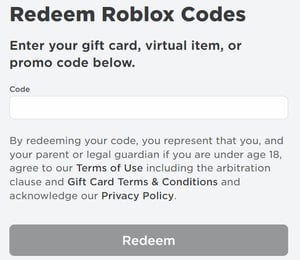
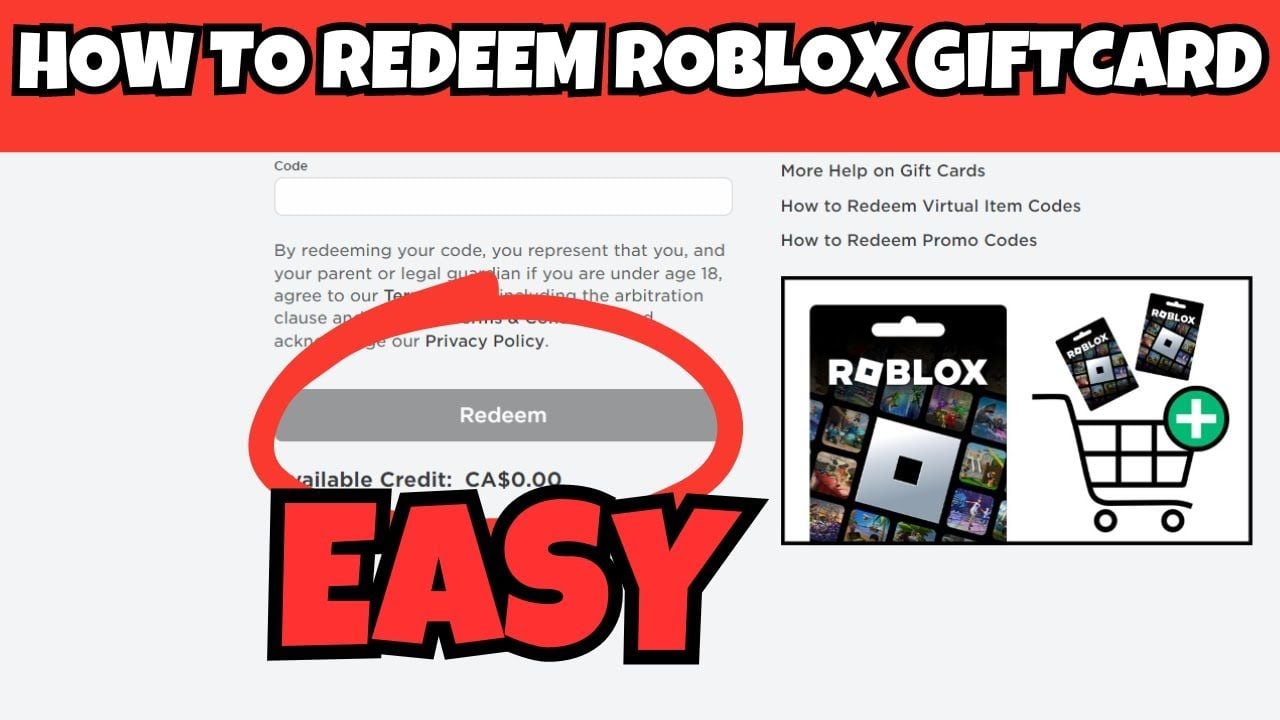
- Open your web browser (Chrome, Safari, Edge, or Firefox) and visit roblox.com/redeem.
- Log in to the exact Roblox account where you want the balance applied.
- Locate the text box labeled Code.
- Type or paste your 10–12 digit digital PIN code exactly as delivered.
- Click the Redeem button.
- A success message will appear showing the monetary value added to your Roblox Credit balance.
Roblox Credit vs Robux: Converting Your Account Balance
A critical detail many players overlook is the two-step activation flow. Redeeming a gift card adds Roblox Credit (a cash balance in your account currency), not instant Robux. You must convert that credit into Robux or use it for Roblox Premium.
How to Convert Credit to Robux:
- Stay on the redemption confirmation screen at
roblox.com/redeemor visit the Robux store page while logged in. - Select Convert to Robux below your updated balance.
- Confirm the conversion prompt. Your Robux total in the top-right corner will update instantly.
How to Use Credit for Roblox Premium:
- Head to the Roblox Premium membership page.
- Choose your subscription tier.
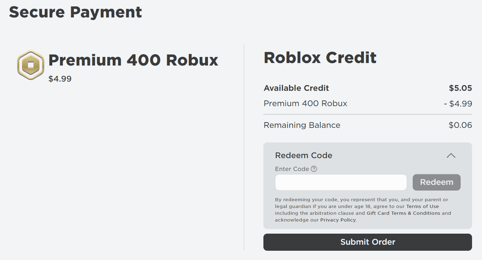
- At checkout, select Roblox Credit as your payment method.
- Confirm the transaction to activate your monthly stipend and trading perks.
Roblox Gift Card Denominations and Value Overview
When redeemed via the official web portal, standard card denominations translate into fixed credit balances and regular Robux allocations.
| Gift Card Value | Standard Robux Received (Web) | Alternative Option |
|---|---|---|
| $10.00 | 800 Robux | 1 Month Premium 450 + Extra Credit |
| $25.00 | 2,000 Robux | 1 Month Premium 1000 + Extra Credit |
| $50.00 | 4,500 Robux | 1 Month Premium 2200 + Extra Credit |
| $100.00 | 10,000 Robux | Multiple Premium Cycles / Bulk Pack |
Note: Exact Robux figures reflect standard baseline rates on roblox.com. Real-time pricing for each digital card is displayed transparently in the ArcTopup catalog at the time of order.
Troubleshooting Common Redemption Errors and Region Restrictions
If you experience an issue when entering your digital PIN at roblox.com/redeem, check these verified solutions:
- "Code Invalid" or "Code Not Found": Verify that characters were not mistyped. Common mix-ups include the number
0versus the letterO, the number1versus uppercaseI, and the number5versus the letterS. Copy and paste the code directly from your ArcTopup delivery email to eliminate typing mistakes. - "Code Already Redeemed": Refresh your browser or log out and log back in. Check your transaction history under Settings > Billing on Roblox to verify if the credit was already deposited.
- Currency or Region Mismatch: Roblox requires that the currency of the gift card matches the country/currency registered on your Roblox account settings. If your account is set to USD, redeem a USD-denominated card. If your account currency differs, adjust your account location settings if eligible, or acquire a card matching your registered profile region.
- Browser Glitches: If the "Redeem" button does not respond, disable browser ad-blockers, clear cache and cookies, or attempt redemption in a private/incognito browsing window.
Account Safety: Protecting Your Profile with Email-Only Delivery
Security is paramount when purchasing virtual gaming credits. ArcTopup uses an email-only delivery system designed to protect your gaming profile completely:
- No Passwords Requested: ArcTopup will never ask for your Roblox password, security PIN, or 2-factor authentication codes.
- Zero Profile Linking: You do not need to share account access or invite external services into your profile.
- Official Redemption Channel: You apply the code yourself on the official
roblox.com/redeemportal, ensuring full personal control over your account balance.
Frequently Asked Questions
How to top up Roblox with a gift card?
Purchase a digital code on ArcTopup, open a web browser, log in to your account at roblox.com/redeem, paste your digital PIN, and click Redeem. Then click "Convert to Robux" to turn your credited balance into spendable Robux.
Can you recharge or add money to a used Roblox gift card?
No. Roblox gift cards are single-use digital codes. Once a PIN has been redeemed into your account balance, the code is deactivated and cannot be reloaded. To add more credit, buy a new gift card on ArcTopup.
Where do I redeem my Roblox gift card code?
All gift card codes must be redeemed through a browser at roblox.com/redeem. You cannot enter gift card PIN codes directly inside the Roblox mobile or console applications.
What information do I need to enter when purchasing on ArcTopup?
You only need to enter a valid email address where your digital code will be sent. You never need to supply your Roblox username or password.
Why does my Roblox code show as invalid or already redeemed?
Ensure there are no extra spaces or mistyped characters (such as confusing 0 and O). If it shows as already redeemed, check your account's Billing tab under Settings to verify if the Roblox Credit balance was already added.
Do Roblox gift card codes or account credits expire?
Roblox digital gift card PIN codes and account balance credits do not have an expiration date. Once redeemed, the funds remain in your account until you choose to spend them.
How much Robux does a gift card provide in 2026?
A standard $10 gift card converts to 800 Robux, a $25 card provides 2,000 Robux, a $50 card yields 4,500 Robux, and a $100 card yields 10,000 Robux when redeemed through the official website.
Current packages and prices
Current base prices exclude Tax. Tax, payment fees and coupon adjustments are shown at checkout.
| Package | Price |
|---|---|
| 10 USD (1000 Robux) | USD 8.19 |
| 25 USD (2500 Robux) | USD 20.48 |
| 50 USD (5250 Robux) | USD 40.95 |
| 100 USD (10500 Robux) | USD 81.90 |
| 200 USD (21000 Robux) | USD 163.80 |