
Fast and Secure Binmo Top Up for Voice Rooms
Binmo is a popular social audio platform designed for group voice chats, live interactive entertainment, and community hangouts. Users create custom voice rooms, host casual events, sing karaoke, and connect with friends across regions. Unlike financial trading platforms that share a similar-sounding name, Binmo focuses entirely on real-time social connections and audio broadcasting.
To make the most of your room interactions, having an active balance of in-app currency is essential. A quick Binmo top up lets you send dynamic gifts to your favorite room hosts, activate visual entrance effects, and customize your profile status. ArcTopup provides a direct, UID-based reload service designed to deliver credits directly to your account without requiring your login credentials.
What Are Binmo Diamonds and In-App Credits Used For?
Binmo relies on in-app currencies, commonly referred to as diamonds or coins, to power its interactive social ecosystem. Topping up your account unlocks multiple features across public and private audio rooms:
- Virtual Gifting: Send animated gifts, bouquets, sports cars, and special seasonal effects to room hosts and speakers to show your support.
- Room Ranking and Visibility: Gifts boost the popularity score of voice rooms, pushing community parties higher on the public exploration list.
- Entrance Banners and Badges: Stand out whenever you enter a high-profile voice room with customized arrival effects, frames, and exclusive member badges.
- Mic Privileges and Interactive Games: Join premium room games, activate fun audio filters, and participate in host-led competitions.
| Currency Use | Primary Benefit | In-App Location |
|---|---|---|
| Premium Virtual Gifts | Supports room hosts and boosts popularity | Active Voice Room Gift Panel |
| Arrival Effects | Displays custom entry animations | Profile / Avatar Settings |
| Chat Bubble Themes | Customizes public text styling | Room Chat Bar |
| Exclusive Badges | Highlights active community supporters | User Profile & Honor Wall |
How to Find Your Binmo UID
To purchase credits on ArcTopup, you only need your unique Binmo User ID (UID). You do not need to share passwords, email logins, or phone numbers. Follow these steps to find your UID inside the app:
- Open the Binmo app on your mobile device.
- Tap the Profile icon (labeled "Me") in the bottom right corner of the home navigation bar.
- Look directly beneath your display name and profile picture to find your numeric UID.
- Tap the copy icon next to your UID to copy the exact string of numbers to your clipboard.
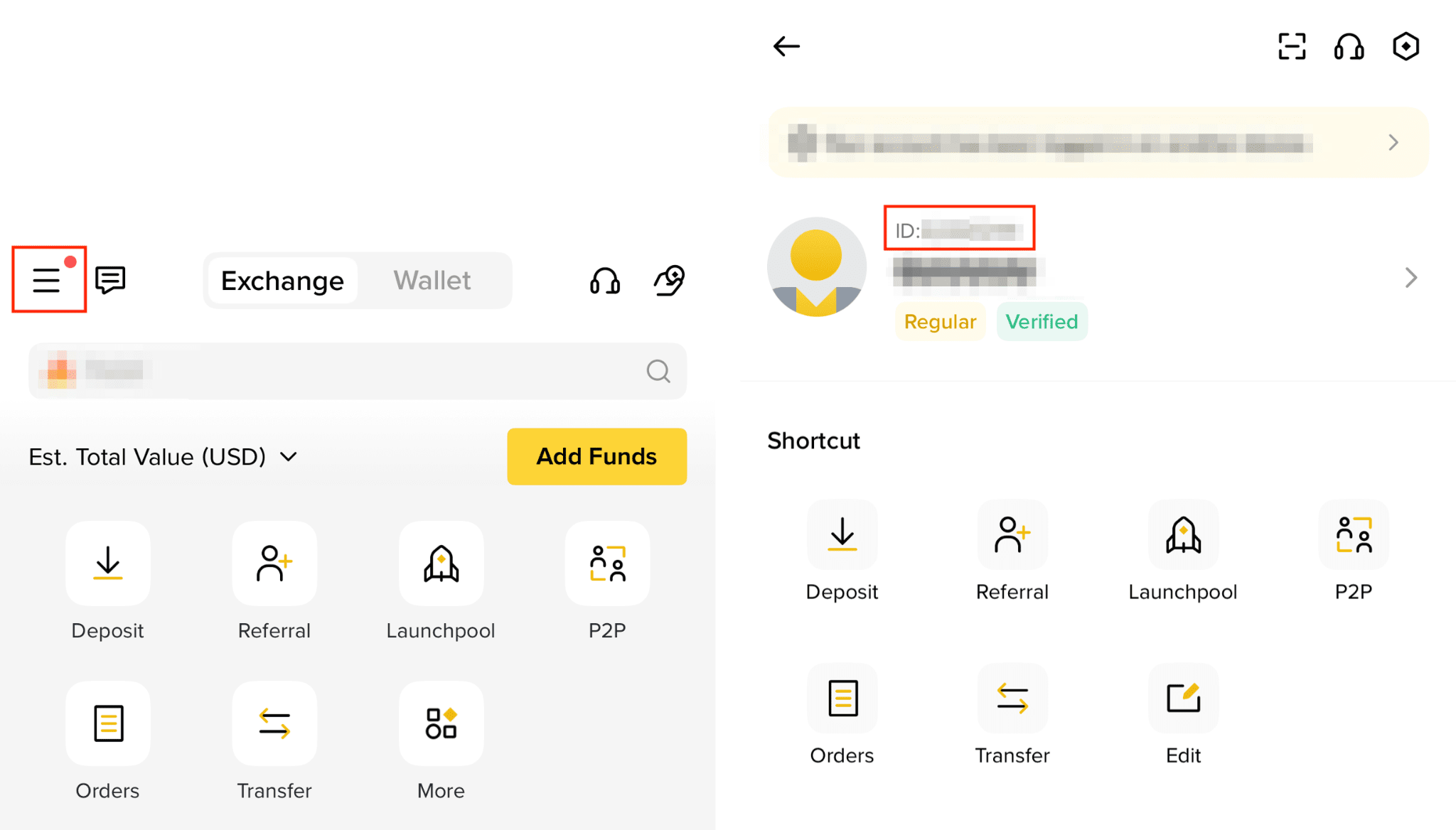
Make sure you copy your numeric UID rather than your display nickname. Display names can change or contain special characters, whereas your UID is a permanent, unique account identifier.
How to Complete a Binmo Recharge on ArcTopup
Refilling your balance on ArcTopup takes only a few simple steps. The entire process runs through direct UID routing, meaning your order is processed quickly and securely.
- Select Your Package: Review the available Binmo diamond packs on the live ArcTopup catalog and choose the quantity you need.
- Enter Your UID: Paste your numeric Binmo UID into the required player ID input field on the product page.
- Confirm Details: Check that the numbers match your in-app profile to ensure direct delivery.
- Choose Payment and Checkout: Select your preferred payment option from the live checkout menu and finalize your transaction.
- Check Your Balance: Once payment confirmation completes, open Binmo and check your updated wallet balance.
Live pricing, package sizes, and regional options are displayed directly on the ArcTopup checkout screen so you always know the exact rate before confirming your purchase.
Security First: Passwordless Binmo UID Top Up
Account safety is a top priority when topping up social applications. Traditional recharge methods that ask for your account password, email codes, or linked social media logins put your profile at risk of unauthorized access or data loss.
ArcTopup eliminates these risks by using a 100% passwordless checkout method:
- No Password Required: We never ask for your account password, security questions, or verification SMS codes.
- No Account Sharing: Your profile remains fully in your control on your own device throughout the entire transaction.
- Zero Credential Exposure: Because you only provide your public UID, your private account credentials are never stored or transmitted.
This safe UID-only workflow ensures that your account remains protected while your in-app balance updates smoothly.
Avoiding Common Binmo Top Up Mistakes
To guarantee a smooth order process, keep these common user mistakes in mind before completing your purchase:
- Confusing the App Name: Make sure you are topping up the Binmo social voice chat application. Do not confuse it with similarly named online trading services.
- Submitting a Nickname Instead of UID: Nicknames cannot be used to route in-app balances. Always use the numeric UID copied directly from your profile page.
- Extra Spaces or Missing Digits: When manually typing your ID, check for accidental spaces or missed numbers. Using the in-app copy button is the safest approach.
- Checking the Wrong Menu In-App: Diamonds and coin balances appear in your personal wallet or gifting bag, not in your account experience level tab.
Delivery Verification and Troubleshooting in 2026
Most Binmo orders process swiftly once payment is verified. If you want to confirm your delivery or encounter a delay, follow these practical steps:
- Refresh Your In-App Wallet: Exit the voice room you are currently in, navigate to your "Me" tab, and open your wallet to refresh the local cache.
- Restart the Application: Force close the Binmo app on Android or iOS and reopen it to establish a fresh connection with the server.
- Review Your ArcTopup Receipt: Check your email or ArcTopup order history to verify that the order status shows as completed and that the submitted UID was correct.
- Contact Customer Support: If your balance does not appear after restarting, reach out to ArcTopup customer support with your Order ID and UID. The support team will verify the transaction route and assist you promptly.
Frequently Asked Questions About Binmo Top Up
How do I find my Binmo UID for a top up?
Open the Binmo app, tap the Me tab in the bottom right corner, and find the numeric UID displayed right under your avatar and display name. Tap the copy icon next to the number to copy it.
Do I need to share my Binmo account password to recharge?
No. ArcTopup only requires your numeric Binmo UID. You should never share your account password, linked login details, or SMS verification codes with anyone.
What are Binmo credits and diamonds used for?
Binmo currency is used to send virtual gifts to voice room hosts, unlock custom room entrance effects, buy profile frames, participate in interactive games, and boost the popularity ranking of audio rooms.
How quickly will the credits reflect in my Binmo account after top up?
Credits are processed directly after your payment is confirmed on ArcTopup. In most cases, the balance updates in your in-app wallet within moments. Restarting the app helps refresh your updated balance immediately.
What should I do if I entered the wrong Binmo UID during purchase?
Because digital currency deliveries are automated and routed to the exact ID provided at checkout, orders sent to an existing valid UID cannot be reversed. Always double-check your UID on your profile screen before finalizing your payment.
Is it safe to top up Binmo through ArcTopup?
Yes. ArcTopup provides secure payment processing and uses a direct UID delivery system that requires zero passwords or account-sharing, keeping your personal profile completely secure.
Current packages and prices
Current base prices exclude Tax. Tax, payment fees and coupon adjustments are shown at checkout.
| Package | Price |
|---|---|
| Binmo - Binmo*10000 | USD 3.52 |
| Binmo - Binmo*15000 | USD 5.28 |
| Binmo - Binmo*20000 | USD 7.03 |
| Binmo - Binmo*25000 | USD 8.79 |
| Binmo - Binmo*50000 | USD 17.59 |
| Binmo - Binmo*100000 | USD 35.17 |
| Binmo - Binmo*500000 | USD 175.87 |
| Binmo - Binmo*1000000 | USD 351.74 |
| Binmo - Binmo*5000 | USD 1.76 |






























































