T3 Arena Gems Top Up: Fast, Direct Account Delivery
T-Gems are the premier currency in T3 Arena, allowing you to acquire the latest heroes, unlock the Premium Pass, and collect exclusive character skins and weapon visual effects. ArcTopup provides a direct top-up service that delivers T-Gems straight to your T3 Arena account using only your in-game Current Account ID.
By eliminating the need for login credentials or account transfers, ArcTopup guarantees a safe, straightforward purchasing process. Select your desired gem bundle, submit your account identifier, and receive your balance directly in-game without delays.
How to Top Up T3 Arena Gems on ArcTopup
To complete your T3 Arena Gems recharge on ArcTopup, follow these steps:
- Select the T3 Arena Gems package you wish to purchase from the product catalog.
- In the player information box, enter your exact T3 Arena Current Account ID.
- Verify that the entered ID matches your in-game profile to prevent delivery issues.
- Click the purchase button and proceed to the live checkout page to select your preferred payment option.
- Complete your transaction. Live pricing and available payment gateways will display dynamically at checkout.
- Launch T3 Arena on your mobile device to view your updated T-Gem balance.
How to Find Your T3 Arena Current Account ID
To ensure your T-Gems arrive without delay, you must provide your Current Account ID rather than your display nickname. Your display name can be changed and is not a permanent routing identifier, whereas your Current Account ID is a unique string assigned to your game data.
Follow these instructions to locate your ID:
- Open T3 Arena on your iOS or Android device.
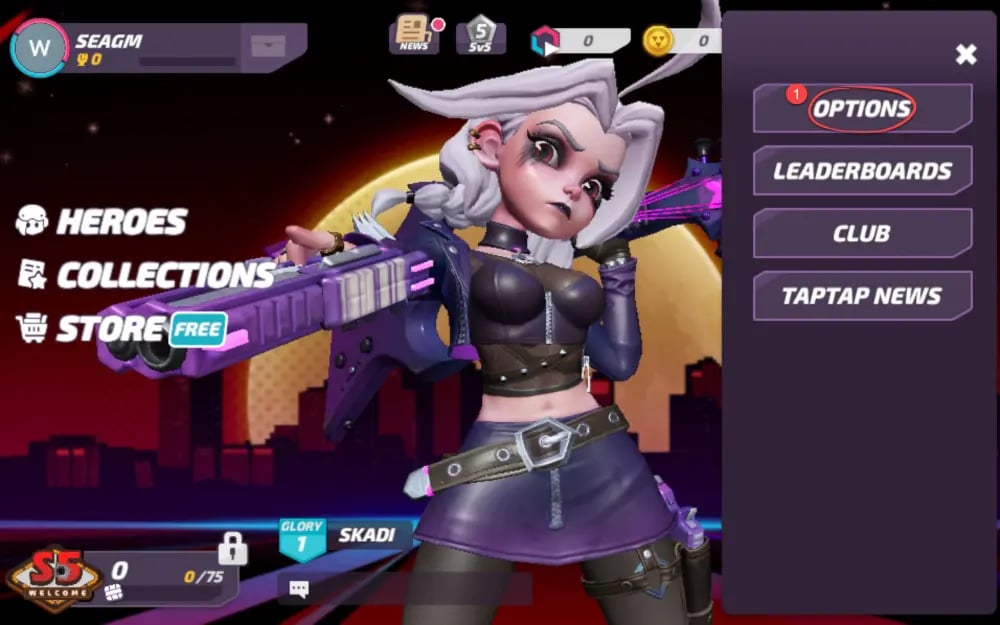
- Tap your Avatar/Profile icon located in the top-left corner of the main lobby.
- Under your avatar and rank info, locate the line labeled Current Account (or Account ID).
- Tap the Copy icon next to the number string to copy your account ID directly to your device clipboard.
- Paste this copied string directly into the Current Account field on ArcTopup.
Make sure not to confuse your Current Account ID with social media login handles or your clan tag. Providing the exact alphanumeric string from your profile ensures immediate automated routing to your account.
What Are T3 Arena T-Gems and How to Maximize Their Value
T3 Arena features several in-game currencies, but T-Gems remain the primary premium resource required for high-tier game content. Managing your T-Gems efficiently allows you to expand your hero roster and unlock seasonal rewards.
| In-Game Item / Feature | Purpose | Value & Utility |
|---|---|---|
| Premium Season Pass | Unlocks seasonal tier progression, bonus brawlers, and exclusive outfits | Highest value for active players; repays rewards across the season |
| Hero Unlocks | Directly unlock specific competitive heroes from the shop | Ideal for acquiring top-tier meta heroes without waiting for random drops |
| Exclusive Skins & Outfits | Purchase limited-edition character designs and weapon visual effects | Purely cosmetic customization for your favorite brawlers |
| Arcade Boxes & Resources | Purchase power cores, coins, and battle cards | Accelerates hero upgrades and ability unlocks |
Strategic Spending Tips for T3 Arena
- Prioritize the Premium Pass: The Premium Pass offers the best return on investment for active players. It yields exclusive cosmetics, hero power cores, and rebate resources that outweigh direct item purchases.
- Save for Featured Hero Bundles: If you want a specific hero currently dominating the competitive meta, buying their direct unlock bundle via T-Gems saves weeks of trophy road progression.
- Watch for Limited Cosmetics: Seasonal skins and event-themed customizations rotate out of the shop periodically. Keeping a reserve of T-Gems on your account ensures you never miss time-limited drops.
100% Secure ID-Only Top-Up: No Passwords Required
Account safety is a major concern when purchasing mobile game currencies online. ArcTopup uses an ID-only fulfillment model designed to safeguard your personal information:
- Zero Password Requests: ArcTopup will never ask for your T3 Arena password, TapTap credentials, Apple ID, or Google Play login.
- No Account Sharing: Your account stays entirely in your hands. You do not need to grant third-party access or log out of your active game session.
- Direct In-Game Delivery: The order is routed strictly using your public Current Account ID, completely preventing account hijacking risks or unauthorized account modifications.
T3 Arena Server and Region Compatibility
T3 Arena operates a unified global infrastructure across North America, Europe, Asia, Latin America, and Southeast Asia. ArcTopup supports T3 Arena top-ups across all supported global servers and operating systems (iOS and Android).
As long as you enter your correct Current Account ID copied from the live global version of T3 Arena, your top-up will process successfully regardless of your geographic location.
Frequently Asked Questions About T3 Arena Gems
How do I find my Current Account ID in T3 Arena?
Open T3 Arena, tap your profile avatar in the upper-left corner of the main menu, and look for the numeric/alphanumeric code labeled Current Account. Tap the copy icon next to it to copy the ID directly to your clipboard.
Do I need to provide my T3 Arena password to buy Gems?
No. ArcTopup requires only your Current Account ID to deliver T-Gems. You never need to share passwords, email logins, or verification codes.
How long does it take for T3 Arena Gems to be delivered to my account?
Once your payment completes on ArcTopup, delivery processes automatically. In most cases, T-Gems reflect in your in-game balance within a few moments after checkout.
What items and passes can I buy with T-Gems in T3 Arena?
You can use T-Gems to buy the Premium Season Pass, unlock new heroes directly from the in-game store, purchase exclusive hero skins, acquire weapon cosmetics, and obtain resource crates for hero progression.
What should I do if my T3 Arena Gems do not show up immediately?
If your gem balance has not updated after checkout, close the T3 Arena application completely on your mobile device and restart it. This forces the game client to refresh its connection to the server. If your balance still does not show after restarting, check your ArcTopup order status and contact customer support with your Order ID and Current Account ID.
Can I top up T3 Arena Gems for another player using their Current Account?
Yes. Because ArcTopup only requires a valid Current Account ID, you can top up for friends or teammates by entering their Current Account ID during checkout.
Current packages and prices
Current base prices exclude Tax. Tax, payment fees and coupon adjustments are shown at checkout.
| Package | Price |
|---|---|
| 15 Gems | USD 0.65 |
| 80 Gems | USD 3.27 |
| 165 Gems | USD 5.90 |
| 275 Gems | USD 9.85 |
| 490 Gems | USD 16.95 |
| 960 Gems | USD 32.71 |
| 2,000 Gems | USD 65.54 |






























































