
GIGB Top Up for Chronal Nexus on ArcTopup
Chronal Nexus is the essential premium currency in GIGB, enabling players to unlock specialized features, support content creators through interactive virtual gifts, and customize profile showcases. When you order your GIGB top up through ArcTopup, the balance credits directly to your account using your unique User ID and designated server region. There is no requirement to share sensitive account login details, which ensures your account remains protected.
ArcTopup provides direct processing across all official regional servers. Select your package on the live checkout selector above to view real-time pricing and proceed with a secure recharge.
How to Top Up Chronal Nexus for GIGB on ArcTopup
Completing a recharge takes only a few quick steps. Follow this guide to ensure your Chronal Nexus arrives without delay:
- Input Your User ID: Enter your numerical GIGB User ID in the provided field.
- Select Your Server: Choose the server corresponding to your account location (Asia, America, Europe, or TW_HK_MO).
- Choose Your Chronal Nexus Amount: Browse the available currency denominations displayed on the checkout menu.
- Confirm Account Details: Review your entered User ID and selected server to prevent delivery to an incorrect profile.
- Complete Payment: Finalize the transaction through the checkout interface.
- Check In-Game Balance: Open GIGB, log in to your server, and check your updated Chronal Nexus total.
How to Find Your GIGB User ID and Server Region
Your User ID is a unique sequence of numbers assigned to your GIGB account upon creation. You need both your User ID and your active server region to receive your top-up.
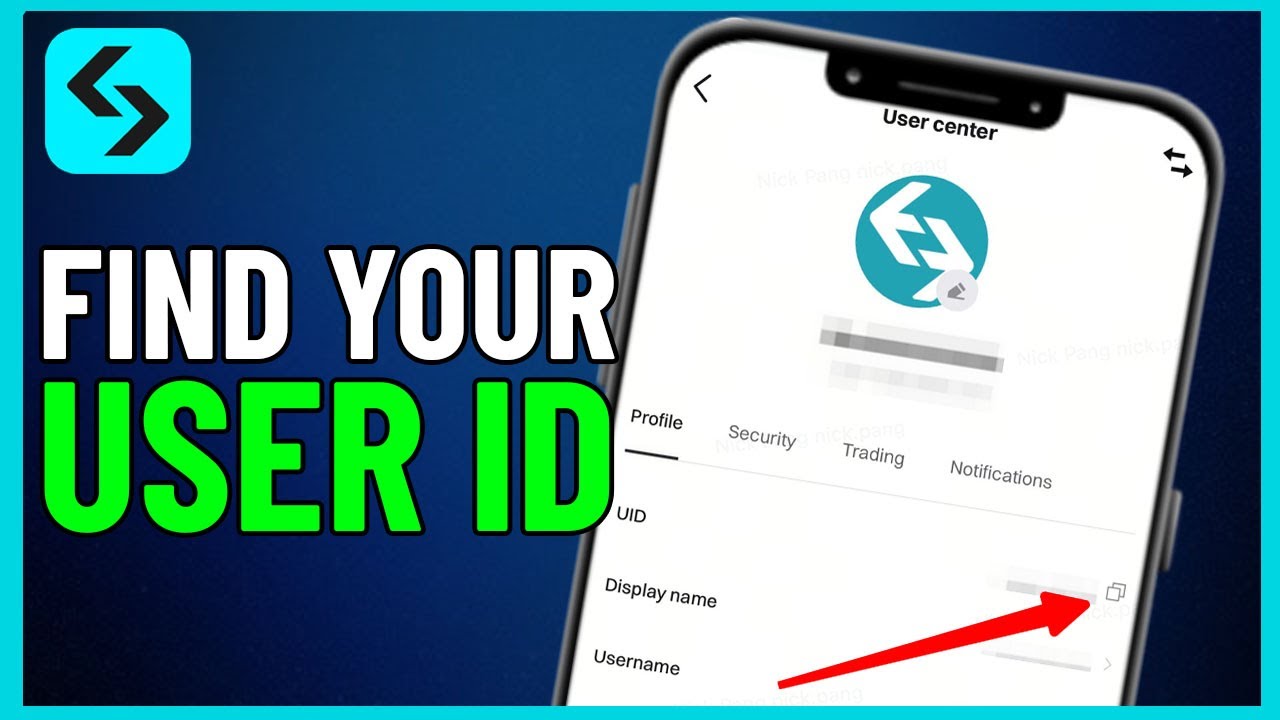
To locate your information:
- Launch the GIGB application on your device.
- Log in to your game profile.
- Tap your player avatar or profile icon located in the upper-left corner of the main dashboard.
- View your profile overview page. Your User ID is displayed directly beneath your character name.
- Tap the copy icon next to your User ID to copy it to your clipboard.
- Note your server region shown on the title screen or the account settings menu before proceeding to checkout.
Supported GIGB Server Regions
GIGB operates across multiple regional clusters. To make sure your Chronal Nexus credits to the right character profile, match your in-game server with the corresponding server option on ArcTopup.
| Region Name | Server Code | Target Coverage |
|---|---|---|
| Asia | os_asia | East Asia, Southeast Asia, and neighboring territories |
| America | os_usa | North America, Central America, and South America |
| Europe | os_euro | Europe, United Kingdom, Middle East, and Africa |
| TW_HK_MO | os_cht | Taiwan, Hong Kong, and Macau regional accounts |
Selecting the correct server code prevents delivery failures or cross-server routing errors.
What Are Chronal Nexus Perks and Virtual Gifts in GIGB
Chronal Nexus serves as the primary transaction medium for interactive community features and personal customization within GIGB. Holding an active balance of Chronal Nexus provides several distinct advantages:
- Interactive Virtual Gifts: Send special animated gifts to streamers and featured players during live broadcasts to increase engagement and community standing.
- Exclusive Profile Cosmetics: Obtain limited-edition profile borders, visual badges, and chat flair to distinguish your profile across community leaderboards.
- Tiered Interaction Perks: Unlocking higher interaction tiers grants access to VIP chat rooms, custom emotes, and prioritized visibility in live events.
- Event Participation: Participate in seasonal in-game community drives and milestone celebrations that require direct Chronal Nexus contributions.
Why Use Direct ID Top-Up for GIGB Without Password Sharing
Direct ID recharge is the safest method to buy Chronal Nexus. Traditional account sharing carries unnecessary risks, including credential theft, unauthorized profile changes, or automated security locks triggered by multi-location logins.
ArcTopup uses an ID-only delivery system:
- No Passwords Required: You never disclose your email password, third-party authentication codes, or login credentials.
- Zero Risk of Account Hijacking: Because no login access is granted, your inventory, linked payment methods, and personal profile remain entirely within your custody.
- Convenient Gifting: Because only the User ID and server are needed, you can easily top up accounts for friends, guild members, or family without needing their private login information.
GIGB Top-Up Troubleshooting and Order Verification in 2026
If you have completed your purchase but your Chronal Nexus balance has not updated, work through these standard verification steps:
- Restart the Game App: In-game currency balances sometimes require a fresh server handshake. Completely close GIGB from your device task manager and reopen it.
- Verify Server Selection: Double-check that the server selected during checkout (such as Asia
os_asiaor Americaos_usa) matches the server where your active character resides. - Check UID Accuracy: Review your ArcTopup receipt to confirm there were no typographical errors in the User ID you entered.
- Check Network Connectivity: Ensure your mobile or PC device has a stable internet connection so that local balance caches synchronize with the master server.
- Contact Customer Support: If your order remains uncredited after verifying your details, provide your transaction reference number and UID to ArcTopup customer support for rapid tracking.
Frequently Asked Questions About GIGB Recharge
How do I top up Chronal Nexus for GIGB?
Enter your GIGB User ID, select your active server (Asia, America, Europe, or TW_HK_MO), choose your preferred Chronal Nexus denomination, and complete payment on ArcTopup. Your currency will credit directly to your game account.
Where can I find my GIGB User ID and server?
Open GIGB and tap your player profile icon in the upper-left corner of the main menu. Your User ID appears below your display name. Your server is visible on the initial login screen or within the account profile panel.
Do I need to share my GIGB account password for top up?
No. ArcTopup processes top-ups using only your public User ID and server selection. You should never share your account password or login credentials with anyone.
Which servers are supported for GIGB recharges?
ArcTopup supports all official GIGB server regions: Asia (os_asia), America (os_usa), Europe (os_euro), and TW_HK_MO (os_cht).
What should I do if my Chronal Nexus has not arrived after payment?
First, restart the GIGB application to refresh your account data. If the balance does not update within a few minutes, check your ArcTopup order confirmation to ensure your User ID and server were entered correctly, then reach out to support with your order details.
Can I send Chronal Nexus to a friend's GIGB account using their User ID?
Yes. Enter your friend's User ID and select their correct server on ArcTopup during checkout. Once payment is complete, the Chronal Nexus will be delivered directly to their account.






























































