
How to Top Up Diamonds in Era of Celestials on ArcTopup
Direct top-up is the fastest way to add diamonds to your Era of Celestials account. You do not need to share your login credentials or hand over your account. All you need is your numeric User ID and your active game server.
Follow these steps to complete your purchase on ArcTopup:
- Select your Diamond Package: Review the available diamond packs on this page and choose the amount you need for your character progression.
- Enter your User ID: Type your numeric character User ID into the input field.
- Choose your Server: Open the server dropdown menu and select the exact server code matching your character (such as HKT-M122 or HKT-Z18).
- Proceed to Checkout: Click the purchase button and choose your preferred payment option.
- Receive Diamonds In-Game: Once your transaction completes, the system credits the diamonds directly to your character wallet in Era of Celestials.
Live pricing and available currency options are displayed directly on the checkout screen. Make sure your game client is closed or refreshed after payment to see your updated diamond total.
Step-by-Step Guide to Finding Your User ID and Server
Finding your correct character details ensures your order arrives without delays. In Era of Celestials, your User ID is a specific numeric sequence distinct from your GTarcade platform account, email address, or third-party social logins (such as Google, Facebook, or Apple ID).
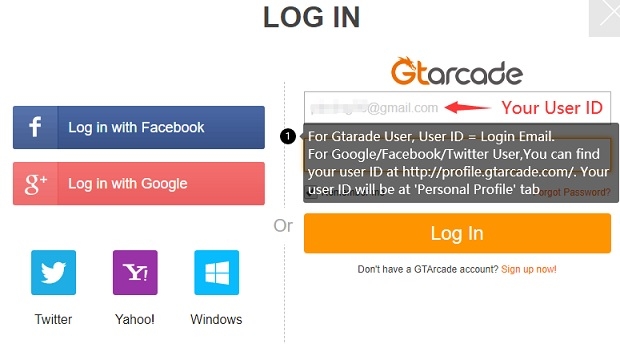
Follow these visual checks inside the game:
- Launch Era of Celestials on your mobile device or emulator and log in to your character.
- Tap your Character Avatar icon located in the upper-left corner of the main screen.
- Open the Character Info or Player Profile tab.
- Locate your User ID listed beneath your character name, level, and combat rating.
- Copy or write down the exact numeric string.
- Check your active server name on the startup login screen before entering the world, or check the server tag displayed next to your character name in the settings menu.
Never submit your email address or account login password. ArcTopup only requires your in-game numeric User ID and server selection to credit your purchase.
Supported Era of Celestials Server List (HKT-M and HKT-Z Series)
Era of Celestials operates across multiple server clusters designated by regional prefix codes. ArcTopup supports active direct recharges across the primary HKT server groups. Selecting the correct server prefix ensures the automated delivery pipeline targets your exact character file.
| Server Series | Representative Server Nodes | Cluster Type |
|---|---|---|
| HKT-M Series | HKT-M120, HKT-M121, HKT-M122, HKT-M123, HKT-M124 | Mainline Regional Group |
| HKT-Z Series | HKT-Z5 through HKT-Z31 (e.g., HKT-Z10, HKT-Z20, HKT-Z31) | Expansion Regional Group |
When servers undergo merges or seasonal grouping, always select the current server name shown on your initial game login screen. If you play on an HKT-Z server, verify whether your node is between HKT-Z5 and HKT-Z31 in the ArcTopup server selection dropdown before submitting payment.
In-Game Uses for Era of Celestials Diamonds
Diamonds are the primary premium currency in Era of Celestials. Managing your diamond balance effectively allows you to accelerate character strength, acquire rare cosmetics, and stay competitive across PvP and PvE activities.
Celestial Transformations and Elysian Unlocks
Your Celestial forms provide massive temporary stat spikes and unique skill sets during combat. Diamonds allow you to buy upgrade stones, unlock advanced Celestial appearances, and level up Elysian traits required for high-tier dungeon clears.
Sprite and Companion Progression
Sprites provide passive buffs, auxiliary damage, and utility skills in battle. You can spend diamonds on Sprite summons, Sprite essence infusions, and skill books to unlock high-tier companion synergies.
Wing Evolution and Feather Refinement
Upgrading wings increases character combat power and grants exclusive visual effects. Diamonds can be used to purchase evolution feathers, lock-in refining stats, and bypass daily farming limits on ascension materials.
World Boss Hunts and Dungeon Resets
Competing for top-tier gear drops requires participating in World Boss and Boss Hunt events. Diamonds let you purchase extra boss challenge attempts, clear fatigue timers, and roll for bonus loot in premium treasure vaults.
Auction House and Trade
Acquire rare gear sets, skill manuals, and enchanting gems directly from other players in the auction house by utilizing your diamond reserves.
Safe Top-Up Security: No Account Password Required
Account safety is a core priority when topping up online games. ArcTopup uses direct player ID routing to credit your balance:
- No Passwords Needed: You never need to provide your GTarcade account password, social login details, or verification codes.
- Zero Account Access: No third party logs into your profile. Your account remains completely in your control throughout the entire transaction.
- Reduced Error Risk: Choosing your server from a structured dropdown eliminates spelling mistakes commonly caused by freeform text inputs.
Because the transaction works through your public User ID and server code, your personal login security is never exposed.
Order Troubleshooting and Diamond Delivery Checks
Most direct top-ups process quickly. If your diamonds do not appear in your balance immediately after completing checkout, use the following troubleshooting checklist:
- Restart the Game App: Completely close Era of Celestials from your active app switcher and launch it again. This forces the game client to refresh account data from the server.
- Check the In-Game Mailbox: Certain event bonuses or promotional diamond bundles arrive through the system mailbox rather than updating the raw counter directly.
- Confirm Order Details: Check your ArcTopup payment confirmation receipt to verify that the entered User ID and Server matched your intended character.
- Check Connection Status: Weak internet connections can prevent the game UI from updating balances in real time.
- Contact ArcTopup Support: If your balance does not update after restarting, reach out to customer support with your Order ID, User ID, and a screenshot of your character profile for prompt assistance.
Frequently Asked Questions About Era of Celestials Recharge
How do I find my User ID and Server in Era of Celestials?
Open Era of Celestials and tap your character avatar in the top-left corner of the screen. Your numeric User ID is displayed on the profile menu. Your server name (such as HKT-M121 or HKT-Z15) appears on the game startup screen before you press start.
Do I need to share my GTarcade password to top up on ArcTopup?
No. ArcTopup only requires your numeric User ID and your server name. You should never share your account password, email credentials, or verification codes with anyone.
How long does it take for Era of Celestials Diamonds to arrive?
Diamonds are credited directly to your character profile once payment verification is complete. In most cases, refreshing or restarting your game client reveals the updated balance immediately.
What should I do if I entered the wrong server or User ID?
Direct top-ups are processed automatically based on the details provided at checkout. If an order was placed with incorrect information, contact ArcTopup customer support immediately with your transaction number. If the order has not yet been processed by the automated pipeline, support can help adjust your details.
What in-game items can I buy with Era of Celestials Diamonds?
Diamonds can be used to upgrade Celestial forms, evolve wings, summon and train Sprites, purchase extra boss hunt entries, buy auction house items, and obtain limited-edition mount cosmetics.
Are all HKT server regions supported for direct top-up?
ArcTopup supports active HKT-M series servers (HKT-M120 through HKT-M124) and HKT-Z series servers (HKT-Z5 through HKT-Z31). Verify your exact server code in the dropdown menu on this page prior to completing your purchase.
Current packages and prices
Current base prices exclude Tax. Tax, payment fees and coupon adjustments are shown at checkout.
| Package | Price |
|---|---|
| 100 Diamonds | USD 0.75 |
| 500 Diamonds | USD 3.69 |
| 1,000 Diamonds | USD 7.36 |
| 1,500 Diamonds | USD 11.04 |
| 2,000 Diamonds | USD 14.72 |
| 5,000 Diamonds | USD 36.77 |
| 10,000 Diamonds | USD 73.55 |






























































