
Hawa Top Up: Fast, Safe UID Coin Delivery
Hawa connects people through interactive group voice rooms, real-time audio chat, social games, and creative virtual gifting. Whether you participate in lively community discussions, host your own audio lounge, or support your favorite room creators across the MENA region and worldwide, Hawa Coins serve as the primary currency that powers your social presence.
Performing a Hawa top up on ArcTopup lets you reload your in-app wallet directly using your numeric User ID (UID). You do not need to share passwords, link third-party social media logins, or go through complicated verification steps. Simply select the amount of coins you need, enter your account details, and complete your purchase through our secure payment gateway.
Step-by-Step Guide to Top Up Hawa Coins on ArcTopup
Adding coins to your Hawa profile takes only a few quick moments. Follow these simple steps to ensure your balance updates accurately:
- Select Your Coin Package: Browse the coin denominations listed on the live ArcTopup catalog and choose the quantity you wish to purchase.
- Enter Your Hawa UID: Type your numeric Hawa User ID into the designated input field. Double-check each digit to verify that the coins reach the intended profile.
- Select Your Payment Method: Choose from the available local and international payment channels presented at checkout.
- Confirm and Pay: Review your order summary and finalize the payment through the secure payment screen.
- Check Your In-App Balance: Open the Hawa app on your mobile device, head to your profile wallet, and check your updated coin count.
How to Find Your Hawa UID in the App
Your Hawa UID is a unique numeric identifier linked directly to your account. Because ArcTopup uses a direct-to-account credit system, having the correct UID is the only requirement for processing your transaction.
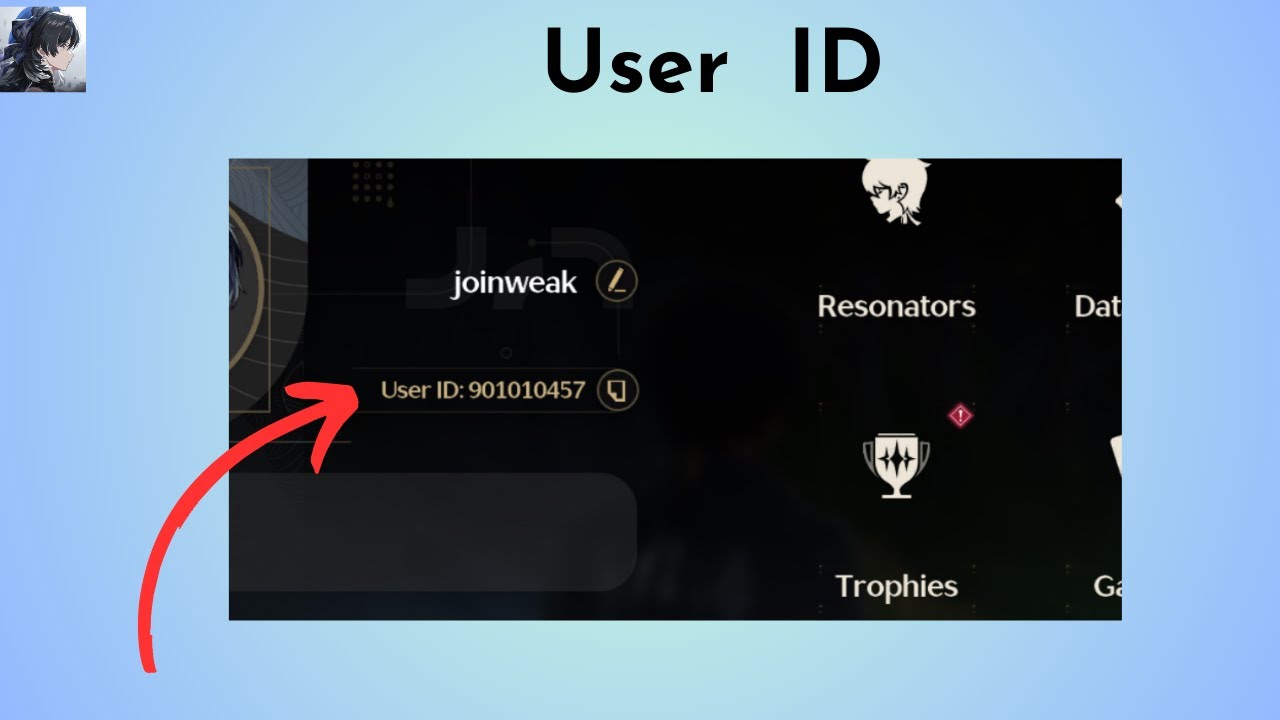
Follow these steps inside the Hawa mobile app to locate and copy your UID:
- Open the Hawa app on your Android or iOS device.
- Tap the Profile or Me icon located in the bottom navigation bar.
- Locate your profile avatar at the top of the screen.
- Directly beneath your nickname, you will see your numeric ID.
- Tap the copy icon next to the number, or write down the exact digits to paste directly into the ArcTopup order field.
What Are Hawa Coins and How to Use Them
Hawa Coins give you access to the interactive and visual features of the Hawa voice ecosystem. Using coins allows you to participate in room activities, stand out among room members, and build your social status.
Core In-App Coin Features
- Virtual Gifting: Send animated luxury gifts, flowers, sports cars, and themed event presents to room hosts or friends seated on the voice mics.
- Room Customization: Personalize voice rooms with exclusive background wallpapers, sound effects, and microphone rings.
- Entrance Effects: Announce your arrival in active voice rooms with customized vehicle animations, glowing entrance banners, and unique title tags.
- VIP Tiers and Badges: Accumulate spending to raise your VIP rank, unlocking special chat bubble designs, shiny nameplates, and dedicated profile badges.
- Community Games: Use coins to participate in interactive mini-games and prize wheels hosted inside community chat rooms.
Hawa In-App Coin Utility Breakdown
| Feature | Primary Benefit | In-App Impact |
|---|---|---|
| Virtual Gifts | Support room hosts & friends | Increases room heat, rank, and gifting leaderboards |
| Entrance Animations | Stand out upon entering rooms | Displays high-tier visuals across the room screen |
| VIP Badges | Profile prestige and status | Unlocks custom chat bubbles, frames, and titles |
| Room Themes | Room host customization | Customizes room backdrops, seats, and mic rings |
| Interactive Tools | Social games and lucky draws | Lets you join room-wide events and social activities |
Supported Regions and Account Safety
ArcTopup supports Hawa coin recharge for accounts across global regions, with a strong focus on the MENA (Middle East and North Africa) community. Because recharge operations work directly through your numeric UID, your coins are credited accurately regardless of your physical location.
Why UID-Only Top Up Protects Your Account
- Zero Password Sharing: We never request your account password, email login credentials, or two-factor authentication codes.
- No Third-Party Logins: You do not need to link your Google, Apple, or social media logins to external platforms.
- Reduced Account Risk: Direct ID delivery prevents unauthorized account access, login lockouts, or location flags.
- Real-Time Live Checkout: All coin quantities, regional currency options, and payment processing details are displayed transparently on the ArcTopup checkout screen.
Troubleshooting Common Hawa Top Up Issues
If you experience any delays or issues with your recharge, review the following troubleshooting steps:
- Balance Not Updating Immediately: Exit the Hawa app completely and clear the app cache, or enter an active voice room to force a balance refresh with the server.
- Mistyped UID Submission: If you accidentally enter an incorrect UID during checkout, contact ArcTopup customer support immediately with your transaction ID and the correct account details. Once an order is processed to an active account on the server, completed transfers cannot be reversed, so always double-check your UID before confirming payment.
- Payment Verification Holds: Occasionally, banking channels or payment providers require additional security confirmation. Check your email for payment receipts or transaction status updates from your payment provider.
- Contacting Support: Keep your ArcTopup order number handy when reaching out to our dedicated support team to receive prompt assistance.
Frequently Asked Questions
What information do I need to top up Hawa Coins?
You only need your numeric Hawa User ID (UID). You can find this number directly in the profile section of your Hawa app. No passwords or personal login credentials are ever required.
Where can I find my Hawa User ID (UID)?
Open the Hawa application, tap the Profile or Me tab at the bottom right corner, and look below your profile picture and nickname. Your numeric ID is displayed there with a convenient one-tap copy button.
Do I need to provide my Hawa account password to recharge?
No. ArcTopup processes coin deliveries strictly through your public UID. We never ask for your account password, SMS verification codes, or linked social media credentials.
What should I do if I entered the wrong Hawa UID during checkout?
Contact ArcTopup customer service right away with your order number. If the order has not yet been processed by the automated delivery system, our support team can help correct the UID. Completed orders sent to valid user IDs cannot be refunded or transferred.
How long does it take for Hawa Coins to reflect in my account?
Coin orders processed through ArcTopup are credited promptly after payment confirmation. In rare instances of network delays, restarting the Hawa app will sync your updated balance.
What in-app perks can I unlock using Hawa Coins?
Hawa Coins allow you to send luxury animated gifts, unlock animated entrance effects, purchase unique profile frames and chat bubbles, raise your VIP level, and customize your own voice chat rooms.
Current packages and prices
Current base prices exclude Tax. Tax, payment fees and coupon adjustments are shown at checkout.
| Package | Price |
|---|---|
| 13,000 Hawa Coins | USD 6.82 |
| 27,000 Hawa Coins | USD 14.16 |
| 42,500 Hawa Coins | USD 22.29 |
| 85,000 Hawa Coins | USD 44.59 |
| 100,000 Hawa Coins | USD 52.45 |
| 150,000 Hawa Coins | USD 78.68 |
| 180,000 Hawa Coins | USD 94.42 |
| 200,000 Hawa Coins | USD 104.91 |
| 250,000 Hawa Coins | USD 131.14 |
| 500,000 Hawa Coins | USD 284.13 |






























































