What Are IMO Diamonds and How Does IMO Diamonds Top Up Work?
IMO Diamonds serve as the official virtual currency within the IMO messaging and live broadcasting ecosystem. When you join live stream broadcasts, participate in voice party rooms, or interact with creators, Diamonds allow you to purchase virtual gifts, activate premium chat animations, and access VIP room visual effects.
Broadcasters receive these gifts during their live sessions, helping them climb leaderboard rankings and convert received support into platform rewards. Completing an IMO Diamonds top up directly adds currency to your registered profile wallet, ensuring you are ready to support your favorite creators, stand out in crowded chat rooms, and unlock visual badges across the community.
Step-by-Step Guide: How to Top Up IMO Diamonds with Phone Number
To recharge Diamonds, you only need the international phone number tied to your registered IMO account. You do not need to share passwords, authentication codes, or private chat details.
- Select Your Diamond Bundle: Review the available Diamond packages on the ArcTopup product catalog and choose the quantity you need.
- Enter Your Registered Phone Number: Type your complete phone number, including your country calling code (for example: +1 for the United States, +966 for Saudi Arabia, +880 for Bangladesh, or +971 for the United Arab Emirates). Double-check every digit to prevent sending Diamonds to another user.
- Proceed to Checkout: Select your preferred payment method from the available local and international payment channels.
- Finalize Payment: Complete the transaction through the secure checkout interface.
- Verify Diamond Credit: Open the IMO app on your mobile device, access your profile wallet, and check your updated Diamond balance.
How to Find Your Registered IMO Account Details
Unlike platforms that use long numeric internal IDs for third-party billing, IMO processes direct recharges through the registered mobile number associated with your account. If you manage multiple SIM cards or registered numbers, verify your exact active number before ordering.
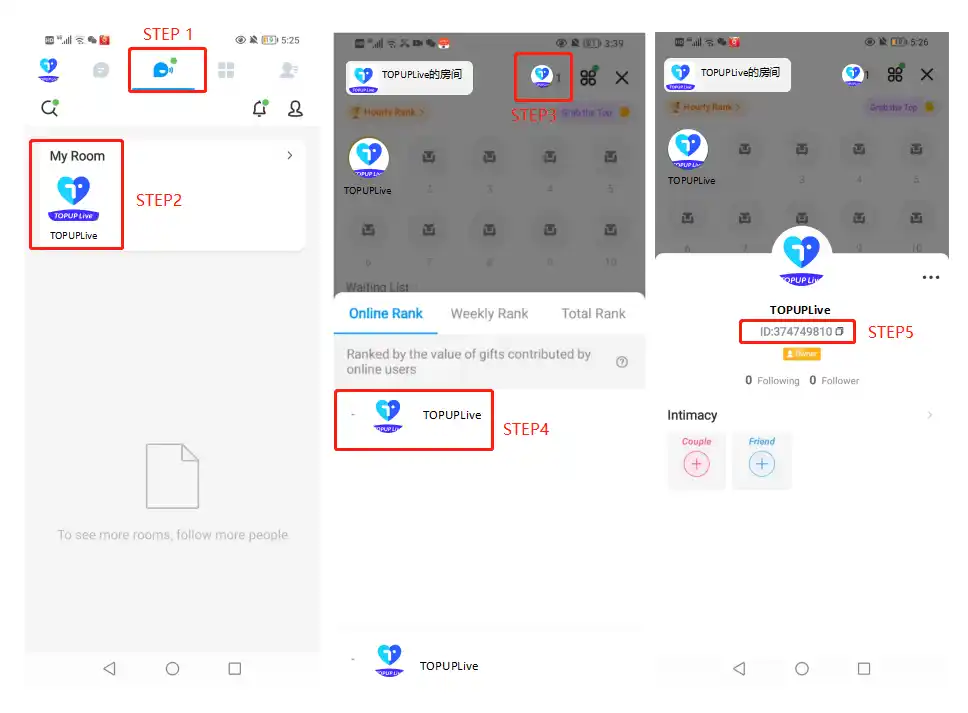
- Open the IMO app on your phone.
- Tap your Profile Picture / Avatar in the top-left corner of the main screen.
- Tap your display name or open Settings.
- View your registered mobile number displayed under your profile information.
- Copy the number along with the exact country prefix shown.
Important Note: Never enter an in-app nickname or alphanumeric display handle in the phone number recharge field. The top-up gateway requires the exact registered mobile digits to route your Diamonds correctly.
IMO Diamonds vs. IMO Premium: Understanding the Difference
Many users confuse IMO Diamonds with an IMO Premium subscription. Both services provide benefits within the app, but they serve completely different purposes.
| Feature | IMO Diamonds | IMO Premium Subscription |
|---|---|---|
| Primary Purpose | Micro-transaction currency for gifting & live interactions | Monthly or annual utility and ad-free service |
| Usage Scope | Live streams, audio rooms, custom gifts, chat effects | Ad removal, cloud storage expansion, caller ID badges |
| Transferability | Can be sent as gifts to stream hosts and friends | Non-transferable; applies strictly to your own account utility |
| Billing Model | Direct, one-time top up packs as needed | Recurring or fixed-term subscription duration |
| Account Impact | Increases your sender wealth level and VIP ranking | Improves communication utility and personal app interface |
If your goal is sending gifts, boosting creators in live rankings, and unlocking chat room animations, purchasing IMO Diamonds is the correct option. If your goal is removing advertising banners and expanding cloud backup capacity, that requires an IMO Premium membership.
Popular Uses for IMO Diamonds: Live Stream Gifting, Chat Effects, and Perks
Recharging Diamonds opens up interactive social features across the global IMO community:
- Live Stream Gifting: Send animated gifts—ranging from small roses and coffee cups to luxury cars, yachts, and royal crowns—to live hosts. These gifts help broadcasters earn leaderboard points during competitive live battles (PK battles).
- Voice Party Room Interactions: Audio chat rooms allow users to play mini-games, drop community gift boxes, and send entry animations that announce your arrival to everyone in the room.
- Wealth Level Badges: As you spend Diamonds on gifts and events, your profile earns higher Wealth and VIP levels. These tiers unlock exclusive name frames, custom chat bubble backgrounds, and special avatar rings.
- Interactive Mini-Games: Certain in-app social events and casual party games use Diamonds for participation and bonus reward spins.
Account Safety: Why Passwordless Direct Top-Up Protects Your Profile
Account safety is critical when purchasing digital currency online. ArcTopup uses a direct, passwordless top-up system designed to keep your personal data completely private.
- Zero Password Requirements: You will never be asked for your IMO password, account PIN, SMS verification codes, or login tokens.
- No Account Sharing: You do not have to hand over account credentials to third parties or permit unknown devices to log in to your profile.
- Encrypted Transactions: Payment processing is protected by modern SSL encryption standards across trusted payment gateways.
- Direct Wallet Crediting: Diamonds transfer directly through the platform's top-up system to your registered phone number, avoiding account flags or unauthorized modifications.
Troubleshooting Delivery and Balance Delays on IMO
If your Diamonds do not display immediately after completing payment, review these verification steps:
- Refresh the IMO App: Fully close the IMO app from your mobile device's app switcher, then reopen it to force a server synchronization.
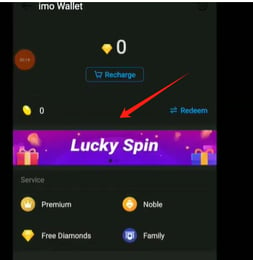
- Check the Correct Wallet Section: In the IMO app, tap your profile icon -> select IMO Wallet -> look at the Diamonds balance counter (separate from Beans or Coins).
- Confirm the Phone Number Format: Ensure the number entered at checkout contained the full international code without accidental leading zeros or spacing errors (for example, use
+96650XXXXXXXrather than050XXXXXXX). - Check Connection Stability: Weak mobile data or unstable Wi-Fi connections can delay balance display updates in the interface.
- Contact ArcTopup Customer Support: If your order status shows completed but your balance has not updated after a few moments, reach out to ArcTopup support with your order number and the registered phone number used during checkout for prompt investigation.
Frequently Asked Questions
What are IMO Diamonds used for?
IMO Diamonds are the primary in-app currency used to buy virtual gifts for live broadcasters, participate in audio party rooms, activate customized chat bubbles, and raise your personal VIP wealth rank across the IMO platform.
What is the difference between IMO Diamonds and IMO Premium?
IMO Diamonds are consumable tokens used for social gifting and live streaming activities. IMO Premium is a utility subscription that removes in-app ads, provides 25GB of cloud storage, and adds functional caller ID features to your account.
Do I need to share my IMO password to top up Diamonds?
No. ArcTopup only requires your registered IMO phone number (with country code). You should never share your account password or SMS verification codes with anyone.
How do I find the correct Phone Number for my IMO top-up?
Open the IMO app, tap your profile avatar in the upper-left corner, and view the mobile number displayed beneath your display name. Ensure you include the full country calling prefix when placing an order.
What are the benefits of topping up IMO Diamonds?
Topping up Diamonds gives you instant access to premium gifts, interactive room effects, prestige badges, and higher VIP ranks, allowing you to actively support creators and stand out in global live rooms.
Can I get free Diamonds in IMO?
IMO occasionally runs promotional events or tasks where users can earn minor rewards, but large quantities of Diamonds required for premium gifting and ranking up must be purchased through direct top-up services like ArcTopup.
How quickly do IMO Diamonds appear in my account after payment?
Diamonds are processed and delivered directly to your registered IMO phone number shortly after payment verification is confirmed. You can immediately see the updated total inside your IMO Wallet.
Current packages and prices
Current base prices exclude Tax. Tax, payment fees and coupon adjustments are shown at checkout.
| Package | Price |
|---|---|
| 100 Diamonds | USD 1.73 |
| 210 Diamonds | USD 3.62 |
| 420 Diamonds | USD 7.25 |
| 840 Diamonds | USD 14.50 |
| 2100 Diamonds | USD 36.24 |
| 4200 Diamonds | USD 72.48 |