
HiParty Coins Top Up: Instant Recharge for Voice Rooms and Gifting
HiParty is a popular social voice chat and entertainment platform where users meet new friends, host interactive party rooms, and join real-time audio hangouts. While the application is free to download and join, participating in premium room interactions, supporting talented creators, and standing out in crowded voice channels requires the platform's primary in-app currency: HiParty Coins.
ArcTopup provides a direct, secure method for your HiParty Coins top up without requiring you to share sensitive account passwords or surrender personal social logins. By using your public HiParty User ID (UID), you can top up your account balance quickly and return to your favorite voice party rooms.
What Are HiParty Coins and In-App Uses
HiParty Coins serve as the main digital currency powering the entire HiParty entertainment ecosystem. Users acquire coins to unlock interactive voice room features, participate in seasonal community events, and access customizable cosmetics for their personal profiles and microphone avatars.
Note that HiParty operates as an independent voice room and party app, distinct from other social platforms like Party Star. Coins purchased for HiParty apply strictly to your HiParty profile and cannot be transferred to unrelated party platforms.
Here is how you can use HiParty Coins once credited to your account:
- Virtual Gift Giving: Send animated gifts ranging from modest tokens of appreciation to room-wide luxury animations that celebrate your favorite broadcasters and room hosts.
- Entrance Effects: Unlock premium vehicle animations and entry banners that announce your arrival whenever you enter an active voice channel.
- Microphone Frames and Bubbles: Personalize your avatar with dynamic mic rings, animated talk bubbles, and profile borders that highlight your presence on stage.
- Noble Status and VIP Tiers: Progress through VIP levels to access exclusive privileges, custom room themes, and dedicated identity badges.
- Interactive Party Mini-Games: Use coins to enter fun, in-room social games and seasonal challenges alongside friends.
| In-App Category | Features & Items | How Coins Are Used |
|---|---|---|
| Virtual Gifts | Animated gifts, luxury effects, room blasts | Sent to hosts or mic users to show support and boost room ranking |
| Room Customization | Dynamic mic rings, entrance banners, custom wallpapers | Purchased to stand out when joining active voice party rooms |
| VIP & Noble Badges | Exclusive tier badges, special title tags, chat bubbles | Maintained via coin spending and monthly tier status |
| Interactive Mini-Games | In-room casual social games, lucky draws, party challenges | Used for participation entries and unlocking reward items |
HiParty Voice Rooms, Virtual Gifting, and VIP Features
Voice rooms are the heart of HiParty. Whether you are hosting a karaoke session, sharing daily stories, or running a casual gaming room, coins keep the energy high and dynamic. When you send high-tier virtual gifts, your contribution triggers full-screen visual effects across the entire room, alerting all participants and placing you on the room's top contributor leaderboard.
Active room hosts often set gift goals for specific community events. Recharging your coin balance ensures you are ready to support your favorite audio communities during live battles, PK contests, and festival events.
Step-by-Step Guide to Finding Your HiParty UID
To ensure your coins arrive at the correct account, you only need to provide your numeric HiParty UID. You do not need to share your phone number, password, or third-party login credentials.
Follow these quick steps to locate your UID inside the HiParty app:
- Open the HiParty app on your mobile device.
- Tap the Profile icon (labeled "Me" or personal avatar) in the bottom navigation bar.
- Locate your profile header near the top of the screen.
- Your UID is displayed directly beneath your display name as a series of numbers.
- Tap the Copy icon next to your UID to copy the exact number to your clipboard.
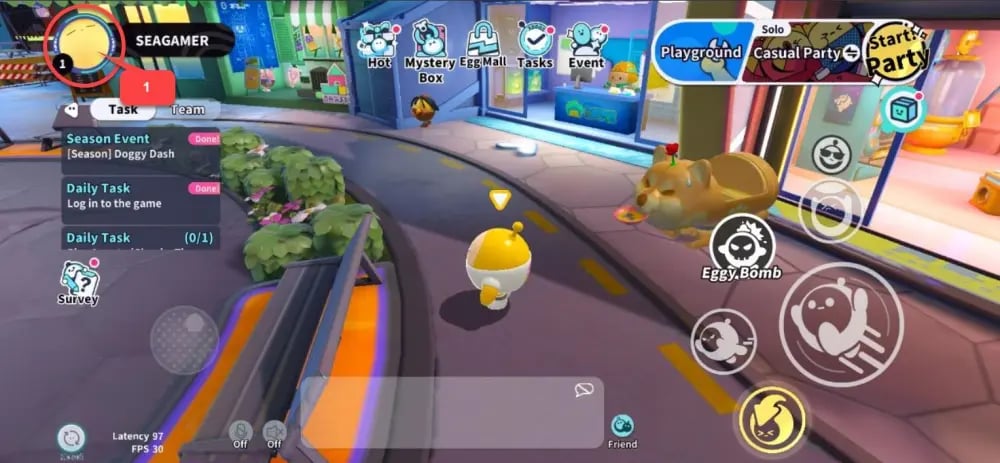
Tip: Always copy and paste your UID directly to avoid typographical errors that could route your top-up to an inactive or alternate account.
How to Top Up HiParty Coins with UID on ArcTopup
Recharging your balance on ArcTopup takes only a few moments. Follow this straightforward walkthrough:
- Select Denomination: Choose the quantity of HiParty Coins you wish to purchase from the live product list.
- Enter Your UID: Paste your numeric HiParty UID into the designated player input field on the product page.
- Confirm Details: Double-check that your entered UID matches your profile information.
- Proceed to Checkout: Choose your preferred payment method from the available options at checkout.
- Receive Your Coins: Complete your payment. The system processes your order and sends the coins directly to your HiParty account.
Check the live checkout screen on ArcTopup for the most up-to-date pricing, coin package availability, and available payment methods for your region.
Safe Top-Up Practices: UID-Only Recharge Without Sharing Passwords
Account safety is essential when purchasing digital currency for social applications. Some third-party sellers request direct account access, asking for your login credentials or authentication codes to add coins manually. This practice exposes your personal messages, voice room settings, and linked payment options to unnecessary risk.
ArcTopup operates exclusively through official UID-based direct top-up workflows:
- Zero Password Requirement: You will never be asked for your account password, email access, or two-factor authentication codes.
- Direct System Delivery: Orders are credited straight to the server using the UID you provide.
- Friend Recharges: Because only a public UID is required, you can easily top up coins for friends, room hosts, or family members as a surprise gift without needing their account details.
Supported Payment Methods and Global Delivery for 2026
ArcTopup supports voice chat enthusiasts globally by providing a wide selection of localized and international payment options in 2026. Depending on your country or region, you can complete your transaction using major credit and debit cards, secure e-wallets, online banking channels, and popular regional payment solutions.
All transactions are encrypted with industry-standard security protocols to keep your payment details confidential. Review the checkout page to view the specific payment gateways enabled for your location.
HiParty Coins Delivery Status and Troubleshooting Guide
Most HiParty coin orders process automatically shortly after payment confirmation. If you complete an order and your in-app coin balance does not reflect the new total right away, use the following troubleshooting steps:
- Restart the HiParty App: Completely close the HiParty application on your device and relaunch it. This forces the app to refresh your profile balance from the server.
- Check Your In-App Wallet History: Navigate to your profile wallet inside the HiParty app to see if the transaction is recorded under your recent recharge history.
- Verify UID Accuracy: Check your ArcTopup order confirmation email to ensure the UID entered matches your active account.
- Check Payment Status: Confirm with your payment provider or banking app that the transaction was successfully completed rather than pending.
- Contact ArcTopup Support: If your balance has not updated after following these steps, reach out to the ArcTopup customer support team with your ArcTopup Order ID and HiParty UID for rapid assistance.
Frequently Asked Questions About HiParty Coins
What are HiParty Coins and what can I buy with them?
HiParty Coins are the virtual currency used within the HiParty voice chat application. You can spend coins to send animated gifts to room hosts, purchase dynamic microphone entry effects, unlock avatar frames and talk bubbles, enter interactive mini-games, and increase your profile's VIP standing.
How do I find my HiParty account UID?
Open the HiParty app, tap the Me/Profile tab in the bottom menu, and look at the top section below your profile picture and nickname. Your numeric UID is listed there with a convenient one-tap copy button.
Do I need to share my HiParty login password to top up coins?
No. ArcTopup uses a safe UID-only recharge process. You only provide your public numeric UID. You never need to share passwords, verification codes, or personal login information.
How fast are HiParty Coins credited after completing payment?
Once your payment is verified at checkout, orders are submitted for direct server delivery. Coins are typically credited to your account balance shortly after the transaction is finalized.
Can I recharge HiParty Coins for a friend using their UID?
Yes. Because the recharge system only requires a valid UID, you can enter any friend's or broadcaster's UID during checkout on ArcTopup to send coins directly to their account as a gift.
What should I do if my HiParty Coins balance does not update after top-up?
First, force-close and restart your HiParty app to refresh your profile data. If your balance still does not show the updated amount, verify your payment confirmation and check that your entered UID was correct. If you still need help, contact the ArcTopup customer support team with your order details.
Current packages and prices
Current base prices exclude Tax. Tax, payment fees and coupon adjustments are shown at checkout.
| Package | Price |
|---|---|
| 35000 Coins | USD 3.21 |
| 70000 Coins | USD 6.43 |
| 170000 Coins | USD 15.61 |
| 350000 Coins | USD 32.13 |
| 700000 Coins | USD 64.27 |






























































