
How to Top Up Kessmet Chat with Your UID
Getting a Kessmet Chat top up on ArcTopup is straightforward and requires only your in-app User ID (UID). You do not need to share passwords, login tokens, or sensitive account credentials. Follow these simple steps to complete your purchase and credit your balance immediately:
- Enter Your Kessmet Chat UID: Locate your numeric user ID in the app profile section and enter it accurately into the UID input field above.
- Select Your Credit Package: Choose the desired coin denomination or credit pack based on your in-app gifting and chatting needs.
- Proceed to Secure Checkout: Review your entered UID and selected bundle. Select your preferred local or international payment option.
- Complete Payment: Follow the secure payment instructions. The live checkout displays the exact total and available payment routes.
- Check Your Account: Once your transaction confirms, open Kessmet Chat, head to your profile or wallet screen, and verify that your new balance has been updated.
| Step | Action Required | Verification Point |
|---|---|---|
| 1. Account Details | Enter Kessmet Chat UID | Double-check numeric digits in app profile |
| 2. Product Selection | Choose coin/credit tier | Review unit amounts listed on ArcTopup checkout |
| 3. Checkout | Complete secure payment | Save order confirmation reference code |
| 4. Delivery | Refresh app wallet | Coins reflect directly in your account balance |
How to Find Your Kessmet Chat User ID (UID)
Your Kessmet Chat UID is a unique numeric identifier assigned to your account upon registration. Because all recharges on ArcTopup are processed directly via UID, providing the exact number ensures your credits reach the correct profile without delay.
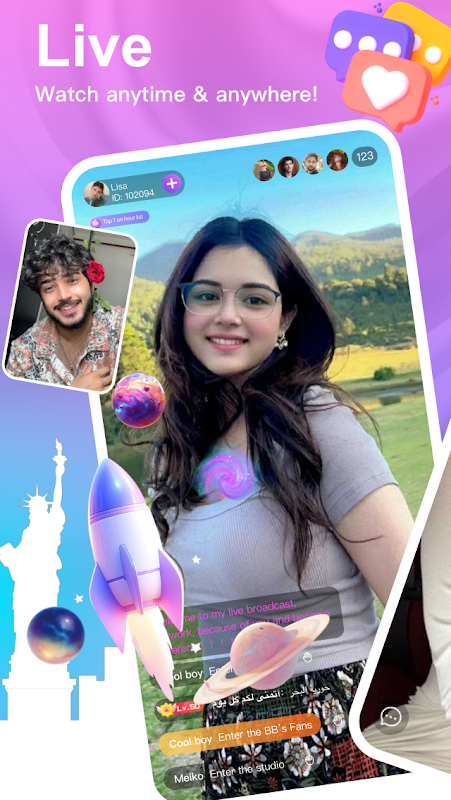
Follow these steps to locate and copy your UID:
- Open the Kessmet Chat application on your mobile device.
- Tap the Profile or Me icon located at the bottom-right corner of the main navigation bar.
- Look beneath your display name and profile avatar at the top of the screen.
- Locate the field labeled ID or UID.
- Tap the copy icon next to the number, or write down the full numeric string accurately.
- Paste this number into the UID input field on ArcTopup before proceeding to checkout.
Tip: If you are purchasing credits for a friend, live streamer, or audio room host, ask them to copy their UID directly from their profile screen and send it to you to prevent typos.
Uses for Kessmet Chat Credits: Live Gifts, Audio Rooms, and 1v1 Calls
Kessmet Chat coins and credits power the platform's social interactions, interactive broadcasting features, and private communication channels. Recharging your balance opens access to multiple in-app activities:
1. Private 1v1 Live Video and Audio Calls
Credits allow you to initiate and maintain direct, high-definition 1v1 video chats and audio conversations with creators, friends, and hosts across the globe. Call rates are calculated based on duration, and keeping a healthy balance ensures uninterrupted sessions.
2. Virtual Gifting in Live Streams and Audio Party Rooms
Support your favorite broadcasters during open livestreams or multi-guest audio parties by sending animated gifts. Virtual gifts range from everyday appreciation badges to large screen-filling animations, helping you stand out in chat feeds and climb streamer fan ranking boards.
3. PK Battle Boosts
When two creators compete in head-to-head live PK challenges, viewer gifts directly determine the winning score. Dropping coin-backed gifts during score multipliers and critical defense rounds helps your preferred creator win the match.
4. Profile Customization and Entrance Effects
Credits can be used to unlock exclusive profile cosmetics, including glowing avatar frames, animated entrance vehicles when joining live rooms, and custom chat bubble themes that highlight your presence in crowded public rooms.
Safe Checkout and Account Security: Why No Password Is Required
Account safety is essential when purchasing in-app currency online. ArcTopup processes every Kessmet Chat recharge using direct server-side UID delivery. This system offers significant security benefits:
- Zero Password Sharing: You will never be asked to supply your Kessmet Chat account password, phone verification codes, social login tokens, or email access.
- No Account Linking Risks: Your account remains completely under your personal control. There is no risk of unauthorized profile modifications or compromised personal messages.
- Safe Third-Party Gifting: Because only the public UID is required, you can safely send recharges to family members, friends, or stream hosts without ever needing their login credentials.
Always ensure that you never disclose your login passwords or SMS one-time pins (OTPs) to anyone claiming to offer recharge services.
Available Payment Methods for Global Kessmet Chat Top-Ups
ArcTopup provides access to secure, flexible payment gateways tailored for international users. When you proceed to checkout, you will find supported regional and international options, including credit/debit cards, digital e-wallets, online banking transfers, and convenient local checkout methods.
Real-time pricing, currency conversions, and available payment channels are displayed directly on the live checkout interface. Select your country or region during payment to view local options that match your preferences.
Troubleshooting Common Kessmet Chat Recharge Issues
While most transactions update in your wallet within moments, here is how to resolve occasional delays or input mistakes:
- Credits Have Not Reflected Immediately: Close Kessmet Chat completely from your device's app switcher, wait 60 seconds, and relaunch the app. Open your profile or wallet tab to trigger a fresh server balance sync.
- UID Entered Incorrectly: If you submitted an incorrect UID, check whether the transaction has finalized. Because UID delivery is automated, double-check every digit before confirming payment. If an error occurs, reach out to ArcTopup customer support immediately with your transaction order ID.
- Payment Charged but Order Marked Pending: Payment service providers occasionally place transactions under brief verification. Keep your payment receipt and transaction reference number accessible while the status updates.
Why Choose ArcTopup for Kessmet Chat Recharges
ArcTopup delivers a secure, streamlined platform designed to get you back into your favorite live rooms and chats without unnecessary delays:
- Direct UID Delivery: Fast balance updates directly to your in-app profile.
- Strict Data Privacy: No login credentials requested, keeping your personal chats and profile private.
- Transparent Live Checkout: All package details, currency conversions, and payment routes are clearly detailed before you confirm your order.
- Dedicated Support: Responsive customer service ready to assist with order tracking and verification inquiries.
Frequently Asked Questions About Kessmet Chat Top Up
How do I find my Kessmet Chat UID?
Open the Kessmet Chat app and tap the Profile icon on the bottom right. Your numeric UID is displayed directly below your avatar and username. Tap the copy button to copy the numbers accurately.
Do I need to share my account password to top up Kessmet Chat?
No. ArcTopup only requires your Kessmet Chat UID to deliver your coins. Never share your password, login verification codes, or SMS OTPs with anyone.
What can I purchase with Kessmet Chat coins or credits?
Kessmet Chat coins can be used for 1v1 private video and audio calls, virtual gifts for live broadcasters, PK battle points, room entry animations, and profile cosmetic frames.
Can I top up Kessmet Chat for a friend or favorite live host?
Yes. Because the recharge system only requires a UID, you can purchase credits for any user by entering their specific numeric UID in the checkout field.
How long does it take for Kessmet Chat credits to reflect in my balance?
Recharges are processed via direct digital delivery. Once your payment clears through the live checkout, your coins typically arrive in your in-app wallet within minutes.
What should I do if my Kessmet Chat recharge does not arrive immediately?
First, restart your Kessmet Chat application to refresh your account data. If your balance does not update after several minutes, locate your ArcTopup order reference number and contact ArcTopup customer support with your payment confirmation receipt for assistance.
Current packages and prices
Current base prices exclude Tax. Tax, payment fees and coupon adjustments are shown at checkout.
| Package | Price |
|---|---|
| Kessmet Chat - Kessmet Chat*15000 | USD 1.94 |
| Kessmet Chat - Kessmet Chat*20000 | USD 2.59 |
| Kessmet Chat - Kessmet Chat*25000 | USD 3.24 |
| Kessmet Chat - Kessmet Chat*50000 | USD 6.48 |
| Kessmet Chat - Kessmet Chat*100000 | USD 12.97 |
| Kessmet Chat - Kessmet Chat*500000 | USD 64.83 |
| Kessmet Chat - Kessmet Chat*1000000 | USD 129.65 |
| Kessmet Chat - Kessmet Chat*10000 | USD 1.30 |






























































