
Kiti Top Up: What Are Kiti Coins and How to Use Them in Live Streams
Kiti coins represent the primary virtual currency utilized across the Kiti live streaming ecosystem. Broadcasters and content creators rely on audience participation, and holding an active balance of Kiti coins allows viewers to actively engage with live streams, participate in real-time creator challenges, and unlock exclusive interactive features.
It is important to clarify that Kiti live coins are solely designed for the official mobile live streaming application. They are distinct from similarly named digital cryptocurrency tokens, financial assets, or physical retail merchandise. When you recharge Kiti coins, your funds are credited directly as an in-app digital currency balance tied to your user account.
Inside the app, your Kiti coins give you access to several key features:
- Virtual Gift Sending: Send animated gifts ranging from modest appreciation stickers to full-screen dynamic animations that appear directly during live broadcasts.
- Creator Support and PK Battles: Boost your favorite hosts during live competitive PK battles, helping them climb the leaderboard rankings and achieve daily streaming milestones.
- Chat Highlighting and Recognition: Viewers who send coin gifts receive custom badges, distinct chat bubble colors, and entrance effects when joining a broadcaster's room.
- Interactive Mini-Events: Join community-driven stream goals and seasonal in-app activities that require coin contributions to unlock community rewards.
Maintaining a ready balance ensures you never miss a critical moment during competitive creator showdowns or special live events.
How to Locate Your Kiti UID in the Mobile App
To ensure your coins are delivered accurately to your profile, you only need to provide your official Kiti User Identification number (UID). You do not need to share your login credentials or private profile settings.
Follow these steps to find your UID:
- Launch the Kiti app on your smartphone or tablet.
- Tap the Profile (or Me) icon located in the bottom-right corner of the main screen.
- On your personal profile page, locate your numerical UID positioned directly underneath your profile picture and display nickname.
- Tap the copy icon next to the number or record the exact sequence of digits accurately.
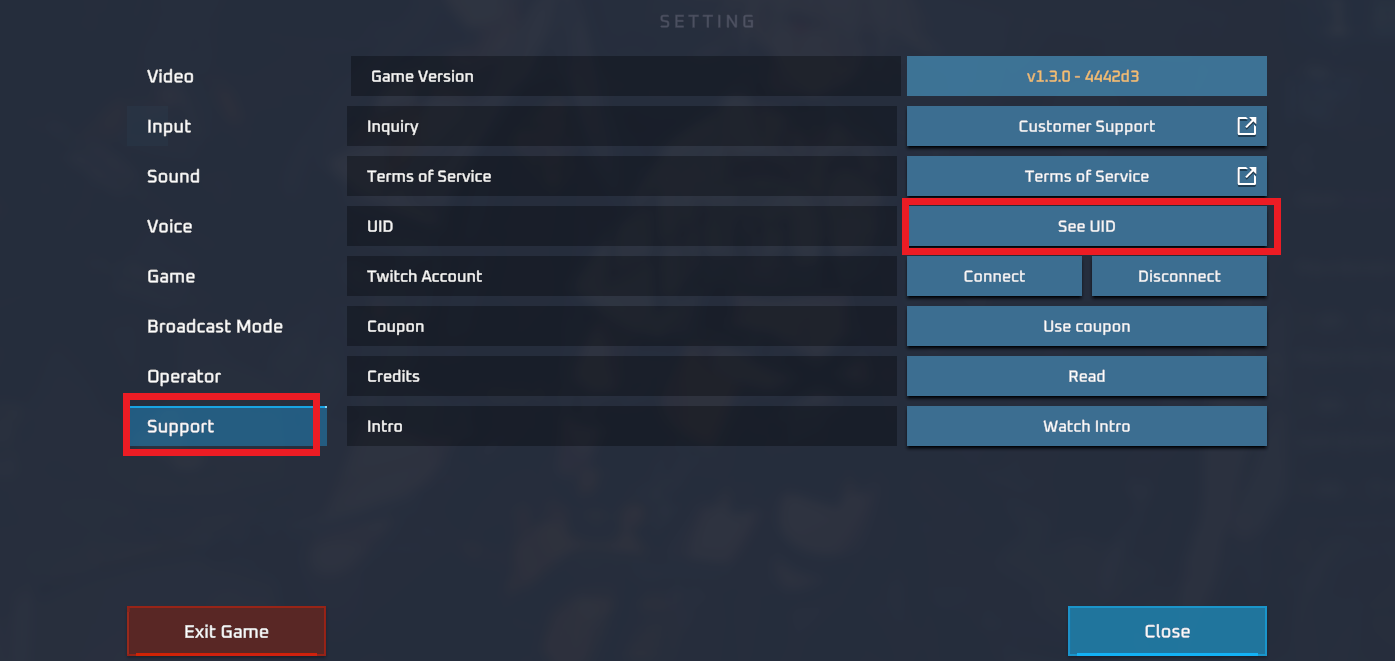
Note: Always use your numerical UID rather than your display nickname. Custom nicknames can be changed at any time and can cause routing errors during order processing, whereas your numerical UID remains permanently assigned to your account.
Step-by-Step Guide to Top Up Kiti Coins on ArcTopup
Recharging your Kiti coin balance on ArcTopup is straightforward and requires only a few minutes. Follow this step-by-step walkthrough to submit your order:
- Select Your Coin Amount: Review the available Kiti coin packages displayed on the ArcTopup catalog and select the denomination that fits your streaming goals.
- Enter Your User ID: Input your numerical Kiti UID into the designated account field. Double-check every digit to prevent sending coins to another profile.
- Review Order Details: Confirm that the selected coin denomination and UID are accurate.
- Complete Checkout: Select your preferred checkout option and complete the transaction through ArcTopup's secure payment gateway.
- Check Your In-App Wallet: Open the Kiti mobile application, go to your profile wallet, and verify your updated coin balance.
Available Kiti Coin Denominations and Secure UID Checkout
ArcTopup offers a diverse range of coin packages suited for different levels of streaming interaction. Whether you plan to send a few quick chat stickers or support a host through a high-stakes PK competition, you can choose the package that fits your needs.
| Coin Package Tier | Typical Use Case | Required Order Information |
|---|---|---|
| Starter Packages | Casual chat reactions, small tips, and standard stream stickers | Numerical Kiti UID |
| Medium Packages | Animated gifts, custom entrance effects, and host badge progression | Numerical Kiti UID |
| Large Packages | High-impact full-screen animations, VIP status, and PK battle support | Numerical Kiti UID |
All real-time pricing and available regional rates are updated dynamically on the live ArcTopup product checkout page.
Safety and Account Security: Why No Password Is Ever Required
Account security is critical when purchasing digital currencies online. ArcTopup uses a direct UID delivery system, which means your personal login details remain completely private.
Key security standards maintained on ArcTopup include:
- Zero Password Policy: You will never be asked for your Kiti account password, email verification code, SMS one-time password (OTP), or linked social login credentials.
- No Account Handover: The entire fulfillment process is performed externally via your public identification number, meaning no third party ever gains access to your active streaming session, private messages, or payment accounts.
- Safe Public Identifiers: A UID is a public identification number visible on your profile. Providing your UID carries no risk of account compromise.
- Encrypted Transactions: Every order processed through ArcTopup is protected by modern encryption protocols to keep your payment data private and secure.
Troubleshooting Delivery Delays and Account Balance Sync in 2026
Coin orders processed through ArcTopup are submitted automatically for rapid fulfillment. However, if your updated balance does not reflect immediately inside your app, use the following troubleshooting checklist:
- Restart the Kiti Application: Force close the Kiti app on your device and relaunch it. This forces the client to sync with the server and refresh your wallet balance.
- Check Your Profile Wallet Directly: Occasionally, the live room gift tray does not update its display cache immediately. Go to your personal profile menu and tap on your wallet to view your true ledger balance.
- Verify Submitted UID: Check your ArcTopup order confirmation receipt to ensure the UID entered matches your in-app profile number without typos.
- Allow Network Sync Time: During high-traffic streaming hours or server maintenance periods, balance propagation can take a short time to reflect on external servers.
- Contact ArcTopup Support: If your balance has not updated after restarting your app, reach out to the ArcTopup customer support team with your order number and UID for prompt verification and assistance.
Frequently Asked Questions About Kiti Recharge
How do I find my Kiti UID for top up?
Open the Kiti app, tap the Me or Profile icon in the bottom menu, and locate the numeric sequence displayed under your avatar. This sequence is your official account UID.
Do I need to share my Kiti login password to recharge coins?
No. ArcTopup processes coin top-ups exclusively through your numerical UID. Never share your password, linked social accounts, or SMS verification codes with anyone.
How long does it take for Kiti coins to appear in my wallet?
Orders are transmitted directly to the processing queue upon completed checkout. In most cases, coins appear in your wallet shortly after payment confirmation. Restarting your app helps refresh your balance.
What should I do if I entered an incorrect Kiti UID?
If you realize you entered an incorrect UID, contact ArcTopup customer support immediately with your order ID. If the order has not yet been processed by the system, our support team will attempt to correct the account details.
Can I recharge Kiti coins for another user using their UID?
Yes. Because the recharge system relies solely on the numerical UID, you can purchase coins for friends, creators, or family members simply by entering their valid UID during checkout.
What can I purchase with Kiti coins inside the Kiti app?
Kiti coins can be used to send virtual animated gifts, purchase interactive visual effects, support streamers during live PK competitions, unlock special chat badges, and increase your contributor ranking within the Kiti community.






























































