
Waho Top Up: Quick and Direct Coin Delivery
Waho is an interactive social voice chat and party app where users across the globe connect in live audio rooms, play interactive social games, and share entertaining moments. To clarify a common point of confusion: the Waho voice chat application discussed here is entirely separate from Wahoo Fitness athletic equipment and GPS bike computers. On this platform, Waho refers exclusively to the social voice community.
Within the Waho app, Coins serve as the primary in-app currency. Users spend coins to send animated gifts to room hosts, activate special entry animations, customize profile badges, and participate in room activities. Recharging your balance on ArcTopup gives you quick access to coins so you never miss a moment during live voice broadcasts.
How to Top Up Waho Coins Online Using Your UID
To top up your Waho account, follow these simple steps:
- Choose Your Package: Browse the available Waho coin packages listed on ArcTopup. Live pricing and coin counts appear directly in the real-time checkout interface.
- Enter Your UID: Type your numeric Waho User ID into the required account field. Verify the numbers carefully before continuing.
- Select Your Payment Option: Pick your preferred payment method from the available local and international options at checkout.
- Complete Checkout: Finalize your payment. ArcTopup processes your transaction and delivers the coins directly to your Waho profile.
- Check Your In-App Balance: Open your Waho app, go to your profile, and confirm that your updated coin balance is reflected.
Where to Find Your Waho User ID (UID)
Your Waho UID is the unique numerical identifier assigned to your account. ArcTopup uses this identifier to credit coins directly to your balance without needing access to your account login.
Follow these steps to locate your UID inside the app:
- Launch the Waho voice chat app on your mobile device.
- Tap the Profile or Me tab located in the bottom navigation bar.
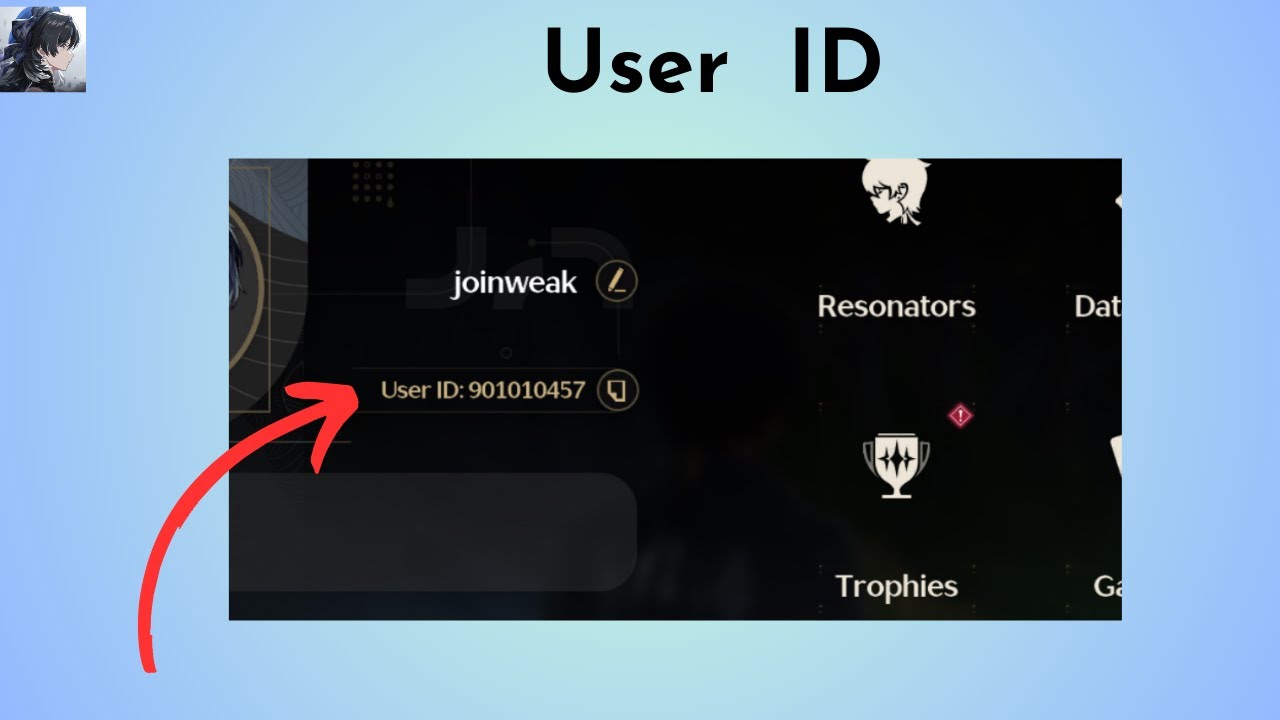
- Look directly beneath your profile picture and nickname at the top of the screen.
- You will see a label marked ID or UID followed by a series of numbers.
- Tap the copy icon next to the number to copy your UID directly to your clipboard.
- Paste this number into the player ID field on ArcTopup during checkout.
What Are Waho Coins and How to Use Them in Voice Rooms
Waho Coins are the essential currency used across all voice chat rooms, community events, and social interactions within the Waho ecosystem. Having an active coin balance allows you to participate fully in community activities and support your favorite content creators.
Here is how coins function across the Waho app:
- Sending Virtual Gifts: Room listeners send visual gifts to broadcasters to show appreciation. Gifts range from small greeting stickers to full-screen luxury animations that spotlight your profile in front of the entire room.
- Customizing Room Presence: Users with higher gifting activity can acquire custom entrance banners, glowing avatar frames, and animated microphone seat tags.
- Joining Audio Mini-Games: Many voice rooms host interactive social games, dice rolls, and lucky wheel events where coins are used for participation.
- Unlocking VIP Badges: Spending coins advances your account rank, granting you special status indicators and chat bubble designs that stand out in active rooms.
| Waho Feature | In-App Purpose | Value to User |
|---|---|---|
| Virtual Gifting | Send animated stickers and broadcast effects to hosts | Support creators and increase room visibility |
| Profile Frames & Badges | Customize avatar borders and mic seat markers | Stand out in crowded voice party rooms |
| Voice Room Mini-Games | Participate in interactive party games with friends | Win community rewards and room popularity |
| VIP Rank Progression | Accumulate spending points for exclusive room perks | Gain entry announcements and special status |
Password-Free and Secure Waho Account Recharging
Account safety is critical when purchasing digital currencies online. ArcTopup operates strictly via UID-based direct crediting, ensuring you never have to compromise your account security.
- Zero Password Sharing: You never need to share your Waho password, social login credentials, phone number, or one-time verification codes (OTP).
- Safe Gifting for Friends: Because only a UID is required, you can send Waho coins directly to friends, family members, or favorite room hosts as a surprise gift by simply entering their ID at checkout.
- Protected Payment Environment: ArcTopup handles all transactions through secure, encrypted payment gateways, ensuring your sensitive billing details remain private and protected.
- No Unauthorized Account Access: Direct UID crediting means no third party ever logs into your app account, keeping your private messages, friend lists, and profile settings secure.
Available Global Payment Methods for Waho Top Up in 2026
ArcTopup provides flexible payment options for users worldwide in 2026. Because payment channels and local currencies vary by region, the checkout page automatically updates to show the methods available in your location.
Common payment categories include:
- Credit and Debit Cards: Visa, Mastercard, and other major bank card networks.
- Digital Wallets: Convenient regional e-wallets for fast mobile payments.
- Online Banking: Direct bank transfer channels tailored to supported local regions.
- Localized Checkout Channels: Area-specific payment options designed for quick processing without international currency conversion friction.
All prices, package sizes, and applicable conversion rates are presented transparently on ArcTopup before you confirm your order.
Troubleshooting Delivery Issues and Verifying Coin Balance
Transactions on ArcTopup are processed quickly so you can get back to your voice rooms without delay. If you need to confirm your delivery or encounter a delay, follow this checklist:
- Restart the Waho App: Close the Waho application completely from your device app switcher, then reopen it. This forces the app to sync your latest wallet balance with the server.
- Check Your In-App Wallet: In Waho, go to Profile > Wallet or Coins to view your balance history and coin total.
- Verify the UID on Your Receipt: Check the confirmation email or order screen on ArcTopup to ensure the UID entered matches your actual profile ID.
- Check Payment Status: Confirm with your payment provider or bank that the transaction was successfully completed and not held for pending verification.
- Reach Out to ArcTopup Support: If your balance has not updated after following these steps, contact ArcTopup customer support with your order ID and UID for assistance.
Frequently Asked Questions
What are Waho Coins and what can I buy with them?
Waho Coins are the in-app virtual currency for the Waho voice chat application. You can use them to purchase animated gifts for room broadcasters, enter interactive audio mini-games, acquire decorative profile frames, and unlock VIP chat privileges.
How do I find my Waho UID for top-up?
Open the Waho app, tap the Profile or Me icon in the bottom right corner, and locate the numeric ID displayed under your username and profile picture. Tap the copy icon to copy it directly.
Do I need to provide my Waho password to recharge coins?
No. ArcTopup only requires your numeric Waho UID to deliver coins directly to your profile. Never share your password or verification codes with anyone.
How long does it take to receive Waho Coins after completing payment?
Coin deliveries are processed automatically upon successful payment confirmation. Once the transaction completes, your coins are credited directly to your in-app wallet.
Can I top up Waho Coins for a friend using their UID?
Yes. Because ArcTopup only requires a valid Waho UID, you can recharge for any friend or broadcaster by entering their numeric ID in the checkout field.
What should I do if my Waho Coins balance does not update?
First, restart your Waho application to refresh your account data. If the new balance does not appear, check your order confirmation on ArcTopup to verify the UID entered, then reach out to ArcTopup customer support with your order details.
Current packages and prices
Current base prices exclude Tax. Tax, payment fees and coupon adjustments are shown at checkout.
| Package | Price |
|---|---|
| Waho - Waho*15000 | USD 1.36 |
| Waho - Waho*20000 | USD 1.82 |
| Waho - Waho*25000 | USD 2.27 |
| Waho - Waho*50000 | USD 4.54 |
| Waho - Waho*100000 | USD 9.08 |
| Waho - Waho*500000 | USD 45.39 |
| Waho - Waho*1000000 | USD 90.78 |
| Waho - Waho*10000 | USD 0.91 |






























































