
Light Chat Top Up Guide: Fast and Direct Account Recharge
Topping up your Light Chat account gives you immediate access to in-app coins used for live voice room gifts, interactive games, and profile personalization. ArcTopup provides a direct recharge system that requires only your Light Chat Player ID (UID). You do not need to share passwords or link third-party social media credentials.
Follow these steps to complete your purchase:
- Select the coin denomination you want from the product catalog above.
- Enter your numerical Light Chat Player ID in the required account field.
- Verify your Player ID carefully to prevent sending coins to the wrong user.
- Choose your preferred payment method on the checkout screen.
- Complete the payment to initiate automatic system processing.
- Open your Light Chat app and check your wallet balance to confirm delivery.
Live pricing and available coin packages are displayed on the checkout interface above. Once your payment confirms, the system routes the coins directly to your Light Chat profile.
How to Find Your Light Chat Player ID in the App
Your Light Chat Player ID is a unique numeric identifier tied to your user account. Providing the correct ID ensures your coins arrive instantly in your balance without delay.
To find your Player ID:
- Launch the Light Chat application on your mobile device.
- Tap the Me or Profile icon located in the bottom navigation bar.
- Locate your profile avatar at the top of the personal center.
- Look directly beneath your display nickname to find your numerical ID.
- Tap the Copy icon next to the ID numbers to copy it directly to your clipboard.
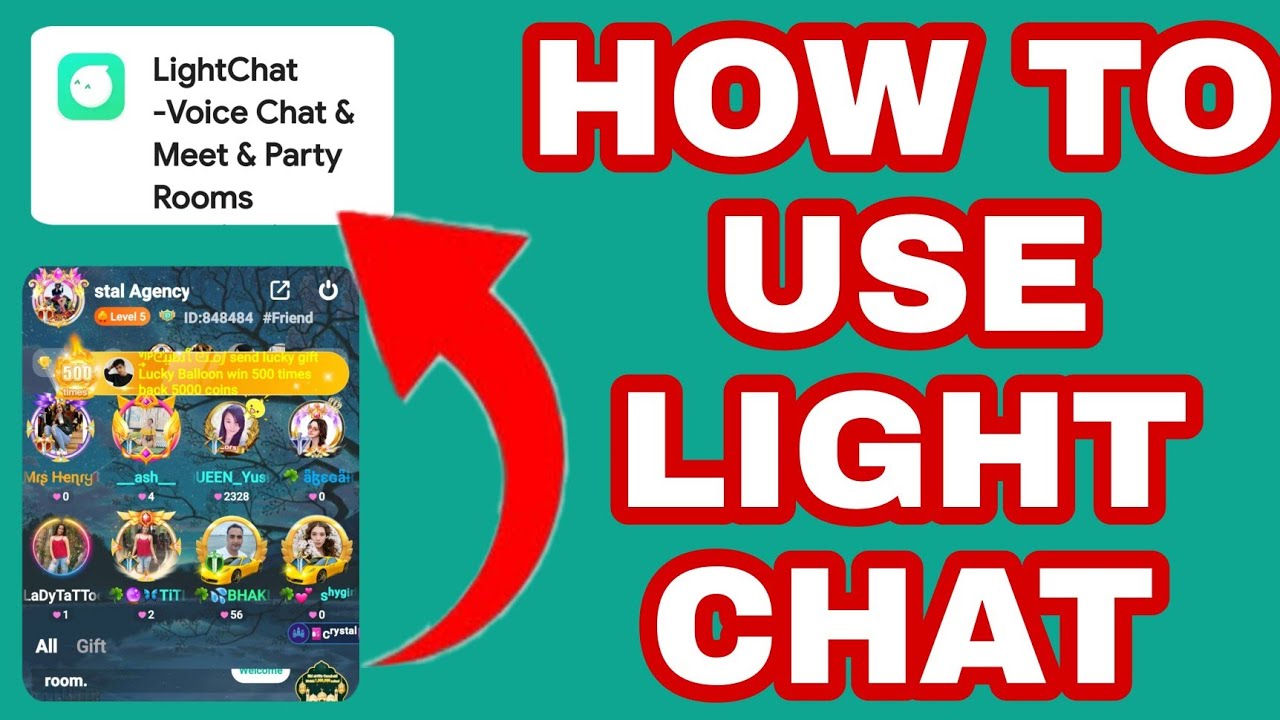
Paste this copied number directly into the Player ID box on ArcTopup before proceeding to payment. Avoid manually typing the numbers to prevent typos.
What Are Light Chat Coins and How to Use Them
Light Chat coins serve as the primary virtual currency inside the Light Chat social voice ecosystem. Users spend coins across multiple features to enhance communication, support favorite room hosts, and participate in social activities.
Primary Uses of Light Chat Coins
- Virtual Gifting in Voice Rooms: Send animated virtual gifts to room hosts, speakers, and friends during live voice broadcasts to show appreciation and boost room rankings.
- Profile Customization: Purchase decorative avatar frames, custom chat bubbles, unique entrance effects, and special vehicle animations that announce your arrival in voice rooms.
- Interactive In-App Mini-Games: Use coins to play built-in entertainment games with friends and community members directly inside chatrooms.
- VIP Badges and Status Upgrades: Access exclusive community privileges, specialty badges, and prioritized seating in popular voice channels.
| Feature | How Coins Are Used | Benefit |
|---|---|---|
| Voice Room Gifts | Send animated gifts to hosts | Increases room ranking and host popularity |
| Avatar Accessories | Buy frames, badges, and effects | Personalizes your profile across chatrooms |
| Entrance Vehicles | Unlock arrival animations | Highlights your entry when joining any room |
| Social Mini-Games | Spend coins on casual games | Allows interactive group play with friends |
Safe and Password-Free Light Chat Recharge on ArcTopup
Account safety is a core priority when topping up digital currencies. ArcTopup uses a direct server-level top-up system that processes your recharge using your public Player ID alone.
- Zero Password Requirement: You will never be asked for your Light Chat account password, email login, or SMS verification codes.
- No Account Sharing: Your login credentials remain completely in your control, eliminating the risk of unauthorized access or account hijacking.
- Encrypted Checkout: All financial transactions on ArcTopup are processed through encrypted payment gateways to protect your billing information.
- Direct Wallet Delivery: Once verified by our automated queue, coins credit straight to your official in-app wallet balance.
Payment Methods and Order Delivery on ArcTopup
ArcTopup supports a broad selection of regional and global payment channels to give you a smooth purchasing experience. Supported payment options include major credit and debit cards, secure digital wallets, and localized payment options displayed dynamically at checkout based on your country.
Order Verification and Delivery Process
- Instant Queueing: As soon as your payment processor approves the transaction, our automated system submits the top-up order to the delivery server.
- Transaction Status Tracking: You can view your real-time order status on the confirmation screen.
- In-App Verification: Open Light Chat, head to your Profile / Wallet, and refresh the screen to see your updated coin balance.
If you experience any delay, restart the Light Chat app to refresh your local cached data.
Troubleshooting Tips for Light Chat Recharges
If your coins do not appear immediately or you run into an issue during checkout, use the following troubleshooting guide:
- Double-Check the Player ID: If you entered an incorrect Player ID, verify whether the ID belongs to another active account. Because digital top-ups credit immediately, completed transfers to valid third-party IDs cannot be reversed. Always copy and paste your UID.
- Restart the Light Chat App: Sometimes the app's local cache does not update immediately. Force close Light Chat and reopen it to refresh your wallet balance.
- Check Your Payment Confirmation: Ensure your bank or wallet provider completed the charge. If a payment is pending, the top-up will process as soon as the financial provider releases the funds.
- Contact ArcTopup Support: If your payment is confirmed but your balance has not updated after a few minutes, reach out to ArcTopup customer support with your Order Number and Player ID for rapid assistance.
Frequently Asked Questions About Light Chat Top Up
What is the Light Chat app?
Light Chat is a popular mobile interactive audio platform and social entertainment app. It allows users worldwide to join multi-person voice chat rooms, share stories, sing, play casual games, and connect with global communities in real time.
How do I find my Light Chat Player ID?
Open Light Chat and tap the Me tab in the bottom right corner. Your Player ID is displayed as a numeric string directly under your profile avatar and username. Tap the copy icon next to it to copy your ID.
Do I need to provide my Light Chat password to recharge?
No. ArcTopup only requires your Light Chat Player ID. We will never ask for your password, phone login code, or social account credentials.
How quickly will coins be credited to my Light Chat account?
Recharges are processed automatically upon payment confirmation. In most cases, coins appear in your Light Chat wallet shortly after completing checkout.
What can I use Light Chat coins for?
Coins can be spent on virtual gifts for voice room hosts, entrance effects, avatar frames, chat bubbles, VIP privileges, and interactive in-app casual games.
What should I do if I entered the wrong Player ID during checkout?
If your order has already processed, digital coin deliveries to a valid ID are permanent and non-refundable. If the transaction has not completed or you suspect an error, contact ArcTopup customer service immediately with your order details.
Current packages and prices
Current base prices exclude Tax. Tax, payment fees and coupon adjustments are shown at checkout.
| Package | Price |
|---|---|
| Light Chat - Light Chat*10000 | USD 2.13 |
| Light Chat - Light Chat*30000 | USD 6.39 |
| Light Chat - Light Chat*50000 | USD 10.66 |
| Light Chat - Light Chat*70000 | USD 14.92 |
| Light Chat - Light Chat*100000 | USD 21.31 |
| Light Chat - Light Chat*200000 | USD 42.63 |
| Light Chat - Light Chat*500000 | USD 106.57 |
| Light Chat - Light Chat*700000 | USD 149.20 |
| Light Chat - Light Chat*1000000 | USD 213.15 |






























































