Onmyoji Arena Jade Top Up Using User ID
Jade serves as the premium currency in Onmyoji Arena, giving you direct access to top-tier Shikigami, exclusive cosmetic skins, battle pass upgrades, and custom battlefield effects. ArcTopup provides a direct top-up service that delivers Jade straight to your game balance using only your public User ID. You do not need to share your account login credentials, link external social profiles, or complete unnecessary identity verification steps.
Whether you need Jade to obtain a newly released Shikigami, grab a limited-time Jade Pavilion outfit, or level up your seasonal pass, ArcTopup ensures a straightforward and secure transaction.
How to Top Up Onmyoji Arena Jade on ArcTopup
To complete your Onmyoji Arena Jade recharge, follow these simple steps:
- Select Your Jade Package: Choose the quantity of Jade you wish to purchase from the list of available bundles.
- Enter Your User ID: Type or paste your Onmyoji Arena User ID into the required input field. Double-check your numbers to ensure correct delivery.
- Select Your Payment Method: Review the real-time pricing and choose your preferred payment option shown directly on the checkout screen.
- Confirm and Pay: Complete your transaction. Once processed, your Jade will credit directly to your in-game balance.
How to Find Your Onmyoji Arena User ID in the App
Your User ID is a unique numeric identifier linked directly to your Onmyoji Arena profile. Finding it takes just a few seconds inside the game client:
- Launch Onmyoji Arena on your mobile device.
- Tap your Avatar icon located in the top-left corner of the main lobby screen.
- Open the Basic Info or profile overview tab.
- Locate your User ID displayed clearly near your character nickname.
- Tap the Copy icon next to the number to copy your User ID to your clipboard.
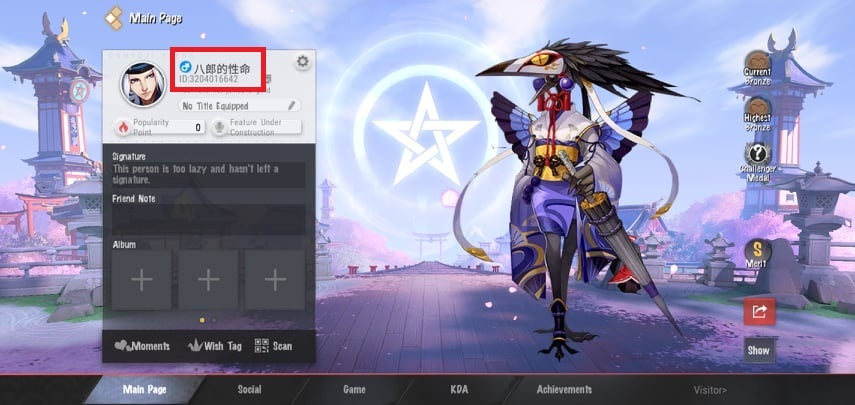
Paste this copied ID directly into the User ID box on ArcTopup to ensure your Jade arrives without delay.
What Can You Buy with Jade in Onmyoji Arena
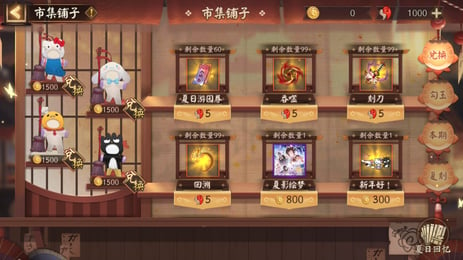
Jade is the core currency required for premium content across the Heian battlefield. Here is what you can acquire with your Jade balance:
- Shikigami Unlocks: Instantly add newly released or high-tier Shikigami across Mage, Samurai, Ninja, Marksman, Tank, and Support classes to your roster without waiting to farm Coins.
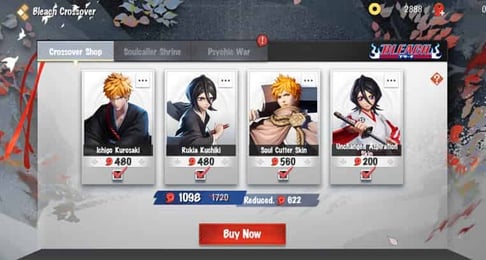
- Exclusive Skins: Purchase rare, Epic, Royal, and Jade Pavilion skins that provide unique visual models, customized skill animations, custom recall effects, and special voice packs.
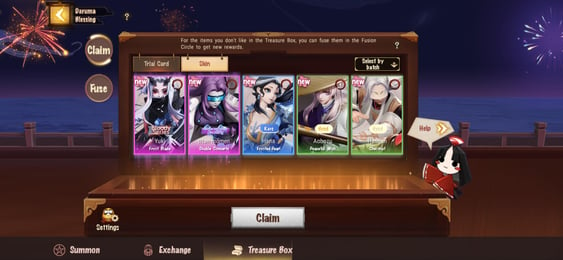
- Battle Pass Activation: Unlock premium battle pass tiers to earn seasonal skins, pact amulets, skin tokens, avatar frames, and exclusive emotes.
- Custom Battlefield Cosmetics: Personalize your matches with custom lobby backgrounds, unique button skins, minion skins, tower skins, and specialized combat sound packs.
- Gacha and Summon Packs: Purchase Mystery Amulets and special event vouchers to participate in seasonal draw events.
Account Safety: Why ArcTopup Never Asks for Your Password
Account security is critical when purchasing game currency online. ArcTopup processes every Onmyoji Arena order strictly through direct API crediting using only your in-game User ID.
- No Password Sharing: You never have to share your game password, Google account, Apple ID, or social logins.
- No Account Handover: Your account stays logged into your device at all times throughout the recharge process.
- Direct System Delivery: Currency is credited directly by the game server to your specified User ID, keeping your profile completely safe from credential theft or unauthorized access.
Supported Regions and Server Availability in 2026
Onmyoji Arena operates multiple international servers to ensure smooth matchmaking across the globe. ArcTopup supports User ID top-ups across active regional servers in 2026.
| Region / Server | Server Coverage | Top-Up Identifier Required |
|---|---|---|
| Global / North America | US, Canada, Latin America, Europe | In-Game User ID |
| Southeast Asia (SEA) | Singapore, Malaysia, Philippines, Indonesia, Thailand | In-Game User ID |
| Asia / Japan | Japan, South Korea | In-Game User ID |
| Hong Kong / Macau / Taiwan | Regional Chinese Client Servers | In-Game User ID |
Make sure your game client is connected to your primary server before copying your User ID to avoid sending currency to an alternate server profile.
Available Jade Bundles and In-Game Value Guide
ArcTopup offers multiple Jade denominations to match your in-game goals. Live pricing, local currency rates, and current package details are displayed directly on the live checkout interface.
| Jade Amount | Recommended In-Game Use |
|---|---|
| 60 – 300 Jade | Small cosmetic items, discount coupons, special event items, and minor gacha tokens |
| 680 – 1280 Jade | Standard Shikigami unlocks, seasonal Battle Pass activation, and Epic skin purchases |
| 3280 – 6480 Jade | Legendary skins, Jade Pavilion exclusive sets, and bulk summon packs |
Check the ArcTopup selection panel to view the full list of available bundles before submitting your order.
Troubleshooting Delivery and Post-Purchase Support
If your Jade balance does not update instantly after completing your purchase, follow these steps:
- Restart the Game App: Close Onmyoji Arena completely and relaunch it to force the client to fetch updated account balances from the game server.
- Check Your In-Game Mailbox: Certain event bonuses or top-up rewards are delivered directly to your mailbox and require manual claiming.
- Verify Your User ID: Double-check your order receipt on ArcTopup to confirm you entered the correct numeric User ID.
- Contact Customer Support: If your Jade has not arrived after a few minutes, reach out to the 24/7 ArcTopup support team with your transaction order number for prompt assistance.
Frequently Asked Questions
How do I find my Onmyoji Arena User ID for top-up?
Open Onmyoji Arena, tap your avatar profile picture in the top-left corner of the main menu, and look at your profile screen. Your User ID is the numeric string displayed beside your nickname. Tap the copy button to capture it.
Do I need to provide my Onmyoji Arena account password to top up Jade?
No. ArcTopup only requires your Onmyoji Arena User ID. You should never share your password, verification codes, or login credentials with anyone.
What can I use Jade for in Onmyoji Arena?
Jade is used to buy Shikigami, unlock Epic and Legendary skins, purchase seasonal Battle Passes, obtain gacha draw amulets, and acquire custom cosmetics like lobby backgrounds, recall effects, and button layouts.
How quickly will the Jade appear in my Onmyoji Arena account?
Jade purchases are processed promptly through direct User ID crediting. In most cases, the currency reflects in your balance within moments of completed payment. Restarting your game client helps refresh the balance display.
In which countries and regions is Onmyoji Arena available?
Onmyoji Arena is available globally, with dedicated regional servers covering North America, Europe, Southeast Asia, Japan, South Korea, and the Hong Kong/Macau/Taiwan regions. ArcTopup supports User IDs across these active servers.
What should I do if my purchased Jade does not reflect in my game balance immediately?
First, restart Onmyoji Arena and check both your currency balance and in-game mailbox. If the Jade still has not credited after a few minutes, verify the User ID on your ArcTopup receipt and contact ArcTopup customer support with your order details.