Rooh Top Up: Direct In-App Currency and Coin Recharge
Rooh is a popular interactive voice chat and social live streaming platform where users connect through audio rooms, broadcast live events, and build online communities. In-app currency, commonly known as Rooh coins or diamonds, powers user interactions across the platform. With an active balance, you can send animated gifts to your favorite broadcasters, unlock unique room entry effects, participate in interactive group games, and access exclusive badge levels.
Recharging your Rooh account through ArcTopup allows you to refill your coins quickly using only your user identifier. There is no need to log into external interfaces with your personal credentials or link sensitive personal profiles. You select your coin tier, submit your numeric UID, and receive your balance directly inside your account.
What Is Rooh App and What Are In-App Credits Used For
In the Rooh mobile application, virtual credits serve as the core medium of interaction and social recognition. These credits unlock key platform features:
- Virtual Gifting: Send standard and animated dynamic gifts to hosts during live broadcasts and audio room conversations.
- Room Entrance Effects: Stand out when joining voice rooms with customized vehicle animations, banner announcements, and special entrance audio.
- VIP and Aristocracy Privileges: Boost your account level, unlock distinctive chat bubbles, and display prestigious profile frames.
- Interactive Games and Events: Use coins to enter seasonal events, room mini-games, and host-led ranking battles.
Keeping your balance funded ensures you never miss the chance to support hosts, participate in real-time community events, or customize your profile presence.
How to Find Your Rooh UID in the Mobile App
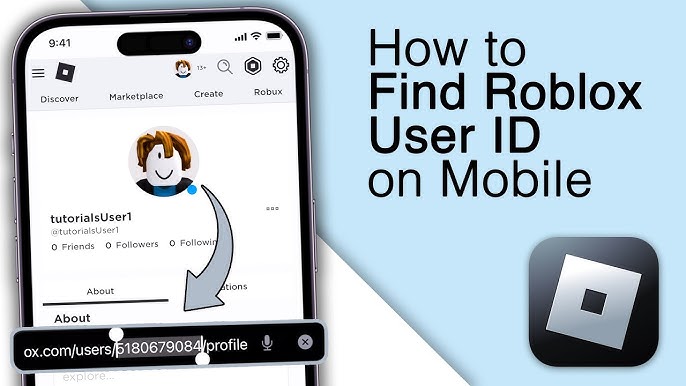
Your Rooh User ID (UID) is a unique numeric code assigned to your account upon registration. ArcTopup uses this number to route top-up credits directly to your profile. Finding your UID takes only a few seconds inside the mobile app.
- Open the Rooh app on your smartphone or tablet.
- Tap the Profile (or Me) icon situated in the bottom right corner of the main screen.
- Look directly beneath your avatar, nickname, and account level.
- Find the numeric string marked as UID or ID.
- Tap the copy icon beside the number or write it down carefully to avoid typing mistakes.
Always double-check your UID before proceeding to checkout to ensure your coins arrive in the correct account.
Step-by-Step Guide to Rooh Top Up on ArcTopup
Refilling your balance on ArcTopup is straightforward and requires no account passwords:
- Enter Your UID: Paste or type your numeric Rooh UID into the UID field at the top of this page.
- Select Your Package: Choose the coin or credit denomination that matches your gifting or event needs.
- Review Current Rates: Check the live checkout display for real-time prices, regional options, and total order cost.
- Pick a Payment Option: Select your preferred local or international payment method from the available payment gateway list.
- Complete the Payment: Finalize the transaction through the secure checkout screen.
- Receive Your Coins: Open your Rooh app, check your wallet or profile balance, and begin using your new credits immediately.
Available Rooh Credit and Coin Packages in 2026
ArcTopup offers multiple top-up tiers designed for both occasional gifters and active community leaders. All active prices, bundle specials, and regional currency conversions are updated continuously and shown directly on the live checkout selector.
| Package Tier | Primary Purpose | Delivery Method | Requirements |
|---|---|---|---|
| Starter Pack | Quick tipping and basic text room gifts | Direct UID Credit | Rooh UID Only |
| Popular Tier | Animated room gifts and medium event support | Direct UID Credit | Rooh UID Only |
| VIP Pack | High-tier gifting, avatar frames, and ranking events | Direct UID Credit | Rooh UID Only |
| Ultimate Tier | Major broadcast battles and aristocracy status boosts | Direct UID Credit | Rooh UID Only |
Note: Exact coin quantities and real-time prices are displayed directly on the product selection menu above.
Safe and Secure Rooh Recharge Without Password Sharing
Account safety is essential when purchasing in-app items online. ArcTopup uses a direct-to-UID delivery mechanism, meaning you never need to hand over your login credentials, phone numbers, or social account passwords.
- Zero Password Requirements: Transactions require only your public numeric UID. Your login credentials remain strictly private on your device.
- Encrypted Processing: Checkout channels use modern SSL encryption protocols to safeguard all financial and personal details.
- No Account Linking: You do not need to link third-party social media profiles or grant app permissions to complete your purchase.
- Official Delivery Protocol: Coins are credited directly to your in-game wallet through standard system channels, keeping your profile in good standing.
Troubleshooting Rooh Top-Up Delays and Support Guide
Top-ups on ArcTopup process quickly under normal network conditions. If your coins do not reflect in your account right away, follow these diagnostic steps:
- Restart the Application: Completely close the Rooh app on your mobile device, wait 10 seconds, and relaunch it to refresh your local wallet balance.
- Check Your Order Confirmation: Confirm that your payment was successfully completed by reviewing your transaction receipt and ArcTopup order status.
- Verify UID Accuracy: Compare the UID submitted on your order invoice with the UID displayed in your Rooh app profile.
- Check Server Status: Occasionally, app maintenance or network congestion can delay credit display by a few minutes.
- Contact ArcTopup Support: If your balance does not update after 15 minutes, reach out to ArcTopup customer service with your Order ID, UID, and payment receipt for immediate assistance.
Frequently Asked Questions
How do I top up Rooh credits using my UID?
Enter your numeric Rooh UID in the designated input field on ArcTopup, pick your desired coin package, choose your payment option, and complete the transaction. Your virtual currency will be credited directly to your Rooh profile.
Where can I find my Rooh User ID in the app?
Open the Rooh application, tap the profile icon in the bottom right corner, and look below your profile photo and username. Your numeric UID is displayed there with a convenient one-tap copy button.
Do I need to share my Rooh password to recharge?
No. ArcTopup never asks for your password, verification codes, or private login credentials. Top-ups are processed using only your public numeric UID.
What payment methods are supported for Rooh top up on ArcTopup?
ArcTopup supports a wide variety of secure international and local payment options, including digital wallets, credit/debit cards, and region-specific online banking gateways. View the live checkout page to see the methods available for your region.
What should I do if my Rooh credits do not arrive immediately?
First, restart the Rooh app to force a balance sync. If the credits still do not show, verify that your order status is marked as complete and that you entered the correct UID. If issues persist, submit your Order ID and UID to ArcTopup customer support for rapid resolution.
Can I top up Rooh for a friend using their UID?
Yes. You can send coins to friends, content creators, or family members simply by entering their numeric Rooh UID instead of your own during the checkout process.
Current packages and prices
Current base prices exclude Tax. Tax, payment fees and coupon adjustments are shown at checkout.
| Package | Price |
|---|---|
| Rooh - Rooh*20000 | USD 1.49 |
| Rooh - Rooh*25000 | USD 1.87 |
| Rooh - Rooh*50000 | USD 3.74 |
| Rooh - Rooh*100000 | USD 7.47 |
| Rooh - Rooh*500000 | USD 37.36 |
| Rooh - Rooh*1000000 | USD 74.73 |
| Rooh - Rooh*5000000 | USD 373.64 |
| Rooh - Rooh*15000 | USD 1.12 |






























































