Players can claim EA FC Mobile free packs, Coins, and Gems every 24 hours through the official webstore, alongside an immediate first-login bonus of 3,000 Gems and Rank Up Points delivered directly to the in-game mailbox. Additional free inventory items come from external web code drops capped at limits like 100,000 redemptions, esports stream watch rewards on Twitch and YouTube, and strategic inbox pack management for event quest milestones.
Free-to-play squads rely heavily on redemption channels outside the mobile app client. Because FC Points (used for store player packs and Star Pass tiers) and Silver (used for targeted bundles) require cash, collecting every zero-cost resource prevents players from burning premium currencies on routine upgrades.
Daily Webstore Login Gifts and Reset Timers
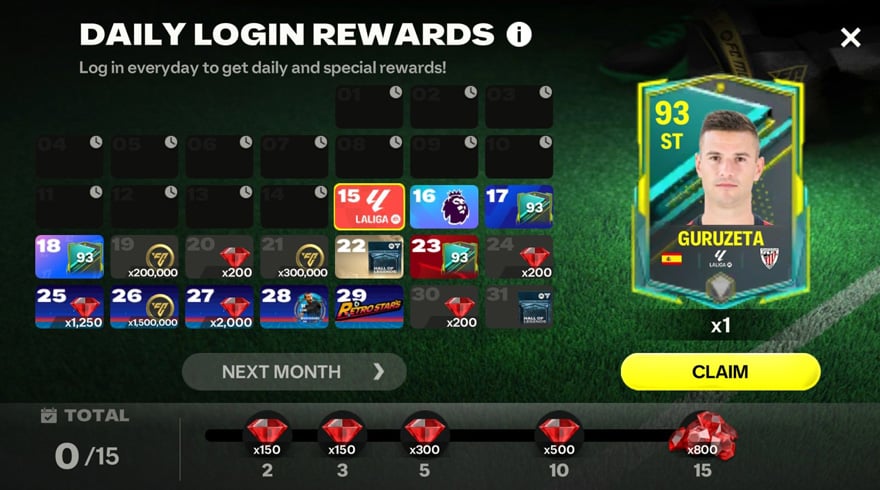
The official EA FC Mobile webstore, operated by Coda, gives out daily login items. These bundles refresh every 24 hours under the Loyalty/Gifts section without requiring an in-app purchase.
To collect these items:
- Visit the official EA webstore.
- Log in using the EA Account bound to your active FC Mobile game profile.
- Open the Loyalty/Gifts tab.
- Select Claim on the daily login reward package.
First-time webstore visitors receive an introductory reward package containing Rank Up Points and 3,000 Gems according to EA's webstore program details. Subsequent daily packages rotate between Coins, Gems, and Player Items. All claimed web items route directly to your in-game mailbox rather than your active inventory, meaning you must launch the game app to accept them.
Redeeming Web Voucher Codes and Managing Error Limits
EA Sports FC Mobile does not support voucher redemption inside the game app. Every redeemable code must be submitted through the external browser portal at redeem.fcm.ea.com.
Official Redemption Process
- Open
redeem.fcm.ea.comin a desktop or mobile browser. - Sign in to the EA Account linked to your FC Mobile account.
- Enter the promo code string into the redemption field.
- Complete the reCaptcha security verification.
- Click Redeem and verify the confirmation message.
- Launch EA Sports FC Mobile and claim your pack from the in-game inbox.
Why Promo Codes Fail
Vouchers distributed through official social channels (@EASFCMOBILE), livestreams, and newsletters expire quickly. As documented by MrBeliever Hub, high-value community vouchers often carry hard redemption caps, such as the first 100,000 claims. Once players hit that global limit, the portal returns a "Limit Reached" error, even if the code went live less than an hour earlier.
Codes released without redemption quotas generally remain active between 24 hours and one full week. Redeeming on an EA Account disconnected from your active mobile UID will also prevent rewards from reaching your inbox.
Sourced Promo Code History
| Promo Code | Item Value | Status and Source Date |
|---|---|---|
| ZLATANWORLDPREMIERE | 117 OVR Zlatan Player Item | Released September 15, 2026 (FC Mobile Forum) |
| ONEMOREDRAFT | 1x Draft Voucher | Expired September 7, 2026 (FC Mobile Forum) |
| BOMBAGOL | Item Pack | Expired September 5, 2026 (FC Mobile Forum) |
| AUFGEHTS | 1x Draft Voucher | Expired August 29, 2026 (MrBeliever Hub) |
| CLEANSLATE | 114-118 OVR EPL Player | Expired late August 2026 (FC Mobile Forum) |
Note: Source records show minor discrepancies regarding precise closure timing for older vouchers; for example, community logs conflict on whether CLEANSLATE expired on August 21 or August 22, 2026.
FC Pro Streaming Drops and Watch Objectives
Official FC Pro competitive broadcasts award drops on Twitch and YouTube. According to EA FC Pro broadcast guidelines, accounts must be linked to your EA Account before the stream starts to qualify for progress tracking.
- Twitch Drops: Watch for the required duration, then open the Twitch Drops Inventory page to claim the reward manually.
- YouTube Drops: Watch the linked broadcast for the specified duration; drops credit automatically once the timer completes.
After claiming through the streaming provider, open the game to finish the associated objective. EA notes that deliveries can take up to 24 hours to appear in your mobile club. Claim the associated in-game objective before the event window expires.
Maximizing Quest Rewards Through Inbox Hoarding
Packs stored in the in-game mailbox do not expire right away. Free-to-play squads can exploit this buffer to clear quest requirements during seasonal live events.
Multi-day promotions like Black Friday frequently introduce milestone quests that require players to "Acquire Packs"—sometimes demanding up to 10 packs per stage. Opening every free pack immediately leaves players short, forcing them to spend saved Gems or buy store bundles to hit daily targets.
Leaving webstore packages, maintenance compensation packs, and login rewards uncollected in your inbox allows you to redeem them sequentially when an active quest requires pack acquisitions (MrBeliever Black Friday Event Guide). This satisfies the milestone without burning Gems. When supplemental points are needed for premium passes or specific bundles, players review third-party outlets like EA Sports FC Mobile FC Points & Silver alongside standard store offerings.
Frequently Asked Questions
Where do I redeem active EA FC Mobile promotional codes?
Codes must be redeemed through an external browser at redeem.fcm.ea.com by logging into the exact EA Account linked to your FC Mobile profile, as outlined in EA's official FAQ.
Why do some FC Mobile codes show a 'Limit Reached' error immediately?
EA often places global user redemption caps (such as 100,000 total claims) on high-value codes, causing them to expire within minutes or hours regardless of their calendar end date (MrBeliever Hub).
How do I claim free daily gifts from the EA FC Mobile Webstore?
Visit the official webstore, sign in with your linked EA Account, open the Daily Login banner or Loyalty/Gifts tab, and select Claim; rewards refresh every 24 hours and appear in your in-game mailbox (EA Help).






Comments