EA Sports FC Mobile FC Points & Silver Top Up via User ID
Upgrading your Ultimate Team in EA Sports FC Mobile requires the right resources at the right time. ArcTopup provides direct in-game currency recharges for both FC Points and Silver using only your in-game User ID (UID). With no account login or password required, you can fund your balance and return to building your squad in minutes.
How to Complete Your Top-Up on ArcTopup
- Select your desired package: Choose between standalone FC Points packs, Silver bundles, or special event passes displayed on the live catalog.
- Enter your User ID: Input your EA Sports FC Mobile UID into the User ID field.
- Proceed to checkout: Review your order details and select your preferred payment option from the live checkout screen.
- Complete payment: Confirm your transaction. The system processes the order and sends your FC Points or Silver directly to your game balance.
- Check your game: Launch EA Sports FC Mobile on your iOS or Android device to confirm your updated balance.
How to Find Your EA Sports FC Mobile User ID (UID)
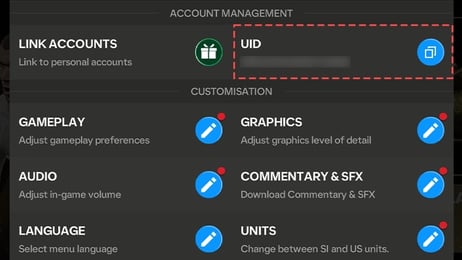
To ensure your points arrive on the correct profile, you must enter your exact alphanumeric User ID. Locating your UID takes only a few seconds within the game client:
- Open the EA Sports FC Mobile app on your mobile device.
- Tap the Settings (Gear Icon) in the top-right corner of the main home screen.
- Locate the User ID section displayed inside the settings menu (or under the Account / Customer Service tab).
- Tap the Copy button next to your UID string, or write it down exactly as shown.
- Paste your copied UID directly into the ArcTopup order form.
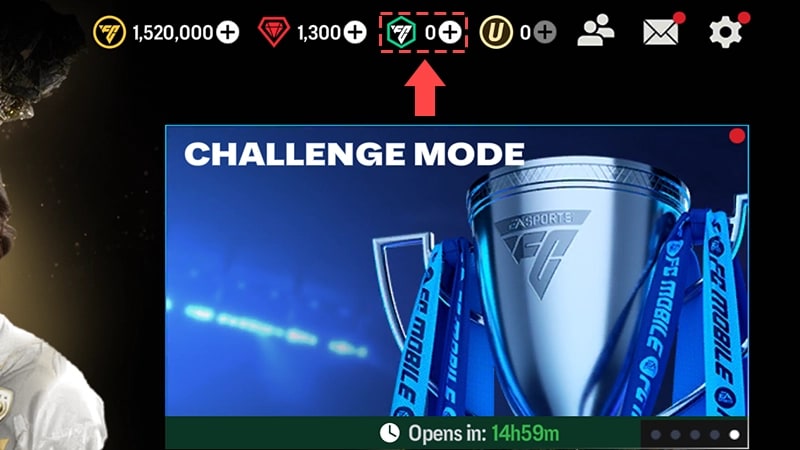
Make sure not to confuse your display username with your numeric/alphanumeric User ID. The delivery system routes your items solely through the registered UID.
FC Points vs. Silver: In-Game Uses and Star Pass Guide
EA Sports FC Mobile features two distinct premium currencies: FC Points and Silver. Understanding how each currency works helps you select the correct package for your team goals.
| Currency | Primary In-Game Purpose | Key Benefits | Direct Store Uses |
|---|---|---|---|
| FC Points | Premium store packs, Event node progression, Star Pass unlock | Fast player pack acquisition, stamina refills, exclusive seasonal store offers | Store promo packs, special transfer bundles, VIP event passes |
| Silver | Specialized item bundles, Star Pass level skips, tactical resources | Cost-effective alternative for targeted resource packs | Daily resource crates, Silver store tabs, event currency exchanges |
When to Buy FC Points
FC Points serve as the primary currency for opening premium player packs in the Store, skipping event timers, and buying the premium tier of the seasonal Star Pass. If your focus is securing high-OVR player cards during major live campaigns like Team of the Year (TOTY), Team of the Season (TOTS), or seasonal tournaments in 2026, FC Points give you direct access to top-tier promo packs.
When to Buy Silver
Silver acts as a versatile companion currency designed for specific resource conversions, targeted supply crates, and specialized bundle purchases. If you need targeted items from the Silver Store section without committing to large pack bundles, picking up Silver denominations allows you to manage micro-transactions efficiently.
Safe Top-Up Assurance: Why ArcTopup Never Asks for Your Password
Account safety is a core priority when buying game items online. ArcTopup uses a direct UID top-up system, which provides key security protections:
- Zero Password Sharing: You never need to provide your EA login, Google Play credentials, Apple ID, or backup security codes. Your account access remains entirely in your hands.
- No Risk of Account Takeover: Because no third party logs into your device or profile, your account cannot be compromised through credential misuse.
- Safe Infrastructure: Recharges are routed through direct account identifier matching, meaning your purchases follow proper server validation channels.
- Transparent Processing: Real-time order tracking allows you to see the exact status of your delivery from the moment payment completes.
EA Sports FC Mobile 2026 Package Tiers and Delivery Information
ArcTopup supports all standard denominations for EA Sports FC Mobile, updated for the 2026 live season. Whether you require a small Silver pack for a quick store exchange or a major FC Points bundle to prepare for weekend tournaments, options are available across multiple tiers:
- Micro Packs: Small FC Points and Silver bundles for daily event requirements or emergency stamina refills.
- Star Pass Bundles: Point denominations structured to unlock standard and premium Star Pass tracks immediately upon seasonal reset.
- High-Tier Bundles: Large-scale FC Points packages built for competitive squad building, pack openings, and elite transfer market preparations.
All current prices, regional payment options, and live currency conversions are calculated directly at the live checkout page prior to purchase.
Troubleshooting Delayed In-Game Currency Delivery
Deliveries on ArcTopup are processed immediately after payment verification. In rare instances where your balance does not update on your screen right away, follow these troubleshooting steps:
- Restart the Game Client: Close the EA Sports FC Mobile app completely from your background app manager, then reopen it. This forces the client to fetch updated profile data from the game servers.
- Check the In-Game Inbox: Some event-related items, Star Pass activations, or bonus currencies are routed to your in-game mailbox rather than directly to the upper balance counter. Open the Mail tab to claim any pending attachments.
- Verify Your Order UID: Check the order confirmation receipt sent by ArcTopup to confirm that the User ID entered matched your in-game profile.
- Contact Customer Support: If your currency has not reflected after a client restart, submit your ArcTopup Order ID and game UID to our 24/7 support team for immediate resolution.
Frequently Asked Questions
How do you get silver points in FC Mobile?
You can acquire Silver by purchasing Silver top-up bundles directly through ArcTopup using your User ID, or by earning limited quantities through specific in-game seasonal achievements and live event milestones.
How to get more FC Points in FC Mobile?
FC Points are a premium currency obtained by selecting an FC Points package on ArcTopup, entering your game UID, and completing checkout. The points are delivered directly to your in-game account balance.
What is the difference between FC Points and Silver in EA Sports FC Mobile?
FC Points are the primary currency used for purchasing store player packs, unlocking the premium Star Pass track, and participating in seasonal events. Silver is a secondary currency designed for targeted store bundles, specific resource crates, and auxiliary event item purchases.
Where can I find my User ID in EA Sports FC Mobile?
Open EA Sports FC Mobile, tap the gear icon in the top-right corner to open Settings, and locate your User ID on the settings dashboard. Tap the copy icon to copy your UID accurately.
Do I need to share my EA account login or password to recharge?
No. ArcTopup processes all EA Sports FC Mobile recharges using only your in-game User ID. You should never share your EA account password, email access, or verification codes.
How long does it take for FC Points and Silver to reflect in my game account?
Top-ups are sent to your account immediately after payment confirmation. Simply restart your FC Mobile application to see the updated balance in your profile.
Current packages and prices
Current base prices exclude Tax. Tax, payment fees and coupon adjustments are shown at checkout.
| Package | Price |
|---|---|
| 39 Silver | USD 0.44 |
| 40 FC POINTS | USD 0.44 |
| 99 Silver | USD 1.07 |
| 100 FC POINTS | USD 1.07 |
| 499 Silver | USD 5.16 |
| 520 FC POINTS | USD 5.21 |
| 999 Silver | USD 9.79 |
| 1070 FC POINTS | USD 9.79 |
| 1999 Silver | USD 20.70 |
| 2200 FC POINTS | USD 20.70 |
| 4999 Silver | USD 52.31 |
| 5750 FC POINTS | USD 52.31 |
| 9999 Silver | USD 104.63 |
| 12000 FC POINTS | USD 104.63 |
| 40 FC POINTS | USD 0.29 |
| 39 Silver | USD 0.29 |
| 99 Silver | USD 0.69 |
| 100 FC POINTS | USD 0.69 |
| 499 Silver | USD 3.50 |
| 520 FC POINTS | USD 3.50 |
| 999 Silver | USD 7.01 |
| 1070 FC POINTS | USD 7.01 |
| 1999 Silver | USD 14.04 |
| 2200 FC POINTS | USD 14.04 |
| 4999 Silver | USD 34.99 |
| 5750 FC POINTS | USD 34.99 |
| 9999 Silver | USD 70.11 |
| 12000 FC POINTS | USD 70.11 |
| 39 Silver | USD 0.41 |
| 40 FC POINTS | USD 0.41 |
| 99 Silver | USD 1.03 |
| 520 FC POINTS | USD 4.82 |
| 499 Silver | USD 4.82 |
| 999 Silver | USD 10.35 |
| 1070 FC POINTS | USD 10.35 |
| 2200 FC POINTS | USD 20.02 |
| 1999 Silver | USD 20.02 |
| 5750 FC POINTS | USD 47.63 |
| 4999 Silver | USD 47.63 |
| 9999 Silver | USD 102.88 |
| 12000 FC POINTS | USD 102.88 |
| 39 Silver | USD 0.41 |
| 40 FC POINTS | USD 0.41 |
| 99 Silver | USD 0.93 |
| 100 FC POINTS | USD 0.93 |
| 499 Silver | USD 4.71 |
| 520 FC POINTS | USD 4.71 |
| 1070 FC POINTS | USD 9.16 |
| 999 Silver | USD 9.24 |
| 1999 Silver | USD 19.14 |
| 2200 FC POINTS | USD 19.14 |
| 4999 Silver | USD 47.26 |
| 5750 FC POINTS | USD 47.26 |
| 9999 Silver | USD 97.15 |
| 12000 FC POINTS | USD 97.96 |