
Tango Live distributes client enhancements through rapid mobile releases rather than seasonal content patches, with official support roadmaps confirming that multi-device streaming tools will gain camera switching, flash control, and visual filters, while Android builds shift baseline requirements to Android 12L.
Tracking Tango updates often leads to confusion between mobile streaming releases and unrelated enterprise tools sharing the brand name. Confirmed details come directly from official help desk roadmaps, mobile store logs, and the Google Play testing track.
Confirmed Features Sourced from Tango Roadmaps
Official support documentation highlights dual-device production setups as the primary focus for upcoming broadcast upgrades.
Dual-Device Streaming Enhancements in BoarCast
Tango creators who broadcast with two devices use the BoarCast iOS client as the dedicated video capture device while managing room interactions, live chats, coin-gifting alerts, and administrative tools via Tango Web on a computer. In its current release, BoarCast operates strictly with the hardware's default lens, omitting lighting controls and augmented video effects.
According to the Tango Help Center, official enhancements for BoarCast will introduce:
- Camera switching: The ability to alternate between front and rear cameras during a stream without disconnecting.
- Integrated flash controls: Hardware illumination toggle within the broadcast interface.
- Video filters: Streamer-side visual styling applied directly inside the multi-device feed.
Interactive Monetization Mechanics
App builds continue to standardize direct viewer-broadcaster matching mechanics. Streamers can configure 1-on-1 video call matchmaking directly through discoverable live stream tiles. Platform rules require broadcasters to set these private call rates within a bracket of 500 to 3,000 coins per minute, as documented in platform overview data from Uptodown. Viewers spend Tango Live Coins to maintain these connections, send interactive gifts, participate in PK battles, and secure VIP community perks.


How to Preview Beta Releases on Android
Android broadcasters do not have to wait for general public app store pushes to evaluate new UI mechanics. Tango maintains an open beta channel through Google Play that distributes early client builds.
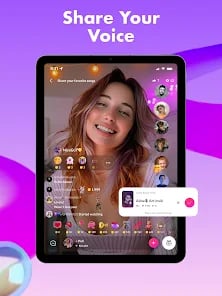
Enrolling in the testing track requires a specific sequence detailed by Tango Support:
- Delete the standard, currently installed Tango application from your Android device.
- Navigate to the official Tango Android Beta Testing portal.
- Tap the Become A Tester button.
- Select download it on Google Play to pull the active test build to your phone.
- Verify the client displays the beta channel tag inside the store listing before opening.
Test builds preview interface tweaks and gifting animations before public store deployment, but early versions can suffer from instability during live broadcasts.
Operating System Compatibility Shifts
Recent client builds raised the Android baseline significantly. Broadcasters on older hardware should verify OS requirements before pulling new packages.
| Build Version | Minimum OS Baseline | Release Date | Source |
|---|---|---|---|
| Version 9.77.7 | Android 12L or higher | September 18, 2026 | Uptodown |
| Version 9.76.6 | Android 12L or higher | September 12, 2026 | Uptodown |
| Version 9.75.7 | Android 12L or higher | September 9, 2026 | Uptodown |
| Version 9.74.6 | Android 12L or higher | August 31, 2026 | Uptodown |
| Version 9.72.6 | Android 8.0 or higher | August 15, 2026 | Uptodown |
Version 9.72.6, released August 15, 2026, supported devices running Android 8.0. Beginning with version 9.74.6 on August 31, 2026, and continuing through version 9.77.7 on September 18, 2026, the minimum OS requirement jumped to Android 12L. Devices running older Android distributions cannot parse or install packages from the 9.74.6–9.77.7 release cycle.
Manual APK Update Troubleshooting
Users who update outside Google Play by downloading standalone APK packages can install files directly over an existing installation without removing their account data, as confirmed by Tango's deployment guide.
If the package installer displays an App not installed error, the failure stems from two specific issues:
- Insufficient local storage: The device lacks enough free partition space to unpack and overwrite the installed binary.
- Excessive version gap: Overwriting a build that is several major revisions behind triggers package installer conflicts.
When a large version gap causes the installer to abort, back up login credentials, delete the outdated Tango build, and execute a fresh install of the new package.
Resolving Brand Name Contradictions
Online discussions often confuse Tango Live with separate software products using the same name. Broadcasters should disregard updates and patch notes from three unrelated companies:
- Tango Tango (tangotango.net): Version 4.0 releases represent enterprise push-to-talk and computer-aided dispatch (CAD) integrations designed for first responders, not live video streaming.
- Tango Card (tangocard.com): A corporate incentive, reward delivery, and digital gift card API platform.
- Tango AI (tango.ai): A workflow documentation platform that auto-generates how-to software guides.
All verified updates for the social video streaming service are hosted exclusively on tango.me, the Google Play Store, the iOS App Store, or authorized mirrors such as Uptodown.
Frequently Asked Questions
Can users install Tango APK updates over an older build without losing their account?
Yes. Opening the new APK file installs the update over the existing application without needing an uninstallation first, allowing you to sign back into the same account, provided there is enough storage and the existing version is not too old.
What are the platform limits for broadcaster 1-on-1 matchmaking rates?
Tango restricts video call rates to a range between 500 and 3,000 coins per minute, configured directly by the broadcaster on their live stream tiles.
Which Android version is required to run Tango 9.77.7?
Version 9.77.7 requires Android 12L or higher. Devices running older versions like Android 8.0 must use legacy builds such as 9.72.6 or update their operating system.






Comments