
Mico Live Coins Top Up: What Are Coins and How to Use Them
Mico Live Coins represent the primary digital currency within the Mico Live social and live streaming ecosystem. Users utilize these virtual coins to interact with broadcasters, build their community presence, and access premium social features across the platform.
When you top up Mico Live coins, you can spend your balance on several core activities:
- Virtual Gifting: Send expressive animated gifts, entry vehicles, luxury items, and screen effects to your favorite streamers during live video and audio broadcasts.
- PK Battles Support: Back your preferred creators during real-time live PK competitions to help them rank higher and win competitive challenges.
- VIP Privileges & Badges: Unlock exclusive profile frames, custom chat bubbles, enter-room effects, and premium standing in chat rooms.
- Audio Party Rooms: Participate in multi-guest voice rooms by sending room gifts, rewarding room hosts, and activating interactive mini-games.
Maintaining an active coin balance allows you to connect directly with global creators and stand out in high-traffic live streaming rooms.
How to Find Your Mico Live User ID
To complete your recharge without account sharing or login credentials, you only need your unique numeric User ID. Follow these steps to find it directly inside the mobile app:
- Open the Mico Live app on your iOS or Android device.
- Log into your account using your standard login method.
- Tap the Profile (or Me) icon located at the bottom right corner of the screen.
- Your numeric User ID appears directly beneath your profile avatar and display nickname (e.g., ID: 100234567).
- Tap the copy icon next to your ID number to copy it to your clipboard.
Always ensure you provide the numeric ID rather than your display nickname. Display names can change and contain special characters, whereas the numeric ID is fixed and guarantees direct delivery to your specific account.
Step-by-Step Guide to Top Up Mico Live Coins on ArcTopup
Recharging your Mico balance through ArcTopup is straightforward and secure. Follow this simple walkthrough:
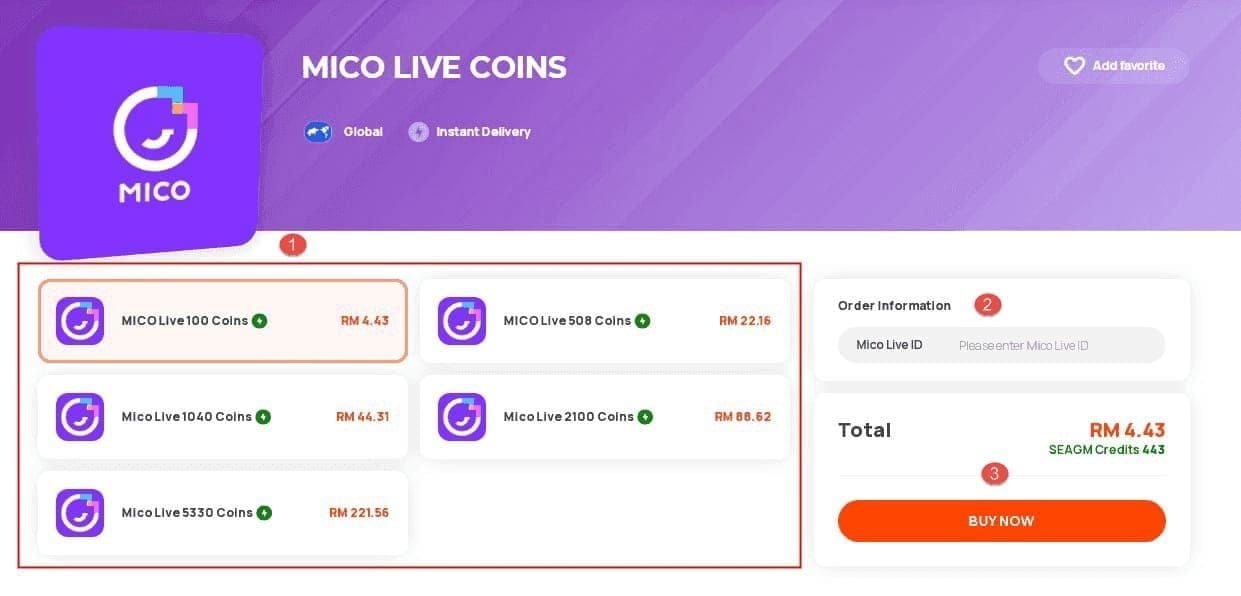
- Choose Your Coin Package: Browse the available Mico Live Coins denominations on ArcTopup and select the quantity you wish to purchase.
- Enter Your User ID: Paste your numeric Mico Live User ID into the designated input field.
- Confirm Details: Review the entered ID carefully to prevent crediting the wrong account.
- Proceed to Checkout: Choose your preferred payment option from the checkout screen and complete the transaction.
- Receive Your Coins: Once payment confirmation completes, the coins credit directly to your in-game wallet. Open Mico Live and refresh your profile wallet to view your updated balance.
Regional Account Compatibility and Server Guidelines
Mico Live operates across multiple international regions, connecting users throughout North America, South America, Europe (including DE and FR regions), the Middle East and North Africa (MENA), Turkey (TR), and Southeast Asia.
ArcTopup supports direct User ID crediting across standard global accounts. Check the overview below for server guidelines:
| Account Region | Required Crediting Info | Password Required | Processing Method |
|---|---|---|---|
| Global Accounts | Numeric User ID (UID) | No | Direct Server Credit |
| MENA Region | Numeric User ID (UID) | No | Direct Server Credit |
| Europe (DE / FR / UK) | Numeric User ID (UID) | No | Direct Server Credit |
| Turkey (TR) | Numeric User ID (UID) | No | Direct Server Credit |
| Friend / Third-Party Account | Recipient's Numeric UID | No | Direct Server Credit |
Because the crediting process relies strictly on the numeric ID, you can top up any valid Mico Live account regardless of your current physical location.
Secure Payment Options for Mico Recharge in 2026
Security and ease of use remain top priorities when purchasing digital goods online. ArcTopup provides a modern, protected checkout experience designed for 2026 standards:
- Passwordless Security: You never have to share your account password, email access, or two-factor authentication codes. Your account credentials stay entirely in your hands.
- Transparent Checkout: Live pricing, regional payment channels, and available coin tiers display clearly on the product page. Check the live checkout interface for current options and exchange rates.
- Data Protection: All transactions are processed through encrypted payment pathways to keep your financial and personal data safe.
Troubleshooting and Delivery Verification Tips
If you experience any delay or have questions about your top-up, use the following tips to verify your order:
- Refresh the App: Close Mico Live completely from your background applications, reopen it, and navigate to Profile > Wallet to see your refreshed balance.
- Check Your Numeric ID: Verify the order receipt to confirm that the User ID entered matches your in-app ID exactly. Because server top-ups process automatically, orders sent to an existing incorrect numeric ID cannot be recalled.
- Network Synchronization: High-traffic streaming hours can occasionally cause a momentary delay in wallet updates. Allow a couple of minutes for platform servers to sync.
- Customer Support Assistance: If your coins do not appear after completing the payment, reach out to ArcTopup customer support with your transaction order number for prompt verification.
Frequently Asked Questions
What is MICO recharge used for?
Mico recharge adds virtual coins to your account balance. These coins are used to send animated gifts to streamers, support creators in PK battles, unlock VIP profile decorations, access special chat frames, and join interactive activities in live audio and video rooms.
Where can I buy Mico coins online?
You can buy Mico coins online directly at ArcTopup. Select your desired coin package, submit your numeric User ID, and complete payment through secure checkout to receive your coins directly in your account.
How do I find my Mico Live User ID?
Open the Mico Live app, tap your profile icon in the bottom right corner, and find the numeric code displayed under your avatar labeled ID. Tap the copy icon next to the number to use it during checkout.
Do I need to provide my Mico account password to top up?
No. ArcTopup only requires your public numeric User ID to deliver your coins. Never share your account password, SMS verification codes, or social login credentials with anyone.
Can I top up Mico Live Coins for a friend?
Yes. To send coins to a friend or streamer, simply enter their numeric Mico Live User ID in the input field instead of your own. Once payment completes, the coins deposit directly into their account.
What should I do if my Mico Live coins have not arrived?
First, restart your Mico Live application and check your in-app wallet balance. If the coins are still not visible after a few minutes, verify your order details and contact ArcTopup customer support with your order number for quick assistance.
Current packages and prices
Current base prices exclude Tax. Tax, payment fees and coupon adjustments are shown at checkout.
| Package | Price |
|---|---|
| 352 Coins | USD 0.56 |
| 88 Coins | USD 0.68 |
| 445 Coins | USD 0.68 |
| 100 Coins | USD 0.77 |
| 102 Coins | USD 0.79 |
| 605 Coins | USD 0.93 |
| 900 Coins | USD 1.38 |
| 1,760 Coins | USD 2.69 |
| 2,500 Coins | USD 3.82 |
| 500 Coins | USD 3.85 |
| 510 Coins | USD 3.92 |
| 2,730 Coins | USD 4.17 |
| 3,520 Coins | USD 5.37 |
| 1,000 Coins | USD 7.70 |
| 5,200 Coins | USD 7.94 |
| 1,100 Coins | USD 8.46 |
| 5,580 Coins | USD 8.51 |
| 1,140 Coins | USD 8.77 |
| 6,500 Coins | USD 9.92 |
| 7,500 Coins | USD 11.44 |
| 8,550 Coins | USD 13.04 |
| 10,560 Coins | USD 16.11 |
| 2,200 Coins | USD 16.92 |
| 2,260 Coins | USD 17.38 |
| 15,600 Coins | USD 23.80 |
| 3,300 Coins | USD 25.38 |
| 3,390 Coins | USD 26.07 |
| 21,120 Coins | USD 32.21 |
| 4,400 Coins | USD 33.83 |
| 26,250 Coins | USD 40.04 |
| 5,500 Coins | USD 42.29 |
| 5,700 Coins | USD 43.83 |
| 31,500 Coins | USD 48.04 |
| 31,680 Coins | USD 48.32 |
| 6,600 Coins | USD 50.75 |
| 7,700 Coins | USD 59.21 |
| 8,700 Coins | USD 66.90 |
| 8,800 Coins | USD 67.66 |
| 9,040 Coins | USD 69.51 |
| 47,700 Coins | USD 72.75 |
| 53,000 Coins | USD 80.83 |
| 11,000 Coins | USD 84.58 |
| 11,100 Coins | USD 85.35 |
| 11,500 Coins | USD 88.43 |
| 108,000 Coins | USD 164.71 |
| 22,000 Coins | USD 169.16 |
| 22,200 Coins | USD 170.69 |
| 22,800 Coins | USD 175.31 |
| 162,000 Coins | USD 247.06 |
| 33,000 Coins | USD 253.74 |
| 33,900 Coins | USD 260.66 |
| 275,000 Coins | USD 419.39 |
| 55,000 Coins | USD 422.89 |
| 56,500 Coins | USD 434.42 |
































































