Nivi Top Up: How to Top Up Nivi Using Your UID
Getting a Nivi top up on ArcTopup is straightforward and designed for quick processing. Because our system connects directly with public user profiles, you do not need to share sensitive account login details. Follow these direct steps to complete your purchase:
- Select Your Item: Browse the available Nivi balance denominations on the live product grid above and select the package you wish to purchase.
- Enter Your Account UID: Input your unique Nivi User ID (UID) into the designated player field. Double-check the digits to ensure accurate delivery.
- Proceed to Checkout: Click the checkout button to review your order details and see the live price calculation.
- Select a Payment Method: Choose your preferred payment option from the available channels displayed on the checkout screen.
- Complete the Transaction: Follow the on-screen payment instructions. Once the transaction clears, the system initiates delivery directly to your Nivi profile.
Step-by-Step Guide: Finding Your Nivi Account UID
To ensure your recharge reaches the correct destination, you must enter your exact Nivi UID. The User ID is a unique numerical identifier assigned to your account upon registration.
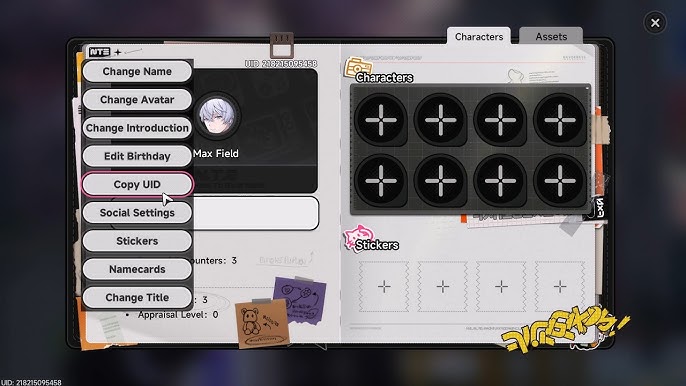
Follow this simple guide inside the Nivi app to locate your UID:
- Launch the Nivi application on your mobile device and log in to your account.
- Tap the Profile or Me tab located in the bottom navigation bar.
- Locate your user avatar and profile name near the top of the screen.
- Directly beneath or beside your display name, find your UID (a sequence of numbers).
- Tap the Copy icon next to the number, or write down the exact sequence carefully so you can paste it into the ArcTopup order field.
Secure UID Recharge: Keeping Your Account Safe Without Passwords
Account safety is a top priority for every digital user. ArcTopup uses a direct UID-based delivery architecture that eliminates account vulnerability risks.
- No Password Required: You will never be asked for your Nivi account password, email login, or two-factor verification codes.
- No Account Sharing: Your personal data, private messages, and account settings remain entirely under your control.
- Safe Public ID Routing: Direct UID top-ups function similarly to transferring credit to a phone number or public username, meaning your personal profile cannot be accessed or compromised by third parties.
By using ArcTopup for your Nivi recharge online, you protect your account credentials while securing quick balance updates.
Checking Your Nivi Balance and Delivery Status
After completing your purchase on ArcTopup, tracking your order and verifying your in-app balance takes only a moment.
Order Verification Checklist
| Verification Step | What to Check | Expected Outcome |
|---|---|---|
| ArcTopup Status | Check your order confirmation page | Status displays as completed/success |
| UID Verification | Compare order receipt UID with app UID | Numbers must match identically |
| In-App Wallet | Check the balance section in Nivi | Updated total reflecting the purchased pack |
| App Refresh | Restart or reload the Nivi app | Cached figures clear and show updated balance |
If your order shows completed on ArcTopup but your in-app balance has not updated immediately, close the Nivi app completely from your device task manager and open it again. This forces the app to fetch the latest balance from the server.
Supported Payment Options and Global Checkout on ArcTopup
ArcTopup provides a streamlined, multi-currency checkout platform tailored for global community access. Depending on your region, you can access various secure payment gateways directly on the live checkout screen.
- Transparent Pricing: Current prices, currency conversions, and applicable regional fees are displayed in real time on the live checkout interface before you confirm payment.
- Secure Payment Processing: Every transaction is handled through encrypted payment gateways to ensure data privacy.
- Global Availability: Whether you are purchasing for yourself or recharging an account for a friend in another region, ArcTopup accepts payments worldwide.
Select your product above, proceed to checkout, and choose the payment option that fits your location.
Troubleshooting Common Nivi Top-Up Issues
While most transactions process smoothly, occasional network or input issues can occur. Here is how to resolve them quickly:
- Incorrect UID Input: If you entered the wrong UID during checkout, contact ArcTopup customer support immediately with your transaction receipt. If the order has not yet been processed by the automated system, support can assist with corrections. Note that orders already delivered to an active wrong UID cannot be reversed.
- Pending Payment Status: If your payment gateway shows funds deducted but the ArcTopup status remains pending, wait a few moments for the bank or payment processor to send confirmation to the order system.
- In-App Cache Delay: On rare occasions, your app balance might not refresh due to local device caching. Log out of Nivi, close the application, reopen it, and log back in to check your updated wallet.
- Need Further Help?: If your transaction shows complete on ArcTopup but does not appear after restarting your app, prepare your ArcTopup Order ID, payment proof, and a screenshot of your in-app Nivi profile showing your UID, then reach out to customer support.
Frequently Asked Questions About Nivi Recharge
How do I find my Nivi UID for top-up?
Open the Nivi app, navigate to your profile by tapping the user icon in the bottom menu, and locate the numeric UID displayed beneath your display name. Tap the copy icon next to it to copy your ID accurately.
Do I need to share my Nivi account password to recharge?
No. ArcTopup only requires your numeric Nivi UID to credit your balance. Never share your password, login tokens, or authentication codes with anyone.
How long does it take for Nivi balance to reflect in my account?
Balance updates are processed automatically following payment confirmation. In most cases, the credits appear in your Nivi wallet shortly after the transaction is marked complete. A quick app restart ensures the balance refreshes properly.
Can I top up Nivi for another user using their UID?
Yes. You can buy Nivi balance for friends, family, or content creators. Simply enter their correct Nivi UID into the player field during the ordering process on ArcTopup.
What payment methods are supported for Nivi recharge?
ArcTopup supports a wide selection of international and regional payment methods. You can view all available checkout options and live pricing by selecting your desired package and proceeding to the checkout screen.
What should I do if my Nivi recharge has not arrived?
First, restart your Nivi app to clear any cached data. If the balance still does not show up, check your ArcTopup order status. If the order is marked successful but you cannot see the credits, contact ArcTopup support with your Order ID and a screenshot of your Nivi profile UID.
Current packages and prices
Current base prices exclude Tax. Tax, payment fees and coupon adjustments are shown at checkout.
| Package | Price |
|---|---|
| Nivi - Nivi*10000 | USD 2.06 |
| Nivi - Nivi*15000 | USD 3.09 |
| Nivi - Nivi*20000 | USD 4.12 |
| Nivi - Nivi*25000 | USD 5.15 |
| Nivi - Nivi*50000 | USD 10.29 |
| Nivi - Nivi*100000 | USD 20.58 |
| Nivi - Nivi*500000 | USD 102.92 |
| Nivi - Nivi*1000000 | USD 205.83 |
| Nivi - Nivi*5000 | USD 1.03 |






























































