Locate your One Punch Man: The Strongest UID and server name in seconds. Tap your lobby avatar, copy your account digits, and claim your rewards easily.
Missing a single digit or mistaking your server name delays reward delivery and causes web redemption tools to reject your account entirely. Whether you are claiming gift codes, registering for community tournaments, or buying recruit packs, having your exact account numbers on hand prevents delivery failures.
The steps below walk through opening your profile overview, locating your numeric UID, confirming your server name, and copying your credentials straight to your mobile clipboard.
Exactly Where to Find One Punch Man The Strongest UID
Your user ID is stored directly inside your profile menu. You do not need to scroll through system settings or search combat logs to find it. Everything is accessible from the main lobby screen.
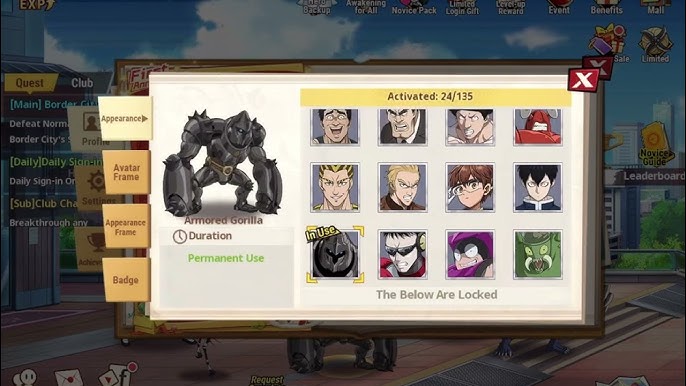
Follow these steps to open the correct menu:
- Launch the game and load into the main city lobby.
- Tap your character avatar portrait in the upper-left corner of the screen.
- Review the profile summary pop-up window that appears over the lobby.
- Locate your numeric UID printed beside or beneath your displayed player name.
Once the profile overlay opens, your numeric UID appears as a distinct sequence of numbers. Unlike your player nickname, which can be modified using rename cards or reset during specific account events, this numeric string never changes. It is permanently tied to your save data on that specific server cluster.
During special event periods, players often ask where is avatar profile in opm the strongest when custom lobby art appears. Seasonal visual themes and holiday skins never move this icon. Even when limited-time celebrations change the background artwork, the circular avatar portrait stays fixed in the upper-left corner.

13 Coupons
 13 CouponsUSD 1.23Buy Now
22 Coupons
22 CouponsUSD 1.72Buy Now23 Coupons
23 CouponsUSD 2.30Buy Now54 Coupons
54 CouponsUSD 4.29Buy Now61 Coupons
61 CouponsUSD 6.14Buy Now107 Coupons
107 CouponsUSD 8.59Buy Now91 Coupons
91 CouponsUSD 9.21Buy Now214 Coupons
214 CouponsUSD 17.17Buy Now227 Coupons
227 CouponsUSD 23.01Buy Now321 Coupons
321 CouponsUSD 25.76Buy Now2669 Coupons
2669 CouponsUSD 214.63Buy Now8007 Coupons
8007 CouponsUSD 654.24Buy Now16013 Coupons
16013 CouponsUSD 1308.47Buy Now
Copying Your Player ID and Identifying Your Server Name
Manually typing an eight- to ten-digit numeric string on a touch keyboard frequently leads to mistakes. A single transposed number can credit an unintended account or cause an immediate transaction error. Fortunately, the client includes an integrated tool to copy your digits accurately.
Directly next to your numeric UID, you will see a small clipboard icon. Tapping this icon copies your full ID string to your device clipboard. A brief confirmation prompt will verify the action. From there, you can switch to a browser or message field and paste the sequence cleanly. Using this one punch man the strongest copy uid feature saves time and prevents manual entry mistakes on web forms.
Identifying your server name requires checking the text right below or beside your UID in that same profile view. The game clearly displays your current server assignment (such as Server 120 or an equivalent regional designation). On external portals, this designation is commonly labeled as your Server ID or SID.
Why does the SID matter? PlayCrab built the game's backend on isolated server clusters. While publisher FingerFun Limited distributes the title across multiple territories, individual character databases remain completely separate. Your numeric UID only identifies your profile if the external system knows which server cluster hosts it. Providing a UID without its corresponding server leaves automated delivery systems unable to locate your character.
Regional Server Partitions: Global vs SEA Architecture
Regional boundaries represent another common hurdle for mobile players. One Punch Man: The Strongest operates across separate regional clients, primarily divided between Global and Southeast Asia (SEA) distributions.
These versions rely on completely independent databases. An account created on a Global server does not exist anywhere within the SEA infrastructure. Even if two accounts happen to share the same numeric UID sequence across regions, their profiles never interact. Active gift codes, promotional bundles, and web shop transactions remain strictly segregated between these regional partitions.
If an online guide lists a promotional code as universal, verify your server region before trying to redeem it. Gift codes generated for the SEA client will fail on Global builds, and Global codes will not register on SEA apps. Always verify which regional build you installed before submitting account information to third-party redemption pages.
Account Specifications and Social List Limits
Your profile overlay handles more than raw identification numbers. It connects straight to your daily resource loops and social roster. Adding active friends allows you to trade daily Stamina, which directly fuels your campaign sweeps and character upgrade grinds.
The game enforces strict capacity caps on your contact lists to keep server databases responsive. Once your directories hit maximum capacity, you cannot accept new friend requests until you clear inactive players from your roster.
The table below outlines the hard storage caps for your in-game player directories.
| Directory Category | Maximum Capacity | Functional Purpose |
|---|---|---|
| Friend List | 50 players | Mutual daily Stamina exchanges and direct friendly sparring. |
| Stranger Directory | 50 players | Temporary holding queue for recently encountered players before sending invites. |
| Blacklist | 100 players | Blocks specified user accounts from direct chat dialogues and invites. |
Every slot on your Friend List represents daily energy, so pruning inactive entries ensures you collect the maximum possible Stamina gifts each day.
Beyond basic friend lists, collaborative Club activities unlock once your account reaches level 20. Reaching level 20 grants access to shared Club bosses, community quests, and exclusive shop inventories. Searching for active players by their exact player name or numeric UID remains the most reliable way to build a competitive Club roster.
Redeeming Gift Codes and Collecting Delivery Items
Many players look up their account credentials specifically to redeem promotional codes. The redemption interface is built directly into the profile window rather than placed within separate system menus.
To redeem an active gift code:
- Open your profile overlay by tapping your avatar icon in the lobby.
- Locate the Gift Code button placed beside your profile account icon.
- Tap the button to bring up the text entry field.
- Paste or type your active promotional code.
- Press confirm to submit the code to the game server.
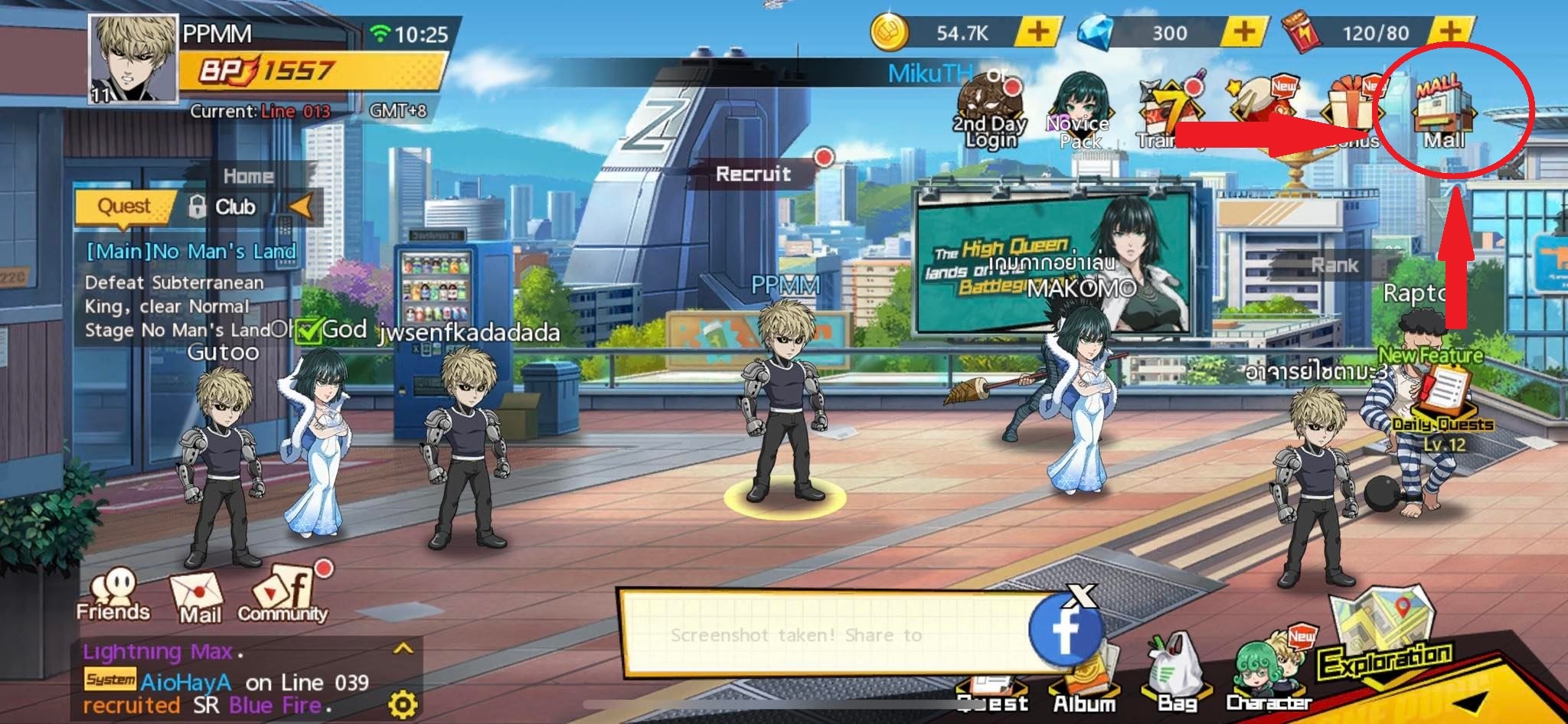
Once submitted, items do not drop directly into your inventory bag. The game routes all promotional rewards, server compensation packages, and external purchases straight to your in-game mailbox.
Look at the main lobby screen for a small envelope icon indicating incoming mail. Tap that mail icon, open the delivery message, and tap the claim button. If you complete a code redemption or top-up while the game is running, return to the lobby screen or restart the client to force a mailbox refresh.
Currency Economics: Coupons, Funds, and Recruitment Vouchers
Understanding how currencies convert prevents wasteful spending. The primary premium currencies in One Punch Man: The Strongest are Coupons, Funds, and Gems.
Coupons serve as the top-tier conversion resource purchased through external billing. The standard baseline recharge rate converts at 1 USD for 7 Coupons. These Coupons convert directly into in-game Funds at a 1:1 ratio. You can spend Funds to purchase daily supply packs, stamina refills, or specialized recruitment tokens.
If you want to secure extra pulls before a banner rotation closes, you can buy One Punch Man: The Strongest Coupons to boost your resource balance.
Recruiting top-tier heroes requires specific token grades. The game separates summoning items into five distinct voucher types depending on the banner tier you target.
The breakdown below shows how premium resources and recruitment items function across the game economy.
| Currency / Token Name | Acquisition Source | Primary Usage |
|---|---|---|
| Coupons | External web recharge | Direct 1:1 conversion into Funds or direct pack purchases. |
| Funds | Converted from Coupons | Purchasing stamina, specialized bundles, and voucher crates. |
| Epic Voucher | Event rewards & shop packs | Standard summoning pool for baseline SR and SSR units. |
| Elite Voucher | Story milestones & Funds | Advanced hero recruitment pools with higher SSR drop odds. |
| Limited Voucher | Timed events & premium trade | Pulling rate-up banner characters during exclusive event windows. |
| Superb Voucher | High-tier event milestones | Specialized summons for select banner variants and support units. |
| Ascension Voucher | Late-game challenges | Powering character awakening trees and late-stage limit breaks. |
Saving Limited and Ascension Vouchers guarantees you can pull and upgrade newly released meta units during dedicated banner rotations without draining regular resource reserves.
Mobile Client Compatibility and Emulator Performance
One Punch Man: The Strongest is built to run across a wide range of mobile devices. Minimum specifications allow the client to launch on devices running Android 4.2 or 4.2.2. However, attempting to clear late-game content on older hardware leads to noticeable frame drops and crashes.
Modern gameplay modes push mobile hardware considerably harder than the early campaign stages. Team battles place six units across two rows—three front-line defenders to absorb hits and three back-row damage dealers. When multiple units trigger their ultimate animations with full visual effects, budget chipsets struggle to maintain stable framerates.
If you run the game on a desktop emulator, official documentation recommends allocating system resources to emulate Android 12 through Android 15 environments. A modern emulator environment maintains consistent performance during competitive battles and complex scenarios.
The following table contrasts the game's operational boundaries, combat limits, and system parameters.
| Technical Parameter | Specification Limit | Operational Impact |
|---|---|---|
| Minimum Mobile OS | Android 4.2 / 4.2.2 | Baseline requirement to install and launch the APK package. |
| Recommended Emulator OS | Android 12 to 15 | Eliminates interface stutter during high-density combat animations. |
| Combat Grid Structure | 6 units (3 front, 3 back) | Dictates hero positioning, targeting priority, and line defense. |
| Club System Unlock | Account Level 20 | Gated requirement to access guild bosses and shared community shops. |
Running the client on an updated operating system ensures smooth performance across demanding game modes like Peak Arena, Conqueror's Challenge, Saitama Battle Mode, Martial Dojos, and Endless Battle Zones.
Troubleshooting UID Errors and Transfer Failures
When you submit your account details on an external form and items fail to arrive, the issue almost always stems from one of three common errors.
First, check whether you selected the right server. If your character is on Server 45, but you accidentally select Server 54 from a dropdown list, the transaction will route to an empty account or fail validation. Always match the displayed server name in your avatar profile exactly with the server selection on the form.
Second, avoid entering your UID by hand. It is easy to mistake an "8" for a "0" or drop the final digit when switching between apps. Always use the built-in copy button next to your UID line.
Before you submit your payment on any external portal, check your profile digits carefully, then head to the One Punch Man: The Strongest web shop to paste your exact ID.
Third, check your in-game mailbox status. If an external delivery confirms successful completion on the web portal, but your inventory screen shows nothing new, do not worry. Items never deposit directly into your hero bag. Return to the main lobby, look for the envelope icon, and open your mail. If the inbox appears empty, close the app completely and relaunch it to force a fresh handshake with the game server.
FAQ
Where is my One Punch Man The Strongest UID located?
Tap your player avatar in the top-left corner of the main lobby screen to open your profile overview. Your numeric UID is displayed directly beneath or next to your player name alongside a dedicated copy button.
What is the difference between my UID and Server ID (SID)?
Your UID is a unique numerical string that identifies your specific player account. Your SID indicates the exact regional server cluster hosting your character profile and game progress.
Why do recharge portals require both my UID and server name?
Account profiles are partitioned across isolated server clusters rather than a single database. Providing both values ensures that currency deliveries route directly to your specific character instead of an empty profile on another server.
Can I copy my UID directly to my phone clipboard?
Yes, tapping the small clipboard icon next to your numeric UID in the profile screen copies the entire sequence instantly. This prevents manual typing mistakes when submitting account information on redemption websites.
Where do items go after completing an external recharge?
Purchased items and promotional rewards are delivered directly to your in-game mailbox. You must return to the main lobby, tap the mail envelope icon, and manually claim your items.
Do Global and Southeast Asia (SEA) accounts share the same UID?
No, the Global and SEA versions of the game run on completely distinct server architectures managed under separate databases. An account UID created on a Global server will not exist or register on the SEA game client.
At what level do Clubs unlock in One Punch Man: The Strongest?
Clubs unlock once your team achieves account level 20. Joining an active Club opens up exclusive guild quests, shared community bosses, and dedicated Club shop inventories.
Final Verification Checklist
Locating your player credentials in One Punch Man: The Strongest takes less than five seconds once you know where to tap. Keep your lobby avatar in sight, use the native clipboard button to prevent typos, and always confirm your server name before filling out any registration or reward form.
Taking a moment to confirm these two details protects your account from failed transactions and missing items. Grab your character digits, double-check your server tag, and use the One Punch Man: The Strongest top-up service whenever you want supplies delivered straight to your mailbox.





Comments