Delta Force Delta Coins Top Up: Direct In-Game Recharge
Delta Force provides intense tactical military combat across expansive multiplayer warzones and high-stakes extraction maps. Delta Coins are the primary premium currency used to acquire premium Battle Passes, character cosmetics, weapon blueprints, and tactical customization bundles.
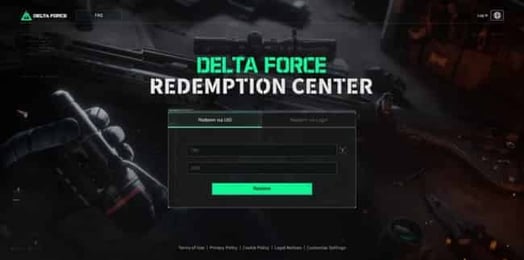
ArcTopup offers a direct, secure method for your Delta Force Delta Coins top up. You only need your in-game Player ID to receive coins directly into your game account. You do not need to share your login credentials or account passwords at any point.
How to Top Up Delta Force Delta Coins with Player ID
Recharging your Delta Force balance takes just a few steps. Follow this guide to complete your order on ArcTopup:
- Select the Coin Pack: Choose the Delta Coins denomination that matches your in-game needs from the list above.
- Enter Your Player ID: Input your Delta Force Player ID in the designated account field. Double-check your numbers to ensure accuracy.
- Review Current Rates: Check the real-time pricing and payment channels available on the checkout screen.
- Complete Payment: Confirm your order through your preferred payment method.
- Check Your In-Game Balance: Delta Coins are credited directly to your account. Launch or restart Delta Force to see your updated balance.
Where to Find Your Delta Force Player ID In-Game
Your Player ID is a unique numeric identifier linked to your profile. You need this number to direct your top-up to the right account.
- Launch Delta Force on your PC, mobile device, or console.
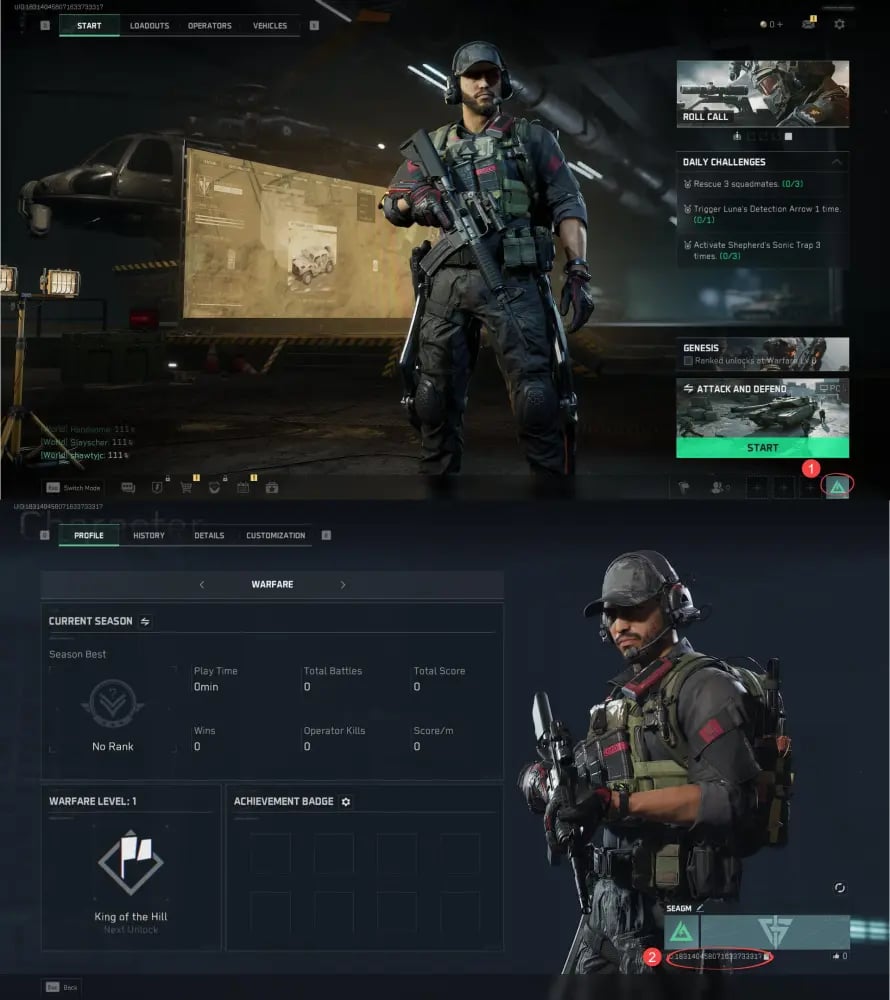
- In the main menu lobby, click or tap your Avatar/Profile icon located in the top-left corner of the screen.
- Open the Basic Info tab on your personal profile page.
- Locate your Player ID (UID) displayed directly below your operator name.
- Click the Copy icon next to the number to paste it accurately during checkout.
Cross-Platform Wallet Synchronization
Delta Force supports cross-progression across PC, mobile, and console platforms when your game account is linked under the same central publisher profile. When you top up your Delta Coins using your numeric Player ID on ArcTopup, your currency balance syncs to that specific game profile. Always confirm that your client is linked to your main profile before completing an order.
What Are Delta Force Delta Coins Used For: Battle Pass, Bundles, and Blueprints
Delta Coins grant immediate access to the seasonal content and tactical store inventory across the entire Delta Force ecosystem:
- Black Hawk & Seasonal Battle Passes: Unlock the premium reward track each season to earn exclusive operator skins, XP boosts, weapon camos, and weapon tokens.
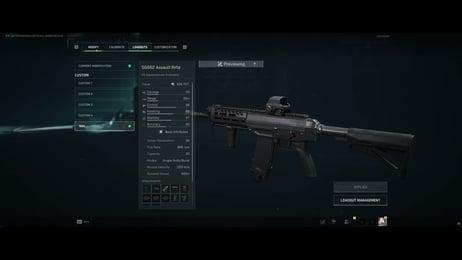
- Weapon Blueprints & Skin Bundles: Purchase specialized tactical blueprints featuring custom attachments, distinct optic reticles, and unique visual weapon finishes.
- Operator Outfits & Camouflages: Equip your favorite assault, engineer, recon, and support operators with specialized military gear and tactical camos.
- Tactical Utility Items & Crates: Access store-exclusive crates and supply packs that provide custom player banners, finishing moves, and cosmetic vehicle skins.
Delta Force Warfare vs Operations: Best Uses for In-Game Currency
Delta Force separates its tactical gameplay into distinct game modes, each offering different ways to show off your customizations and gear.
| Game Mode | Primary Gameplay Focus | Best Use of Delta Coins |
|---|---|---|
| Havoc Warfare | Large-scale 32v32 combined-arms combat | Vehicle cosmetics, operator skins, universal assault rifle blueprints |
| Hazard Operations | High-stakes tactical extraction and looting | Specialized operator gear, weapon inspect charms, custom utility camos |
| Black Hawk Down (Campaign) | Narrative-driven co-op tactical missions | Themed historical skins, campaign-exclusive cosmetic rewards |
In Havoc Warfare, weapon blueprints and heavy vehicle camos provide strong visual presence on large battlefields. In Hazard Operations, acquiring subtle camouflage sets and clear optic blueprints ensures clean visibility during extraction shootouts.
Account Security: Safe Top-Up Without Sharing Passwords
Account safety is a top priority when purchasing in-game currency. Traditional account-sharing methods—such as letting third parties log into your game—violate terms of service and expose your personal data to theft.
ArcTopup uses a direct Player ID fulfillment process:
- No Passwords Required: You never provide passwords, email verification codes, or two-factor authentication prompts.
- Zero Account Access: The top-up is processed through authorized system channels directly to your UID without anyone logging into your game client.
- Anti-Ban Protection: Because our top-up methods adhere to standard external recharge protocols, your account stays protected from unauthorized access penalties.
Delta Coins Pricing and Bundle Delivery Troubleshooting
Real-time exchange rates, local currency options, and pack variations are displayed live on the checkout screen. If you experience an issue after placing an order, review these standard troubleshooting steps:
Preventing Common First-Time Top-Up Errors
- Typos in Player ID: Always use the in-game copy button rather than typing numbers manually. Entering an incorrect ID can send coins to another player.
- Client Cache Delays: If your coin balance does not update instantly, return to the main menu or restart the game client to refresh the server connection.
- Regional Server Selection: Ensure your device is logged into your active game region so the server syncs incoming transactions promptly.
For persistent issues, ArcTopup customer support is available 24/7 to review your order reference number and verify transaction status.
Frequently Asked Questions
How to top up in Delta Force?
Select your Delta Coins pack on ArcTopup, input your in-game Player ID, choose your payment option, and complete the purchase. The coins are added directly to your in-game account.
Where can I find my Delta Force Player ID?
Open Delta Force, tap your profile avatar in the top corner of the main lobby, and open the Basic Info section. Your Player ID is the numeric code listed beneath your username.
How can I buy Delta Coins for Delta Force safely?
Use a direct UID recharge platform like ArcTopup. This method requires only your public Player ID, keeping your login credentials and personal passwords completely private.
Do I need to share my password to top up Delta Coins?
No. ArcTopup never asks for your password, email login, or two-factor authentication codes. You only need to provide your numeric Player ID.
What can I buy with Delta Coins in Delta Force?
Delta Coins can be spent in the in-game store on seasonal Battle Passes, tactical weapon blueprints, operator skins, vehicle camos, and cosmetic supply bundles.
Is there a way to get Delta Coins for free?
Free currencies in Delta Force are limited to standard in-game reward points earned through mission completion and free Battle Pass tiers. Delta Coins are premium currency obtained through official recharge systems.
How long does it take for Delta Coins to arrive after top-up?
Transactions are processed immediately. In most cases, Delta Coins appear in your game balance within a few minutes after payment confirmation. Restart your game client to refresh the display.
Current packages and prices
Current base prices exclude Tax. Tax, payment fees and coupon adjustments are shown at checkout.
| Package | Price |
|---|---|
| 60 Delta Coins | USD 0.67 |
| 300 Delta Coins | USD 3.39 |
| 420 Delta Coins | USD 4.93 |
| 680 Delta Coins | USD 6.79 |
| 1280 Delta Coins | USD 13.57 |
| 1680 Delta Coins | USD 16.96 |
| 3280 Delta Coins | USD 33.92 |
| 6480 Delta Coins | USD 67.85 |