Clash Royale Gems Top Up on ArcTopup
Clash Royale Gems are the premium currency required to upgrade cards, collect tower cosmetics, join competitive challenges, and accelerate account progression. Whether you want to open chests instantly or secure top-tier rewards in global tournaments, topping up gems provides immediate access to high-value in-game assets.
ArcTopup offers a direct, secure method to recharge Clash Royale Gems. You only need to provide your SuperCell Email and Role ID to complete an order. Transactions are processed directly to your account identifier, removing the need to share private login credentials or sensitive passwords.
How to Top Up Clash Royale Gems on ArcTopup
To complete your Clash Royale gem purchase quickly, follow this straightforward guide:
- Select Your Gem Pack: Browse the available gem bundles on ArcTopup and choose the quantity you need.
- Enter Player Information: Input your registered SuperCell Email in the primary field. Provide your Role ID (Player Tag) if prompted to ensure exact account targeting.
- Confirm Order Details: Double-check your email spelling and Role ID tag so the gems are credited to the correct game profile.
- Complete Checkout: Choose your preferred payment method on the checkout screen and finalize the transaction.
- Receive Your Gems: Once the order status updates to completed, launch Clash Royale on your mobile device to verify your updated gem balance.
Clash Royale Gems and Diamond Pass Overview
Gems serve as the universal currency across the entire Clash Royale ecosystem. While gold is used for routine card level upgrades, gems unlock exclusive content, speed up reward cycles, and let you re-enter high-stakes events.
| Gem Package | Common In-Game Application |
|---|---|
| 80 – 500 Gems | Classic Challenges, Emotes, Special Event Re-entries |
| 1,200 – 2,500 Gems | Grand Challenge runs, Tournament Bonus Rewards, Chest Boosts |
| 6,500 – 14,000 Gems | Massive Card Evolution progression, High-Tier Chests, Shop Bundles |
Note: Live pack prices, active regional pricing, and bundle promotions are displayed directly on the ArcTopup product selection panel above.
Gems vs. The Diamond Pass
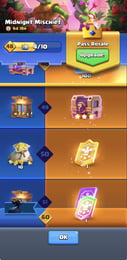
The Diamond Pass represents the premium seasonal track in Clash Royale, granting animated tower skins, premium emotes, Magic Coins, Wild Shards, and queued chest unlocks. While the Diamond Pass provides a month-long drip feed of battle pass progression, direct Gem top-ups give you flexible, on-demand purchasing power for challenges, shop deals, and instant unlocks whenever you need them.
Best Ways to Use Gems in Clash Royale
Using your gems efficiently maximizes your card collection speed and overall competitive ranking. Here are the highest-return ways to spend your gems in 2026:
1. Global Tournament Bonus Rewards
Reaching 10 to 15 wins in official Global Tournaments gives you the option to unlock the Bonus Reward track for 500 gems. This track consistently yields the highest gold-to-gem and card-to-gem value in the entire game, often awarding Champion Wild Cards, Legendary Kings Chests, and Trade Tokens.
2. Grand Challenges and Classic Challenges
For skilled competitive players, Grand Challenges (100 gems) and Classic Challenges (10 gems) deliver immense card counts and gold rewards. Completing a 12-win Grand Challenge provides 22,000 gold and 1,100 cards, making it an exceptional return on investment for dedicated tournament-standard deck masters.
3. Limited-Edition Shop Emotes and Tower Skins
Emotes allow you to express yourself in the arena, while exclusive cosmetics personalize your towers. Shop emotes cost 250 gems each. Picking up your favorite animated emotes when they appear in the daily rotation is a popular way to spend non-progression gems.
4. Bypassing Chest Unlock Timers
During seasonal Trophy Road or Path of Legends pushes, spending a small quantity of gems to open full chest slots immediately keeps your cycle moving and prevents wasted battle rewards.
Finding Your SuperCell Email and Role ID
To ensure your recharge reaches your Clash Royale account without delay, enter the correct SuperCell Email linked to your game, along with your player Role ID.
How to locate your SuperCell Email:
- Open Clash Royale on your mobile phone or tablet.
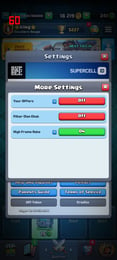
- Tap the three horizontal lines (Menu icon) in the top-right corner of the main battle screen.
- Tap Supercell ID (or the blue Supercell ID icon near the top).
- Tap the Settings Gear inside the Supercell ID interface.
- Look under the Connected section to see the exact email address linked to your Clash Royale game profile.
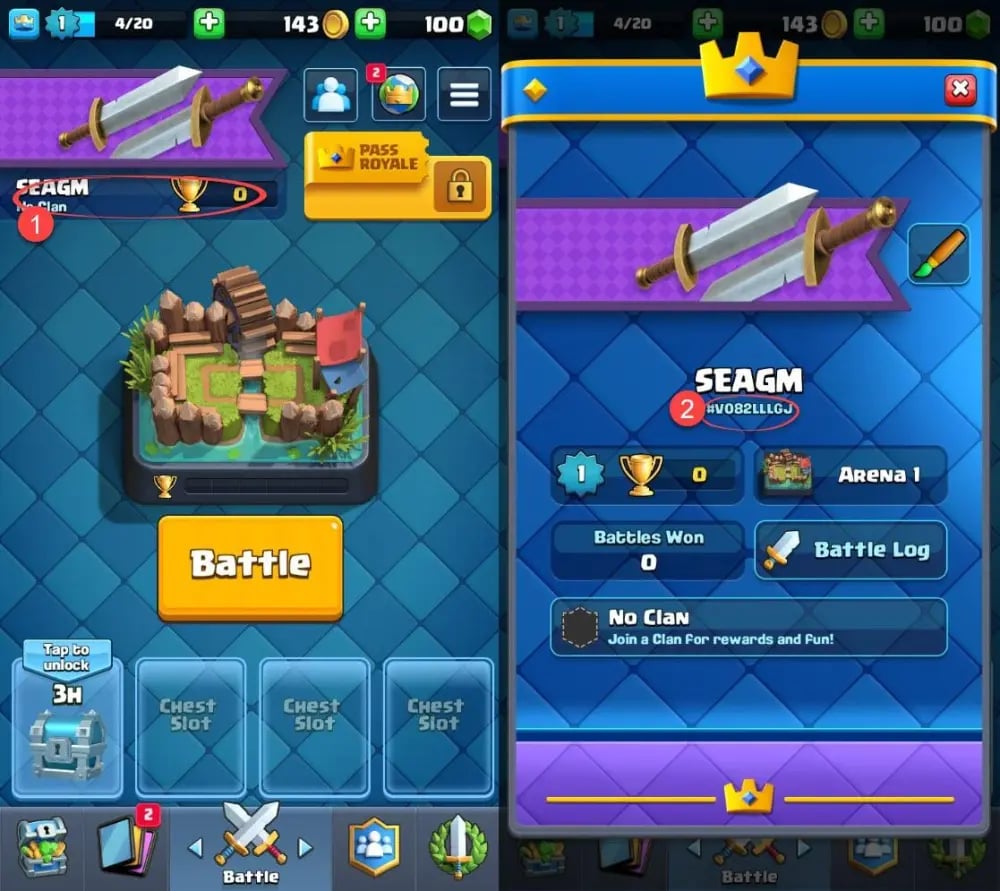
How to locate your Role ID (Player Tag):
- From the main battle tab, tap your username in the top-left banner.
- Your Player Profile will open.
- Look directly beneath your in-game name to find your Role ID tag, which begins with a hashtag (for example,
#9PQL82VY). - Tap the tag to copy it directly to your clipboard.
Account Safety: Secure Delivery Without Password Sharing
Account safety is a top priority when purchasing in-game currencies. Unofficial sellers or sketchy third-party sites frequently ask for direct account access, Supercell login codes, or private passwords. Sharing login credentials violates terms of service and exposes your personal data to unauthorized access.
ArcTopup protects your profile by using a direct top up system:- No Passwords Required: You never provide your Supercell password, Google Play login, or Apple ID.- Direct Delivery: Gems are credited using your verified SuperCell Email and public Player Tag.- Protected Privacy: Your personal information and payment details are processed through encrypted channels without saving sensitive credentials.
Troubleshooting Common Top Up and Delivery Issues
If you experience any delay or issue during your transaction, follow these troubleshooting steps:
1. In-Game Balance Has Not Updated
Restart Clash Royale completely by clearing it from your device's active app switcher. Sometimes the mobile client requires a fresh connection to the game servers to refresh your currency counter.
2. Incorrect SuperCell Email Entered
If you submitted an incorrect email during checkout, check your order confirmation on ArcTopup. Contact customer support immediately with your order reference number and the corrected SuperCell Email / Role ID so the delivery team can assist before the transaction is processed.
3. Email Verification Prompts
If an email verification code is requested during checkout to confirm account matching, check the inbox (and spam folder) of your Supercell ID email address. Enter the code promptly to finalize the connection.
4. Cross-Region Profiles
ArcTopup supports international player accounts. Ensure your game is updated to the latest 2026 version via your app store to prevent client-side synchronization errors.
Frequently Asked Questions
How do I top up Clash Royale Gems using my SuperCell Email?
Select your gem pack on ArcTopup, input your linked SuperCell Email into the checkout form, provide your Role ID, and complete payment. The gems are delivered directly to that Supercell profile.
Do I need to provide my account password to top up Clash Royale Gems?
No. ArcTopup never asks for your password, account credentials, or private access codes. Topping up requires only your public account identifiers (SuperCell Email and Role ID).
How much do 14000 gems cost in Clash Royale?
The live price for the 14,000 gem pack is displayed on the product selection grid on this page. Package prices adjust based on current currency rates and live promotions, so check the checkout selector for exact figures.
Are there any working Clash Royale promo codes for free gems?
Supercell does not typically distribute public redeem codes for direct gems. Most online sites advertising free gem generators or unverified promo codes are fraudulent. Purchasing gems through a trusted platform like ArcTopup is the safest way to fund your account.
Can I buy the Diamond Pass with Clash Royale Gems?
No. The Diamond Pass is an in-app real-money purchase and cannot be purchased using in-game gems. However, topping up gems allows you to purchase shop offers, unlock tournament bonus tracks, and acquire exclusive items independently of the pass track.
What should I do if my Clash Royale Gems do not appear in my account?
First, restart Clash Royale to sync your local app with the server. If the gems do not appear within a few minutes, verify your order status in your ArcTopup account history. If the order is marked complete but balance is missing, reach out to ArcTopup customer support with your order number and player tag for prompt resolution.
Current packages and prices
Current base prices exclude Tax. Tax, payment fees and coupon adjustments are shown at checkout.
| Package | Price |
|---|---|
| 80Gems | USD 0.80 |
| 750 Grumpy Medals | USD 2.42 |
| 500Gems | USD 4.04 |
| Event Pass | USD 4.04 |
| Gold Pass | USD 5.66 |
| 2600 Grumpy Medals | USD 8.09 |
| 1200Gems | USD 8.09 |
| 6000 Grumpy Medals | USD 16.19 |
| 2500Gems | USD 16.19 |
| 6500Gems | USD 40.48 |
| 14000Gems | USD 80.97 |